
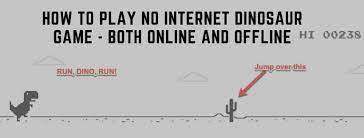
No Internet Game: How to Play the Chrome Dino Game Offline
A no internet game is a game you can play when your device is offline. One of the best-known examples is the Chrome Dino game, a simple endless runner featuring a pixelated dinosaur. It was made for moments when a web page won’t load, but you can also play it whenever you want a quick break.
What Is the No Internet Game?
The Chrome Dino game is a browser game that appears on Chrome’s offline error page when the browser can’t connect to the internet. The dinosaur runs across a desert landscape, and your job is to help it avoid obstacles for as long as possible. The game gets faster over time, making each run a little more challenging.
How to Play the Chrome Dino Game
- Disconnect your device from the internet, then try to open a webpage in Google Chrome.
- When Chrome displays its offline page, look for the dinosaur.
- Press the spacebar or the up arrow to start playing.
- Press the spacebar or up arrow to jump over cacti.
- Use the down arrow to duck under flying obstacles when they appear.
On a touchscreen device, tap the dinosaur or screen to jump. Controls may vary slightly depending on your device and browser version.
Can You Play Without Turning Off the Internet?
Yes. In Chrome, type chrome://dino into the address bar and press Enter to open the game directly. This lets you play even when your internet connection is working.
Tips for Getting a Higher Score
- Watch the obstacles: Focus on what’s ahead rather than reacting at the last second.
- Use short jumps: A quick press can help you clear smaller obstacles without staying in the air too long.
- Learn the timing: The game speeds up as you progress, so pay attention to the changing pace.
- Stay calm: Rushing your button presses can make it harder to avoid the next obstacle.
Other Games You Can Play Offline
The Dino game is a convenient choice, but it isn’t the only option for playing without a connection. Many mobile and computer games offer offline modes. Some require you to download the game or specific content before going offline, so check the game’s settings and requirements ahead of time.
Why the No Internet Game Is So Popular
The Chrome Dino game is easy to start, needs no separate installation, and uses simple controls. Its endless-run format makes it suitable for a short break, while the increasing speed gives players a reason to try again and beat their previous score. Whether your connection is down or you’re simply looking for a quick browser game, the no internet game is an entertaining way to pass the time.
9 Essential Tips for Enjoying Games Without Internet Access
- Download the game before going offline.
- Check whether offline mode is supported.
- Save your progress before disconnecting.
- Enable airplane mode to avoid interruptions.
- Keep your device charged.
- Download updates while connected to Wi-Fi.
- Choose games that do not require an account login.
- Test the game offline before traveling.
- Bring headphones for a quieter game session.
Download the game before going offline.
Download the game before going offline so it’s ready to play when you don’t have an internet connection. Open it once while you’re online to complete any setup, updates, or additional downloads, and check whether it offers an offline mode. A little preparation helps you avoid finding out that the game needs an internet connection just when you want to play.
Check whether offline mode is supported.
Before relying on a game when you’re offline, check whether it supports offline mode. Some games work without an internet connection once they’re installed, while others require a connection to launch, verify your account, or download content. Look in the game’s settings or description, and try launching it in airplane mode before you travel or lose access to the internet.
Save your progress before disconnecting.
Before disconnecting from the internet, save your progress in any game you plan to play offline. Some games store progress online and may not sync new achievements, scores, or completed levels until you reconnect. Check that your game is saved to your device or account, and download any updates or content you’ll need ahead of time.
Enable airplane mode to avoid interruptions.
Enable airplane mode to avoid interruptions while playing a no internet game. It turns off your device’s wireless connections, helping prevent calls, messages, and notifications from pulling your attention away. Just remember that airplane mode may also disable Wi-Fi and cellular data, so download any games or updates you need before turning it on.
Keep your device charged.
Keep your device charged before playing a no internet game, especially if you’re away from a power source. Offline games can help pass the time during a commute, trip, or internet outage, but a low battery may cut your game short. If you’ll be out for a while, charge your device beforehand or bring a portable charger.
Download updates while connected to Wi-Fi.
Download game updates while you’re connected to Wi-Fi to make sure you have the latest features and fixes before going offline. Updates can be large and may use a lot of mobile data, so installing them ahead of time can also help you save on data charges.
Choose games that do not require an account login.
Choose games that don’t require an account login so you can start playing without an internet connection. Some games need to verify your account online before they’ll open, even if they offer offline play. Check the game’s requirements in advance, and launch it at least once while you’re connected to the internet to make sure it works offline.
Test the game offline before traveling.
Before traveling, test your no-internet game while your device is actually offline. Turn off Wi-Fi and mobile data, open the game, and make sure it loads and responds as expected. Some games require an internet connection for sign-in or may need content downloaded in advance, so checking beforehand helps prevent surprises when you’re on a plane, train, or somewhere with limited service.
Bring headphones for a quieter game session.
Bring headphones for a quieter game session, especially if you’re playing the no internet game in a shared space. Headphones let you hear the game’s sound effects without disturbing people nearby. If you’d rather play in silence, you can also lower your device’s volume or mute the sound.
Tags: browser game, chrome dino game, dinosaur game, download games, endless runner, game controls, google chrome, high score, internet connection, no internet game, offline games, offline gaming tips, offline mode, play offline, save game progress