
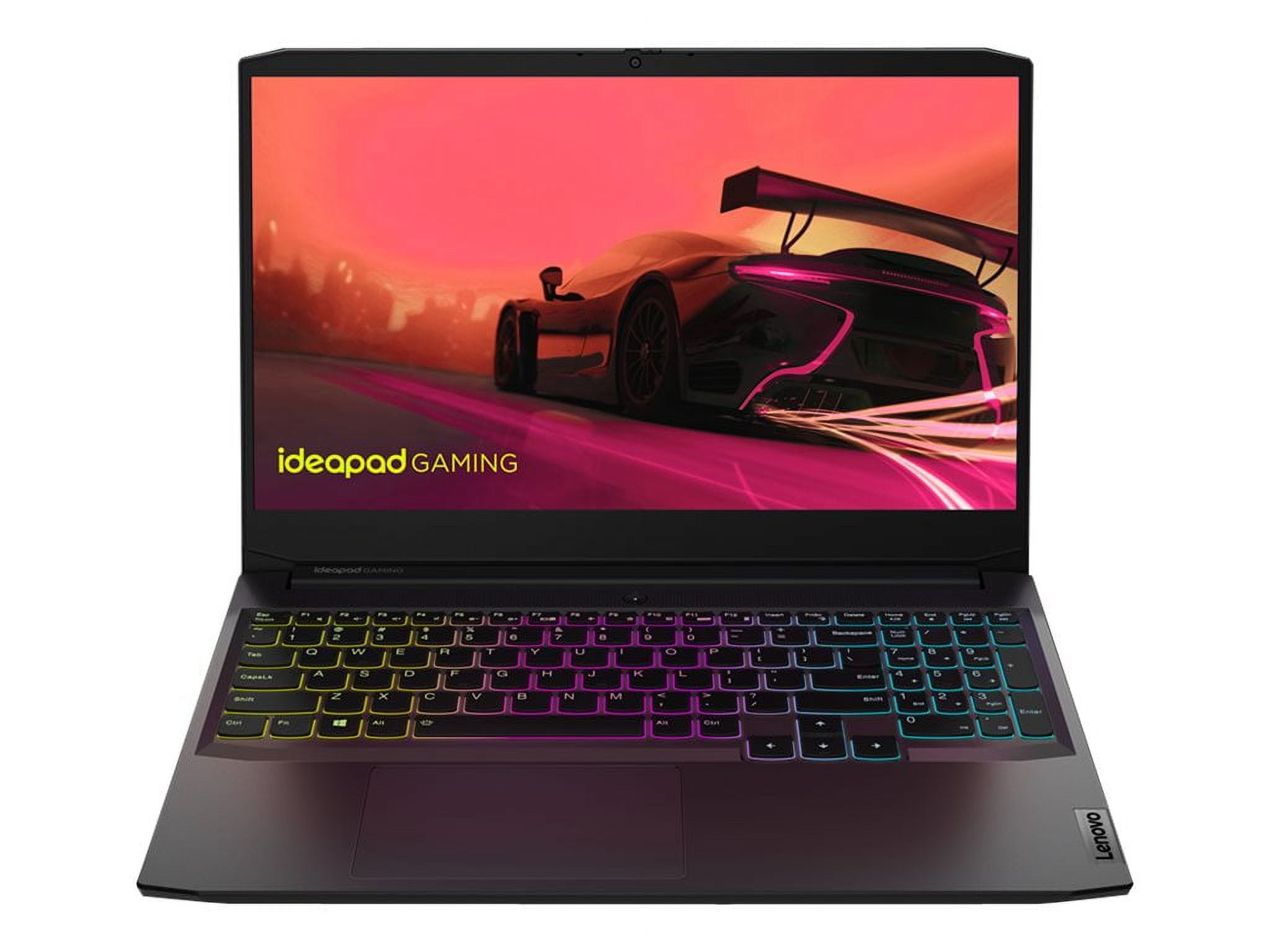
Lenovo Gaming Laptops: What to Know Before You Buy
A Lenovo gaming laptop can deliver strong performance for gaming, school, work, and everyday use in a portable design. Lenovo offers options for different budgets and needs, from entry-level models to high-performance systems with advanced cooling and premium displays. The right choice depends on the games you play, the features you value, and how much you want to spend.
Lenovo’s Main Gaming Laptop Families
Lenovo LOQ
Lenovo LOQ laptops are generally designed for gamers looking for capable hardware at a more accessible price. Depending on the configuration, a LOQ model may include a dedicated graphics card, a high-refresh-rate display, and a cooling system built for gaming. These laptops can also suit students and general users who want more graphics performance than a typical everyday laptop offers.
Lenovo Legion
The Legion family is Lenovo’s more performance-focused gaming lineup. Legion models often offer higher-powered processors and graphics cards, improved cooling, faster or higher-resolution displays, and additional configuration choices. Specific features vary across models, so compare the full specifications rather than relying on the product family name alone.
What to Look for in a Lenovo Gaming Laptop
- Graphics card: The GPU has a major impact on gaming performance. Choose one suited to the games you play and the resolution you want to use.
- Processor: A modern CPU helps with gaming, multitasking, streaming, and creative applications. Balance it with the graphics card rather than choosing based on processor specifications alone.
- Memory: More RAM can make it easier to run games alongside browsers, chat apps, or other programs. Check whether the laptop’s memory can be upgraded.
- Storage: Games can take up substantial space. An SSD helps with loading times, while a larger drive gives you room for more games and files.
- Display: Consider screen size, resolution, brightness, and refresh rate. A higher refresh rate can make supported games look smoother, while a higher resolution provides a sharper image.
- Cooling: Gaming hardware produces heat. Reviews can help you understand how a particular configuration handles temperatures and fan noise during long sessions.
- Ports and connectivity: Check for the connections you need, such as USB-A, USB-C, HDMI, Ethernet, and a headphone jack.
- Battery life and weight: Gaming laptops are usually best used near a power outlet during demanding tasks. If you plan to carry yours frequently, compare its weight and battery performance with your needs.
Advantages of Lenovo Gaming Laptops
Lenovo’s gaming range includes models at different performance levels, making it possible to compare more affordable systems with premium options. Many configurations combine dedicated graphics with displays designed for gaming, and some models provide useful features such as customizable keyboard lighting and multiple performance modes.
A gaming laptop can also be a practical all-purpose computer. The same system may handle gaming, video calls, schoolwork, programming, photo editing, and other demanding tasks. This versatility can be useful if you want one computer for several parts of your day.
Potential Drawbacks to Consider
Powerful gaming laptops can be heavy, and their fans may become noticeable when the system is under load. Battery life is often shorter during gaming than during light tasks, so a charger may be necessary for extended sessions. Prices and performance can also differ considerably between configurations that look similar at first glance.
Before buying, review the exact model number and configuration. Confirm the graphics card, display, memory, storage, ports, and upgrade options. Checking independent reviews of the specific model can also provide useful information about performance, temperatures, noise, and build quality.
How to Choose the Right Model
Start by identifying your priorities. If you mainly play esports titles or less demanding games, an entry-level configuration may be sufficient. If you want to play graphically demanding games at higher settings, focus on a stronger GPU and effective cooling. For a laptop that will also be used for creative work, consider a capable processor, enough memory, and a display that suits your projects.
Set a budget, then compare the specifications and reviews of several models within it. A lower-priced laptop may offer better value if its performance matches your needs, while a premium system may be worthwhile if you need more graphics power, a higher-quality screen, or additional features.
Frequently Asked Questions
Are Lenovo gaming laptops good for everyday use?
Yes. They can handle everyday tasks such as browsing, streaming, video calls, and office work. Keep in mind that gaming models may be larger and heavier than standard laptops, and battery life can vary by configuration and usage.
Is Lenovo LOQ or Legion better?
Neither is automatically the best choice for everyone. LOQ models are typically aimed at buyers seeking gaming performance at a more accessible price, while Legion models tend to emphasize higher performance and additional features. Compare the specifications and price of the exact models you are considering.
Can a Lenovo gaming laptop run games and creative software?
Many configurations can run both, but performance depends on the processor, graphics card, memory, and software requirements. Check the recommended specifications for your games and applications before choosing a laptop.
Final Thoughts
Lenovo gaming laptops offer a range of choices for casual players, students, and enthusiasts. The best model is the one that meets your performance needs without making you pay for features you will not use. Compare exact configurations, read model-specific reviews, and pay close attention to the graphics card, display, cooling, and upgrade options before making a decision.
7 Key Advantages of Lenovo Gaming Laptops
- Wide range of models and price points
- Strong gaming performance options
- High-refresh-rate display choices
- Effective cooling on many models
- Good keyboard for gaming
- Useful ports for peripherals
- Suitable for gaming and everyday tasks
7 Drawbacks of Lenovo Gaming Laptops
- Gaming models can be bulky and heavy.
- Battery life is limited during gaming.
- Fans can get loud under heavy workloads.
- High-performance configurations can be expensive.
- The laptop may run hot during long gaming sessions.
- Some models have dim or low-resolution displays.
- Upgrade options vary by model.
Wide range of models and price points
Lenovo offers gaming laptops across a wide range of models and price points, making it easier to find an option that fits your budget and needs. More affordable models can provide solid performance for casual gaming and everyday tasks, while higher-end systems offer powerful hardware and premium features for demanding games. Comparing configurations helps you choose the right balance of performance, features, and cost.
Strong gaming performance options
Lenovo gaming laptops offer a range of performance options, making it easier to find a model that suits your games and budget. Depending on the configuration, you can get a capable processor, dedicated graphics, and a fast-refresh display for smooth gameplay. Whether you enjoy competitive esports or graphically demanding titles, comparing the specifications can help you choose a Lenovo laptop with the power you need.
High-refresh-rate display choices
Many Lenovo gaming laptops are available with high-refresh-rate display options, which can make supported games feel smoother and more responsive. This is especially useful in fast-paced titles, where fluid motion can make it easier to follow on-screen action. Display options vary by model and configuration, so check the specifications to confirm the refresh rate that fits your needs.
Effective cooling on many models
Many Lenovo gaming laptops feature cooling systems designed to help manage heat during demanding games and other intensive tasks. Well-placed vents, multiple fans, and performance controls can help maintain consistent operation during longer sessions. Cooling performance varies by model and configuration, so checking reviews of the specific laptop can help you understand its temperatures and fan noise in real-world use.
Good keyboard for gaming
A good keyboard can make a real difference during long gaming sessions, and many Lenovo gaming laptops offer a comfortable layout with responsive keys. Depending on the model, you may also get useful features such as customizable RGB lighting, dedicated controls, or a full-size layout with a numeric keypad. Check the specific laptop’s keyboard features and reviews, since key feel and lighting options can vary between models.
Useful ports for peripherals
Lenovo gaming laptops often include a useful selection of ports for connecting peripherals and accessories. Depending on the model, you may find USB-A and USB-C ports, HDMI, Ethernet, and an audio jack, making it easier to connect a gaming mouse, headset, external monitor, wired network, or storage drive. Having these connections built in can reduce the need for adapters and help keep a gaming setup simple and organized.
Suitable for gaming and everyday tasks
Lenovo gaming laptops are built to handle more than just games. Their capable processors, dedicated graphics, and generous memory can support everyday tasks like browsing the web, streaming videos, joining video calls, and working on school or office projects. This versatility makes a Lenovo gaming laptop a practical choice for people who want one computer for both entertainment and daily use.
Gaming models can be bulky and heavy.
One drawback of Lenovo gaming laptops is that they can be bulky and heavy, especially compared with ultraportable laptops. Their larger chassis makes room for powerful components and cooling systems, but it can be less convenient to carry one between home, school, or work. If portability matters, check the laptop’s weight and dimensions before buying—and remember to account for its power adapter, which can add extra weight to your bag.
Battery life is limited during gaming.
Battery life can be limited when gaming on a Lenovo laptop, especially during demanding titles that push the processor and graphics card hard. These components use much more power under load, so a full charge may not last long during a gaming session. For the best performance and longer playtime, plan to keep the laptop plugged in when gaming.
Fans can get loud under heavy workloads.
One drawback of Lenovo gaming laptops is that their fans can get loud during demanding tasks, such as playing graphics-intensive games or rendering video. The cooling system works harder to keep the components at safe temperatures, which may create noticeable noise—especially in quiet rooms. Using a headset or adjusting the laptop’s performance settings can help, though lower-power modes may reduce performance.
High-performance configurations can be expensive.
High-performance Lenovo gaming laptops can be expensive, especially models with powerful graphics cards, fast processors, high-refresh-rate displays, and ample memory and storage. These features can deliver a smoother gaming experience, but they may push the price beyond some budgets. Compare configurations carefully and consider whether the extra performance is worth the cost for the games and tasks you actually use.
The laptop may run hot during long gaming sessions.
During long gaming sessions, a Lenovo gaming laptop may run hot as its processor and graphics card work hard to maintain performance. The fans may become louder as the cooling system responds, and the keyboard or underside can feel warm. Using the laptop on a hard, flat surface and keeping its vents clear can help airflow, but temperatures and fan noise vary by model and workload.
Some models have dim or low-resolution displays.
Some Lenovo gaming laptop models come with dim or low-resolution displays, which can make games look less vivid and detailed. A dim screen may be difficult to see in brightly lit rooms, while a lower resolution can make images and text appear less sharp. Display quality varies by model and configuration, so check the screen’s brightness, resolution, and refresh rate before buying.
Upgrade options vary by model.
Upgrade options vary across Lenovo gaming laptop models, so it’s important to check what can be replaced or expanded before buying. Some models may allow you to add memory or storage, while others have limited upgrade paths or components that are difficult to access. Reviewing the exact model’s specifications and service documentation can help you choose a laptop that can keep up with your needs over time.
Tags: battery life, cooling system, creative software, display refresh rate, everyday use, gaming laptop budget, gaming laptop buying guide, gaming performance, gpu, laptop configurations, laptop weight, lenovo gaming laptop, lenovo gaming laptops, lenovo legion, lenovo loq, model-specific reviews, ports and connectivity, processor, ram, ssd storage, upgrade options