
Exploring Microsoft Windows 10
Microsoft Windows 10 is the latest operating system developed by Microsoft, succeeding Windows 8.1. Since its release in July 2015, Windows 10 has become one of the most popular operating systems worldwide, used by millions of users across various devices.
One of the key features of Windows 10 is its user-friendly interface, which combines elements from previous versions like the Start Menu from Windows 7 and the Live Tiles from Windows 8. This blend creates a familiar yet modern experience for users.
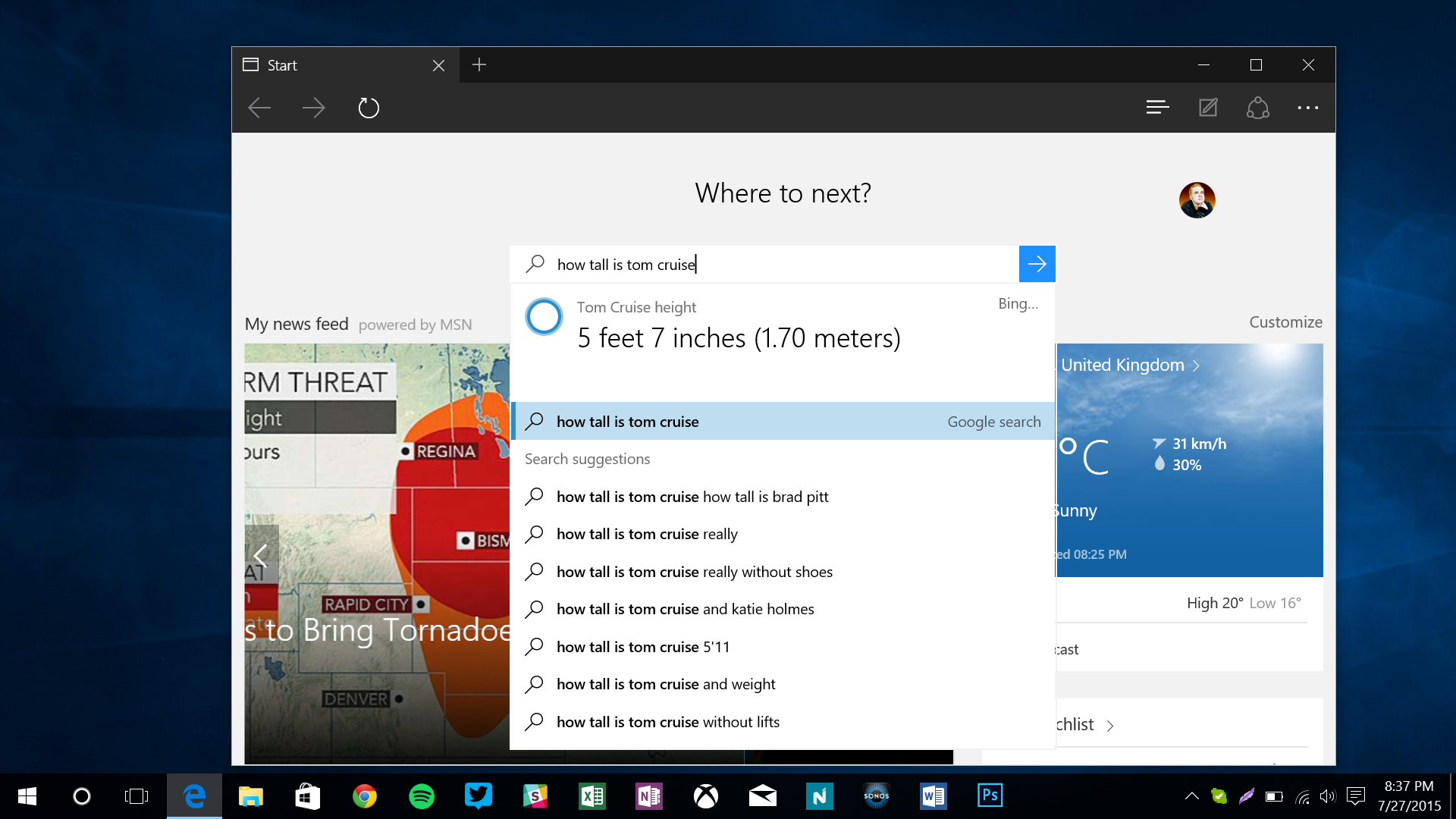
Windows 10 offers a range of functionalities to enhance productivity and efficiency. Features such as Cortana, Microsoft’s virtual assistant, allow users to perform tasks using voice commands. The Task View feature enables users to create multiple desktops for better organization and multitasking.
Security is a top priority in Windows 10, with built-in features like Windows Defender Antivirus and biometric authentication options such as Windows Hello. Updates are regularly released to address security vulnerabilities and improve performance.
Compatibility is another strength of Windows 10, as it supports a wide range of software and hardware devices. Whether you’re using a desktop PC, laptop, tablet, or hybrid device, Windows 10 provides a seamless experience across different platforms.
In conclusion, Microsoft Windows 10 continues to evolve with new features and updates to meet the needs of modern users. Its intuitive interface, productivity tools, security enhancements, and compatibility make it a compelling choice for individuals and businesses alike.
Top 8 Advantages of Microsoft Windows 10: User-Friendly, Secure, and Versatile
- User-friendly interface with a mix of classic and modern features
- Enhanced productivity tools like Cortana virtual assistant and Task View
- Built-in security features such as Windows Defender Antivirus and Windows Hello
- Regular updates to improve performance and address security vulnerabilities
- Wide compatibility with software and hardware devices
- Seamless experience across different platforms including desktops, laptops, tablets, and hybrids
- Improved gaming experience with DirectX 12 support
- Integration with Microsoft services like OneDrive for cloud storage
Challenges with Windows 10: Update Disruptions, Privacy Concerns, and Compatibility Issues
- Windows 10 updates can sometimes disrupt workflow by causing unexpected restarts or system slowdowns.
- Privacy concerns have been raised due to data collection practices in Windows 10, although users can adjust settings to enhance privacy.
- Compatibility issues may arise with older software or hardware that may not be fully supported by Windows 10.
User-friendly interface with a mix of classic and modern features
Microsoft Windows 10 stands out for its user-friendly interface that strikes a perfect balance between classic familiarity and modern innovation. By blending elements from previous Windows versions, such as the beloved Start Menu from Windows 7 and the dynamic Live Tiles from Windows 8, Windows 10 offers a seamless and intuitive user experience. This thoughtful combination of classic and modern features caters to users of all backgrounds, making navigation effortless and enhancing productivity.
Enhanced productivity tools like Cortana virtual assistant and Task View
Microsoft Windows 10 offers enhanced productivity tools that significantly improve user efficiency. With features like Cortana, the intelligent virtual assistant, users can easily perform tasks using voice commands, set reminders, and access information quickly. Additionally, the Task View feature allows users to create multiple desktops for better organization and seamless multitasking. These tools not only streamline daily workflow but also enhance overall productivity by providing intuitive ways to manage tasks and information effectively within the operating system.
Built-in security features such as Windows Defender Antivirus and Windows Hello
Microsoft Windows 10 boasts robust built-in security features, including Windows Defender Antivirus and Windows Hello. Windows Defender Antivirus provides real-time protection against malware and other online threats, ensuring a secure computing environment for users. On the other hand, Windows Hello offers convenient biometric authentication options like facial recognition and fingerprint scanning, enhancing user privacy and data protection. These integrated security tools in Windows 10 help safeguard personal information and provide peace of mind to users in today’s digital landscape.
Regular updates to improve performance and address security vulnerabilities
Microsoft Windows 10 stands out for its commitment to regular updates, aimed at enhancing performance and addressing security vulnerabilities. By consistently releasing updates, Microsoft ensures that users benefit from improved system stability, new features, and optimized security measures. These updates not only enhance the overall user experience but also demonstrate Microsoft’s dedication to maintaining a secure and reliable operating system for its users.
Wide compatibility with software and hardware devices
Microsoft Windows 10 boasts a significant advantage in its wide compatibility with both software and hardware devices. This feature ensures that users have the flexibility to run a diverse range of applications and utilize various peripherals without encountering compatibility issues. Whether it’s productivity software, creative tools, or specialized hardware components, Windows 10 offers a seamless experience across different devices, making it a versatile and user-friendly operating system for individuals and businesses alike.
Seamless experience across different platforms including desktops, laptops, tablets, and hybrids
Microsoft Windows 10 offers a seamless experience across various platforms, from desktops and laptops to tablets and hybrid devices. This versatility allows users to transition effortlessly between different devices while maintaining a consistent and familiar interface. Whether you are working on a desktop PC in the office, using a laptop on the go, or switching to a tablet for convenience, Windows 10 ensures that your workflow remains uninterrupted and efficient across all platforms. The ability to seamlessly switch between devices without compromising productivity is a significant advantage of Windows 10 for users who rely on multiple gadgets in their daily lives.
Improved gaming experience with DirectX 12 support
Microsoft Windows 10 offers an enhanced gaming experience with its support for DirectX 12. This advanced graphics technology allows gamers to enjoy improved performance, enhanced visuals, and better optimization of hardware resources. With DirectX 12 support, Windows 10 provides a smoother and more immersive gaming experience, making it a preferred choice for gamers looking to maximize their gameplay potential.
Integration with Microsoft services like OneDrive for cloud storage
Microsoft Windows 10 offers seamless integration with Microsoft services such as OneDrive for cloud storage, providing users with a convenient and efficient way to store and access their files across devices. With OneDrive integration, users can easily sync their documents, photos, and other data to the cloud, ensuring that their information is always backed up and accessible from anywhere. This feature enhances productivity and collaboration by enabling users to share files with others and work on documents in real-time, making Microsoft Windows 10 a versatile platform for modern computing needs.
Windows 10 updates can sometimes disrupt workflow by causing unexpected restarts or system slowdowns.
One notable drawback of Microsoft Windows 10 is that the system updates can occasionally disrupt workflow by triggering unexpected restarts or causing system slowdowns. These interruptions can be frustrating for users, especially during critical tasks or time-sensitive projects. The automatic nature of updates in Windows 10 may lead to instances where the user’s control over their device is temporarily compromised, impacting productivity and efficiency.
Privacy concerns have been raised due to data collection practices in Windows 10, although users can adjust settings to enhance privacy.
Privacy concerns have been raised regarding Microsoft Windows 10 due to its data collection practices, which have sparked debates among users and privacy advocates. Some users are wary of the amount of data that Windows 10 gathers, raising questions about the extent of user privacy compromised by these practices. However, Microsoft has provided options for users to adjust settings and customize their privacy preferences to mitigate these concerns. By taking advantage of these settings, users can enhance their privacy and have more control over the data collected by Windows 10.
Compatibility issues may arise with older software or hardware that may not be fully supported by Windows 10.
One significant drawback of Microsoft Windows 10 is the potential compatibility issues that may arise with older software or hardware that is not fully supported by the operating system. Users upgrading to Windows 10 may encounter challenges when trying to run legacy applications or connect older devices, as certain drivers or functionalities may not be compatible with the latest version of Windows. This can lead to frustration and limitations for users who rely on specific software or hardware that may not have been updated to work seamlessly with Windows 10, highlighting a key con of the operating system in terms of backward compatibility.
Tags: built-in security tools, classic features, cortana virtual assistant, enhanced productivity tools, intuitive user experience, live tiles, microsoft windows 10, modern innovation, multiple desktops, performance improvement, regular updates, seamless experience, security features, start menu, task view feature, user-friendly interface, windows 10, windows defender antivirus, windows hello