
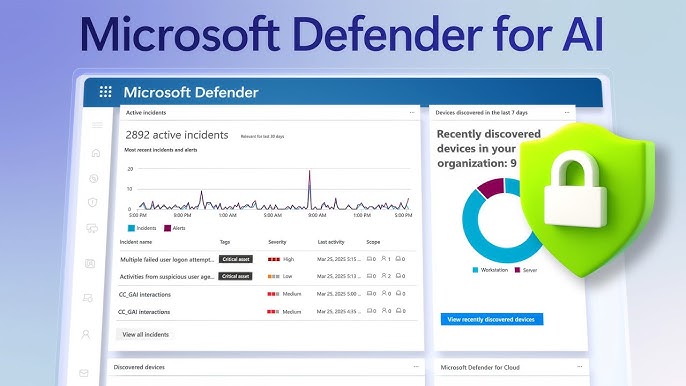
The Power of Microsoft Defender
Microsoft Defender, formerly known as Windows Defender, is a comprehensive cybersecurity solution developed by Microsoft to protect your devices from various online threats. With its advanced features and real-time protection capabilities, Microsoft Defender has become a trusted ally in safeguarding both personal and business data.
Key Features of Microsoft Defender:
- Antivirus Protection: Microsoft Defender offers robust antivirus protection to detect and remove malware, viruses, spyware, and other malicious software.
- Firewall Security: It includes a built-in firewall that monitors network traffic and prevents unauthorized access to your system.
- Ransomware Protection: Microsoft Defender helps defend against ransomware attacks by detecting suspicious behavior and blocking ransomware threats.
- Browser Security: It provides browser security features to protect you from phishing scams, malicious websites, and other online threats.
- Real-Time Threat Detection: With its real-time protection feature, Microsoft Defender continuously monitors your system for potential threats and takes action to mitigate risks.
Why Choose Microsoft Defender?
Microsoft Defender stands out as a reliable cybersecurity solution due to its seamless integration with Windows operating systems, regular updates for threat detection algorithms, and minimal impact on system performance. Whether you are a home user or a business owner, Microsoft Defender offers a comprehensive defense mechanism against cyber threats without compromising usability or efficiency.
In Conclusion
In today’s digital age where cyber threats are constantly evolving, having a robust cybersecurity solution like Microsoft Defender is essential to safeguard your digital assets. By leveraging the power of Microsoft’s expertise in technology and security, you can rest assured that your devices are protected against the ever-growing landscape of online threats.
Top 6 Benefits of Microsoft Defender: Comprehensive Security and Seamless Performance
- Comes pre-installed on Windows operating systems, ensuring easy accessibility.
- Offers robust antivirus protection to detect and remove malware and viruses.
- Includes a built-in firewall for added network security.
- Provides real-time threat detection to keep your system safe from evolving cyber threats.
- Regularly updated with the latest threat detection algorithms for enhanced security measures.
- Minimal impact on system performance, allowing smooth operation without compromising speed.
Limitations of Microsoft Defender: Customization, Malware Detection, and Cross-Platform Compatibility
- Limited customization options compared to third-party antivirus software
- May not offer as extensive malware detection capabilities as specialized security tools
- Integration primarily designed for Windows operating systems, limiting compatibility with other platforms
Comes pre-installed on Windows operating systems, ensuring easy accessibility.
One of the key advantages of Microsoft Defender is its seamless integration as a pre-installed feature on Windows operating systems. This inherent inclusion ensures easy accessibility for users, eliminating the need for additional downloads or installations. By being readily available upon setting up a Windows device, Microsoft Defender offers immediate protection against cyber threats, making cybersecurity more convenient and hassle-free for users of all levels of expertise.
Offers robust antivirus protection to detect and remove malware and viruses.
Microsoft Defender, a standout cybersecurity solution, offers robust antivirus protection that excels in detecting and removing malware and viruses. With its advanced scanning capabilities and real-time monitoring, Microsoft Defender provides a strong defense against malicious software, ensuring that your devices remain secure from potential threats. By swiftly identifying and eliminating malware and viruses, Microsoft Defender helps users maintain the integrity of their systems and data, offering peace of mind in an increasingly digital world fraught with cyber risks.
Includes a built-in firewall for added network security.
Microsoft Defender’s inclusion of a built-in firewall enhances network security by providing an additional layer of protection against unauthorized access and potential cyber threats. This feature helps users safeguard their devices and data by monitoring network traffic, blocking suspicious activities, and preventing malicious entities from compromising system integrity. With Microsoft Defender’s built-in firewall, users can enjoy peace of mind knowing that their network connections are secure and their online activities are shielded from external risks.
Provides real-time threat detection to keep your system safe from evolving cyber threats.
Microsoft Defender offers a valuable pro by providing real-time threat detection, ensuring that your system remains protected from constantly evolving cyber threats. By continuously monitoring for potential risks and taking immediate action to mitigate them, Microsoft Defender enhances the security of your devices in today’s dynamic digital landscape. This proactive approach helps users stay one step ahead of emerging cybersecurity challenges, offering peace of mind and robust protection against a wide range of online dangers.
Regularly updated with the latest threat detection algorithms for enhanced security measures.
Microsoft Defender sets itself apart by being regularly updated with the latest threat detection algorithms, ensuring enhanced security measures for users. By staying up-to-date with the ever-evolving landscape of cyber threats, Microsoft Defender can effectively identify and neutralize potential risks in real-time. This proactive approach to cybersecurity not only provides peace of mind to users but also reflects Microsoft’s commitment to delivering cutting-edge protection against emerging online dangers.
Minimal impact on system performance, allowing smooth operation without compromising speed.
Microsoft Defender’s remarkable pro lies in its ability to maintain minimal impact on system performance while ensuring smooth operation without compromising speed. This means that users can enjoy a seamless computing experience without experiencing slowdowns or disruptions, all while benefiting from robust cybersecurity protection. By striking a balance between effective security measures and efficient resource utilization, Microsoft Defender stands out as a reliable choice for those seeking comprehensive defense against cyber threats without sacrificing the performance of their devices.
Limited customization options compared to third-party antivirus software
Microsoft Defender, while offering solid cybersecurity protection, does have a con in its limited customization options compared to third-party antivirus software. Some users may find that they have less control over specific settings and configurations when using Microsoft Defender, which can be a drawback for those who prefer a more tailored approach to their security preferences. Third-party antivirus software often provides more extensive customization features, allowing users to fine-tune their security settings according to their individual needs and preferences.
May not offer as extensive malware detection capabilities as specialized security tools
While Microsoft Defender provides solid cybersecurity protection, one potential drawback is that it may not offer as extensive malware detection capabilities as specialized security tools. Dedicated antivirus software and cybersecurity solutions from other providers may have more advanced detection algorithms and specialized features to identify and combat a wider range of malware threats. Users with specific security requirements or those operating in high-risk environments may need to supplement Microsoft Defender with additional security tools to ensure comprehensive protection against sophisticated malware attacks.
Integration primarily designed for Windows operating systems, limiting compatibility with other platforms
One notable drawback of Microsoft Defender is its integration, which is primarily designed for Windows operating systems. This limitation in compatibility with other platforms can be a hindrance for users who rely on different operating systems such as macOS or Linux. The lack of seamless integration across diverse platforms may pose challenges for individuals and organizations seeking a unified cybersecurity solution across their entire network of devices.
Tags: advanced features, antivirus protection, browser security features, cybersecurity solution, firewall security, integration with windows operating systems, malicious software, malware, microsoft defender, network traffic, online threats, phishing scams, ransomware protection, real-time protection, real-time threat detection, spyware, suspicious behavior, system performance impact, threat detection algorithms, unauthorized access, viruses, windows defender