
The Different Types of Computer Software
Computer software is an essential component that enables computers to perform various tasks and functions. There are several types of computer software, each serving a specific purpose and catering to different user needs. Let’s explore some of the common types of computer software:
System Software
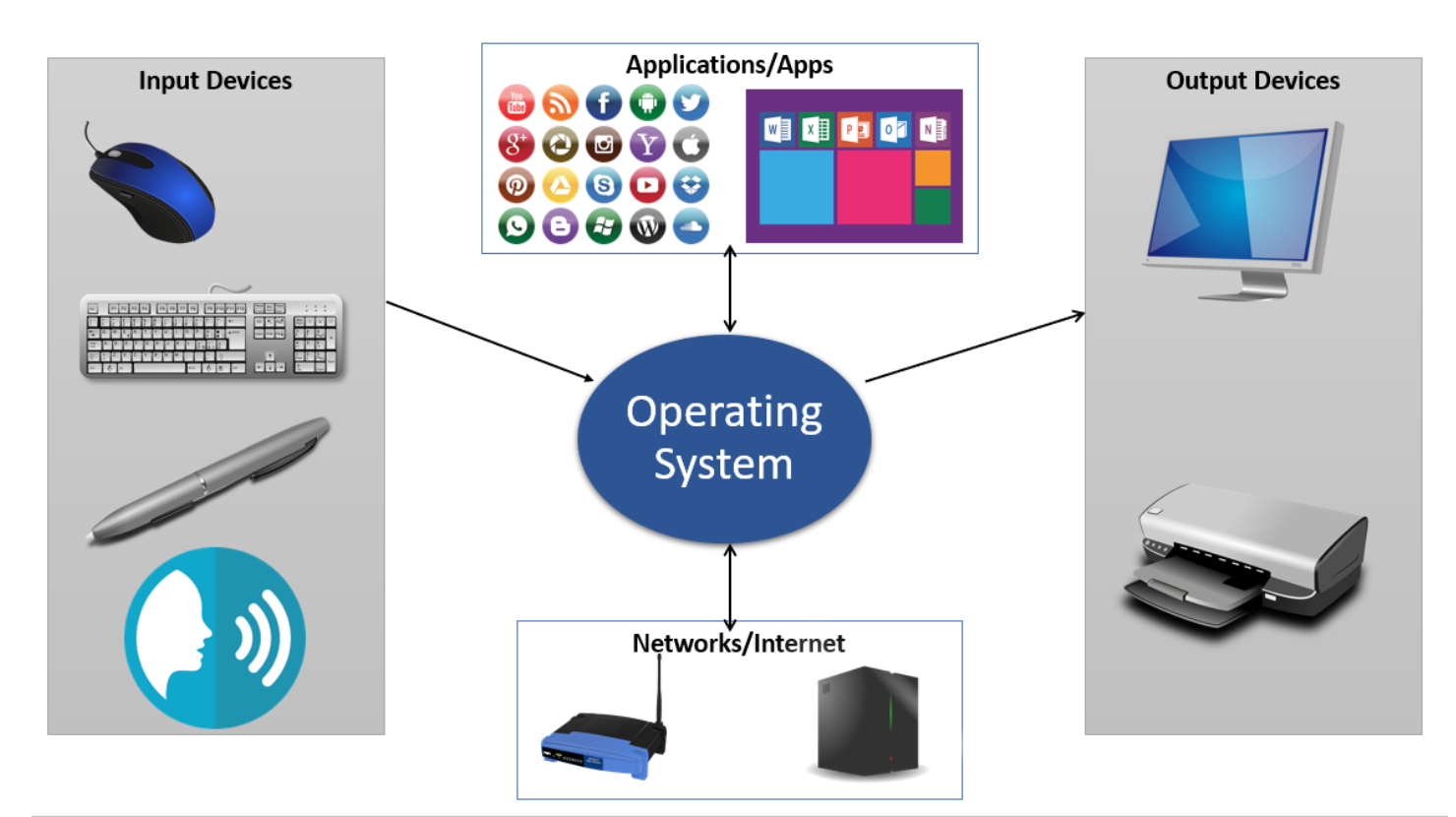
System software is the core software that manages and controls the computer hardware so that other software applications can run smoothly. Examples of system software include operating systems like Windows, macOS, and Linux, as well as device drivers.
Application Software
Application software refers to programs designed to perform specific tasks for users, such as word processing, spreadsheet management, graphic design, and gaming. Examples of application software include Microsoft Office, Adobe Photoshop, and video editing tools like Adobe Premiere Pro.
Programming Software
Programming software provides tools for developers to write, test, and debug code for creating software applications and websites. Popular programming software includes integrated development environments (IDEs) like Visual Studio, Eclipse, and Xcode.
Utility Software
Utility software offers additional functionalities to enhance the performance and efficiency of a computer system. This includes antivirus programs for security, disk cleanup tools for optimizing storage space, backup utilities for data protection, and compression tools for file management.
Multimedia Software
Multimedia software enables users to create, edit, play, and share various forms of multimedia content such as images, audio files, videos, and animations. Examples of multimedia software include Adobe Creative Suite for graphic design and editing tools like Audacity for audio editing.
Educational Software
Educational software is designed to facilitate learning and skill development in academic or professional settings. This type of software includes interactive tutorials, simulations, e-learning platforms, language learning programs, and educational games.
In conclusion, computer software plays a crucial role in enabling users to harness the full potential of their computers for productivity, creativity,, entertainment,, communication,,,,,,,,,,,,,,,,,,,and learning.
Each type of computersoftware serves a unique purpose,a diverse range.
6 Ways Different Types of Computer Software Enhance Daily Life and Work
- Enhances productivity by automating tasks and streamlining processes.
- Provides entertainment and leisure through gaming, multimedia editing, and content creation software.
- Facilitates communication and collaboration with messaging apps, video conferencing tools, and social media platforms.
- Enables learning and skill development with educational software tailored for students of all ages.
- Improves system performance and security with utility software like antivirus programs and disk cleanup tools.
- Empowers creativity by offering a wide range of graphic design, audio editing, and video production software.
Challenges of Computer Software: Navigating Complexity, Cost, and Compatibility Issues
Enhances productivity by automating tasks and streamlining processes.
One key advantage of different types of computer software is their ability to enhance productivity by automating tasks and streamlining processes. By utilizing software applications tailored to specific functions, users can save time and effort by automating repetitive tasks, reducing human error, and increasing efficiency. This automation not only boosts productivity but also allows individuals and organizations to focus on more strategic and creative aspects of their work, ultimately leading to improved outcomes and performance.
Provides entertainment and leisure through gaming, multimedia editing, and content creation software.
One of the key advantages of computer software is its ability to provide entertainment and leisure through various applications. Gaming software offers immersive experiences and challenges for players of all ages, from casual gamers to competitive enthusiasts. Multimedia editing software enables users to unleash their creativity by editing photos, videos, and audio files, allowing them to express themselves artistically. Content creation software empowers individuals to produce engaging and informative content, whether it’s writing articles, creating presentations, or designing digital artwork. These software tools not only entertain users but also serve as outlets for self-expression and relaxation in the digital world.
Facilitates communication and collaboration with messaging apps, video conferencing tools, and social media platforms.
One significant advantage of various types of computer software is their ability to facilitate communication and collaboration among individuals and teams. Messaging apps, video conferencing tools, and social media platforms have revolutionized the way people interact and work together, regardless of geographical barriers. These software applications enable real-time communication, file sharing, project collaboration, and networking opportunities, enhancing productivity and fostering stronger relationships in both personal and professional settings. The convenience and efficiency offered by these tools have made it easier than ever for people to connect, share ideas, and collaborate seamlessly in today’s digital age.
Enables learning and skill development with educational software tailored for students of all ages.
One significant advantage of the various types of computer software is their ability to facilitate learning and skill development through educational software designed for students of all ages. These specialized programs offer interactive tutorials, simulations, e-learning platforms, language learning tools, and educational games that cater to different learning styles and preferences. By leveraging educational software, students can engage in immersive and personalized learning experiences that enhance their understanding of various subjects and concepts while promoting critical thinking, creativity, and problem-solving skills.
Improves system performance and security with utility software like antivirus programs and disk cleanup tools.
One significant advantage of using utility software, such as antivirus programs and disk cleanup tools, is the improvement in system performance and security. Antivirus programs help protect computers from malware, viruses, and other online threats, ensuring a safe digital environment for users. On the other hand, disk cleanup tools optimize storage space by removing unnecessary files and temporary data, resulting in faster system performance. By utilizing utility software effectively, users can enhance their computer’s efficiency while safeguarding it against potential security risks.
Empowers creativity by offering a wide range of graphic design, audio editing, and video production software.
One significant advantage of the different types of computer software is their ability to empower creativity by providing a diverse selection of graphic design, audio editing, and video production tools. These software applications offer users the opportunity to unleash their artistic potential, whether they are designing stunning graphics, composing music, or producing captivating videos. With access to such a wide range of creative software, individuals can bring their ideas to life in ways that were once unimaginable, fostering innovation and artistic expression in the digital realm.
Complexity
One significant drawback of various types of computer software is their inherent complexity, which can present a steep learning curve for users. Certain software applications, especially those designed for specialized tasks or advanced functionalities, may require extensive training and practice to use effectively. This complexity can be intimidating and off-putting for individuals who prefer more straightforward and user-friendly solutions. The intricate nature of such software can deter users from fully utilizing its capabilities, leading to frustration and inefficiency in performing tasks. Streamlining the user experience and providing adequate support and resources for mastering complex software are essential in addressing this challenge.
Cost
One significant drawback of various types of computer software is the high cost associated with acquiring them. High-quality software, particularly specialized programs tailored for specific tasks, often come with a hefty price tag, making them unaffordable for individuals or small businesses operating on tight budgets. This financial barrier can restrict access to essential tools and technologies, hindering the ability of users to leverage advanced software solutions that could enhance productivity and efficiency in their work. The cost factor poses a challenge for those seeking to utilize cutting-edge software but facing constraints in terms of financial resources.
Compatibility Issues
Compatibility issues are a significant drawback when dealing with various types of computer software. The lack of compatibility between different software programs or hardware configurations can result in system crashes, performance degradation, and overall inefficiencies. These issues can be frustrating for users who rely on multiple software applications to complete their tasks efficiently. Ensuring compatibility between different software components and hardware setups is crucial to maintaining a seamless and productive computing experience.
Tags: application software, communication, computer software, creativity, educational software, entertainment, learning, multimedia software, productivity, programming software, system software, types, types of computer software, utility software