
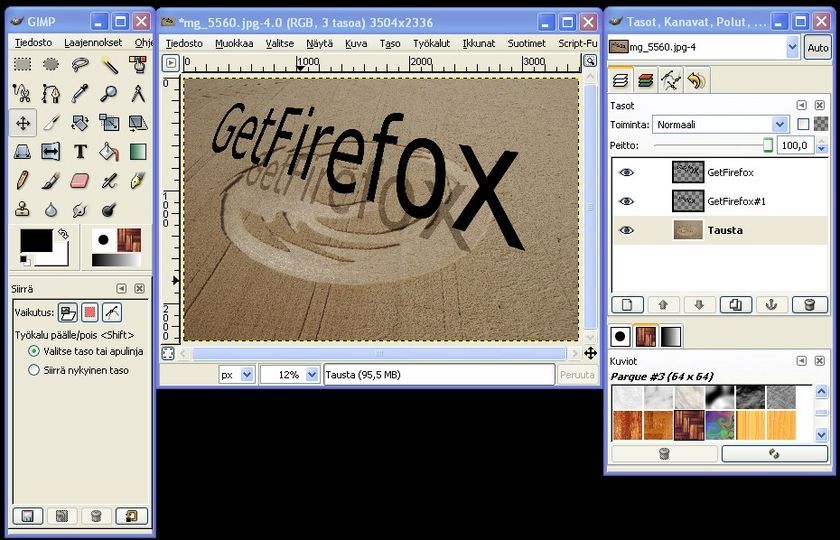
GIMP Download: How to Get the Free Image Editor
GIMP is a free, open-source image editor for photo retouching, graphic design, illustration, and other creative projects. It’s available for Windows, macOS, and Linux. To download GIMP safely, use the official website and choose the version that matches your computer.
Official download page: gimp.org/downloads
How to Download GIMP
- Visit the official GIMP download page at gimp.org/downloads.
- Find the section for your operating system: Windows, macOS, or Linux.
- Select the recommended download option shown for your device.
- When the download finishes, open the installer or follow the installation instructions for your operating system.
- Launch GIMP and open an image or create a new project.
Downloading GIMP for Windows
On the GIMP website, choose the Windows download option. Depending on the choices currently offered, you may be directed to an installer or another supported distribution method. Open the downloaded file and follow the on-screen prompts. If Windows displays a security notice, confirm that the file came from the official GIMP download page before continuing.
Downloading GIMP for macOS
Select the macOS option on the official download page and follow its instructions. Check that your Mac meets the requirements listed for the available release. After downloading, open the provided package or app and complete any setup steps shown by macOS.
Downloading GIMP for Linux
Linux users can check the official download page for the recommended options. Depending on your distribution and preferences, available methods may include Flatpak or packages provided through your Linux distribution. Follow the instructions for the method you choose, and consult your distribution’s documentation if you need help installing software.
Is GIMP Free to Download?
Yes. GIMP is free and open-source software. You can download and use it without paying for a subscription. Optional donations help support the project, but they are not required to download the program.
Is It Safe to Download GIMP?
The safest place to get GIMP is its official website. Avoid unfamiliar download sites that bundle installers with extra programs or make claims about “special” paid versions. Before opening an installer, check that it was obtained from the official download page and that your operating system’s security tools do not flag it.
What Can You Do With GIMP?
GIMP includes tools for editing photos, working with layers, adjusting color, removing backgrounds, creating graphics, and exporting images in common file formats. Its interface and capabilities may take some time to learn, but tutorials and documentation are available through the GIMP community and official website.
Frequently Asked Questions
Does GIMP work on Windows, Mac, and Linux?
Yes. GIMP offers downloads for Windows, macOS, and Linux. Check the official download page for current platform support and installation instructions.
Do I need to create an account to download GIMP?
GIMP can be downloaded from its official website without creating an account.
How do I update GIMP?
Visit the official download page to see whether a newer version is available for your operating system. The update process depends on how GIMP was installed, so follow the instructions for your installation method.
Start Your GIMP Download
For a secure download and the latest installation instructions, go directly to the official GIMP download page. Choose the option for your operating system, install the software, and start exploring its image-editing tools.
GIMP Download FAQs: Safety, Free Access, Features, and Value in 2026
- Is it safe to download GIMP directly?
- Is it safe to install GIMP?
- Can I download GIMP for free?
- Is GIMP totally free?
- Is GIMP still good in 2026?
- Is GIMP really free?
- What is the use of GIMP?
Is it safe to download GIMP directly?
Yes, it’s generally safe to download GIMP directly from its official website, gimp.org/downloads. The site provides downloads and installation instructions for supported operating systems. Avoid unfamiliar third-party download sites, which may offer outdated installers or bundle unwanted software. Before installing, make sure the download came from the official site and follow your device’s security prompts.
Is it safe to install GIMP?
Yes, it’s generally safe to install GIMP when you download it from the official website, gimp.org, or a trusted software repository for your operating system. Avoid unofficial download sites that may bundle unwanted programs, and review any security prompts before proceeding.
Can I download GIMP for free?
Yes, GIMP is free to download and use. It’s open-source software, so there’s no subscription or purchase required. For the safest download, get GIMP from its official website at gimp.org.
Is GIMP totally free?
Yes, GIMP is free to download and use. It’s open-source software, so there’s no required subscription or purchase to access its image-editing features. Donations to the GIMP project are optional, and you can download the program from its official website.
Is GIMP still good in 2026?
Yes, GIMP is still a capable image editor in 2026, especially for users who want a free, open-source alternative for photo editing, retouching, and graphic design. It supports layers, masks, filters, and a wide range of file formats, though its workflow may feel less intuitive than some commercial editors, and certain advanced features can require plugins or workarounds. Check the official GIMP website for the latest version and updates before downloading.
Is GIMP really free?
Yes, GIMP is free to download and use. It’s open-source software, so there’s no subscription fee or required payment. You can optionally donate to support the project, but a donation isn’t necessary to install or use GIMP. For the safest download, visit the official GIMP website.
What is the use of GIMP?
GIMP is a free image-editing program used to retouch photos, create graphics and illustrations, design web assets, and work with layers, colors, and selections. It can also help with tasks such as cropping images, removing backgrounds, and exporting files in common formats. Whether you’re making a quick photo adjustment or creating a more detailed design, GIMP offers a versatile set of tools for personal and creative projects.
Tags: background removal, color adjustment, flatpak, free image editor, gimp download, gimp for linux, gimp for macos, gimp for windows, gimp installation, gimp official website, gimp safety, gimp system requirements, gimp update, graphic design, image editing tools, image formats, image retouching, layers, open-source software, photo editing