
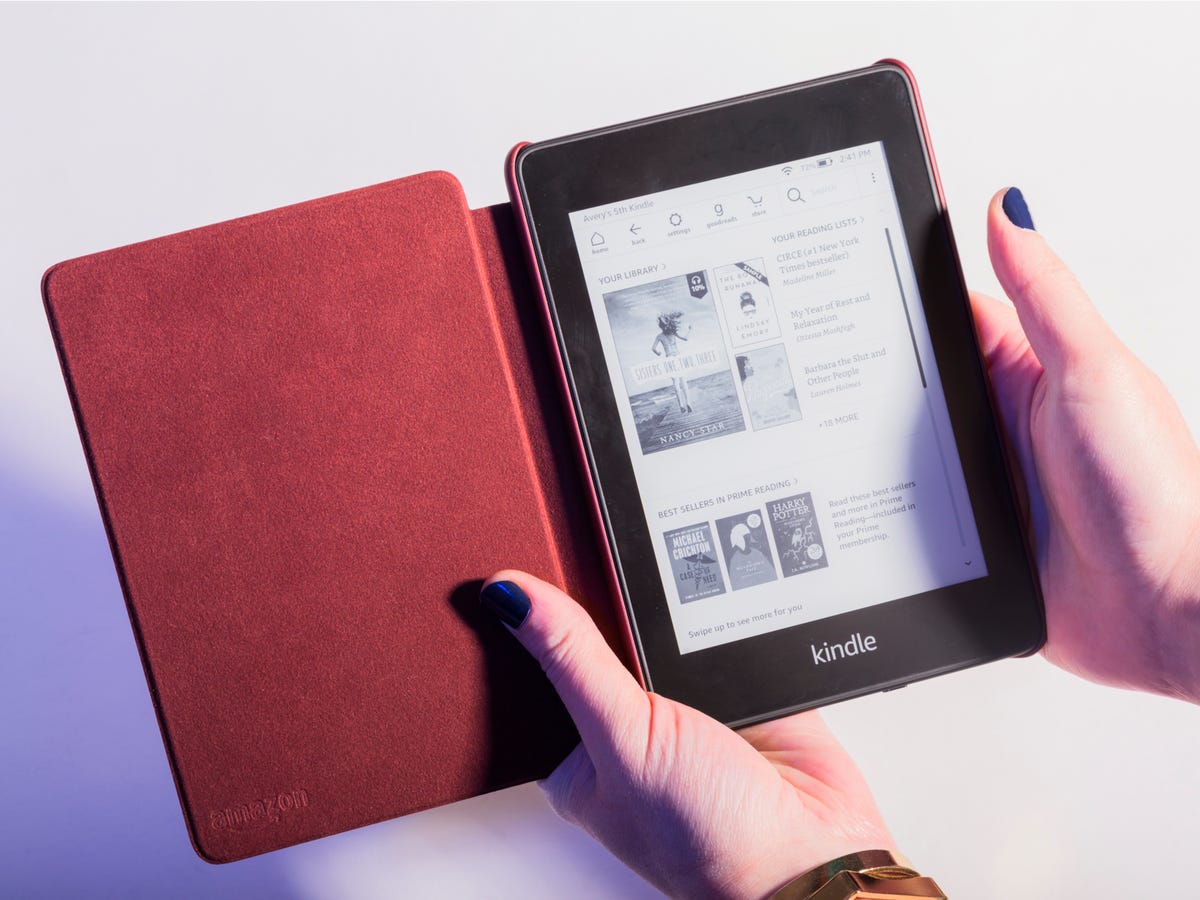
Amazon.com Kindle: A Guide to Amazon’s E-Reading Platform
Amazon.com Kindle brings together e-books, reading apps, and dedicated e-readers in one digital reading ecosystem. Whether you want to read on a Kindle device or use the Kindle app on a phone, tablet, or computer, Amazon makes it easy to browse digital books and access them across supported devices.
What Is Kindle?
Kindle refers to Amazon’s range of e-reading products and services. The name can mean a Kindle e-reader, the Kindle app, or the Kindle Store, where readers can find digital books and other reading materials. Purchased Kindle books are generally linked to the Amazon account used to buy them, so they can be accessed on compatible devices and apps.
Ways to Read Kindle Books
You don’t need a dedicated e-reader to use Kindle. Amazon offers several ways to read:
- Kindle e-readers: Dedicated devices designed primarily for reading. Many models use an e-ink display, which can be comfortable for long reading sessions and works well in bright light.
- Kindle app: The app lets you read on supported smartphones and tablets. It can be a convenient option if you prefer to use a device you already own.
- Kindle for computer: Amazon’s Kindle software provides another way to read on a compatible computer.
Available features vary by device, app, and book. Depending on the title and platform, readers may be able to adjust text size, use bookmarks, highlight passages, and sync reading progress.
Finding Books on Amazon.com
The Kindle Store on Amazon.com includes a wide selection of digital titles, from novels and biographies to cookbooks, textbooks, and practical guides. You can browse by category, search for a specific author or title, and check product details before purchasing. Book listings may include a description, sample pages, reader reviews, and information about available formats.
Some books are sold individually, while others may be available through a reading subscription or included with a separate membership. Availability and terms can vary by title and region, so review the book’s listing before choosing an option.
How to Get Started
- Sign in to Amazon.com or create an Amazon account.
- Choose a Kindle e-reader or install the Kindle app on a supported device.
- Browse the Kindle Store and select a book.
- Complete the purchase or choose another available access option.
- Open the Kindle device or app associated with your account and download the book.
Before buying, check that the title is available in Kindle format and that your device or app supports the features you want. You can also look for a sample when one is offered, which can help you decide whether a book is right for you.
Benefits of Using Kindle
- Portability: A single device or app can hold many books, making it easier to bring a personal library while traveling.
- Reading customization: Supported Kindle devices and apps offer settings such as adjustable font size and screen brightness.
- Convenient access: Digital books can often be delivered to a linked Kindle device or app without waiting for a physical shipment.
- Cross-device reading: Some Kindle features sync reading progress and notes across compatible devices signed in to the same account.
- Choice of formats and devices: Readers can use a dedicated e-reader or a compatible device they already own.
Things to Consider
Kindle books are digital products, and their use is subject to Amazon’s terms and the rights associated with each title. A Kindle purchase is not the same as receiving a printed book, and access may depend on your Amazon account and compatible software or devices. Features, prices, and availability can change, so review the details shown on Amazon.com before purchasing.
Also consider how you prefer to read. A Kindle e-reader is purpose-built for reading, while a phone or tablet can run the Kindle app alongside other apps. Comparing screen type, size, lighting, storage, and price can help you choose the option that fits your routine.
Is Amazon Kindle Right for You?
Amazon.com Kindle can be a good fit for readers who want quick access to digital books, adjustable reading settings, and a library that travels with them. It offers flexibility through both dedicated e-readers and apps, so you can start with the option that best suits your needs. Browse the Kindle Store, compare compatible devices, and review each title’s details to make the most of the Kindle reading experience.
5 Amazon Kindle Tips for Smarter Shopping and Better Reading
- Compare Kindle models by screen size, lighting, and storage.
- Check Amazon.com for Kindle deals before buying.
- Use Kindle Unlimited only if its catalog fits your reading habits.
- Send compatible documents to your Kindle for easy reading.
- Adjust font size and brightness for comfortable reading.
Compare Kindle models by screen size, lighting, and storage.
When choosing a Kindle, compare models by screen size, lighting, and storage to find the best fit for how you read. A larger screen may be more comfortable for comics, PDFs, or larger text, while a compact model is easier to carry. Check whether the lighting is adjustable and includes features such as warm light for nighttime reading. Storage matters if you plan to keep a large library or download audiobooks, so review each model’s capacity and supported features before buying.
Check Amazon.com for Kindle deals before buying.
Before buying a Kindle e-reader or book, check Amazon.com for current deals. Prices and promotions can change, and discounts may be available during major sales or on select models and titles. Compare the listed price with other options, and review the offer’s details—including eligibility, timing, and any conditions—so you can choose the best deal for your needs.
Use Kindle Unlimited only if its catalog fits your reading habits.
Consider subscribing to Kindle Unlimited only if its catalog matches the kinds of books you regularly read. Browse the available titles on Amazon.com before signing up, since selection varies and not every Kindle book is included. If you find plenty of books you’d genuinely read, the subscription may be worthwhile; otherwise, buying titles individually may be a better fit.
Send compatible documents to your Kindle for easy reading.
Send compatible documents to your Kindle for easy reading wherever you go. Use Amazon’s Send to Kindle service to add supported files—such as PDFs and documents—to your Kindle library, then open them on a compatible Kindle device or app. This is a convenient way to read work files, personal notes, and other documents on a screen designed for reading. Check Amazon’s current file-format and size requirements before sending.
Adjust font size and brightness for comfortable reading.
Adjusting the font size and brightness on your Kindle can make reading more comfortable, especially during long sessions or in changing light. Increase the text size if small print feels tiring, or reduce it to fit more words on the screen. Then adjust the screen brightness to suit your surroundings—lower it in a dim room and raise it when reading in brighter conditions. The available settings vary by Kindle device and app, but a few quick changes can help create a reading experience that feels right for you.
Tags: amazon account, amazon com kindle, amazon kindle, amazon.com, bookmarks, compatible devices, cross-device syncing, digital books, digital library, e-books, e-ink display, e-reading platform, kindle app, kindle books, kindle e-reader, kindle store, kindle subscription, reading apps, reading experience, reading progress, text customization