
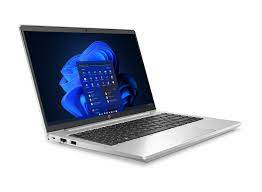
The Evolution and Benefits of Notebook PCs
In today’s fast-paced digital world, the notebook PC has become an essential tool for both personal and professional use. Combining portability with powerful performance, these devices have revolutionized the way we work, learn, and communicate.
A Brief History of Notebook PCs
The concept of a portable computer dates back to the early 1980s with the introduction of devices like the Osborne 1. However, it wasn’t until the late 1980s and early 1990s that notebook PCs began to resemble the sleek and efficient machines we know today.
Over the years, advancements in technology have led to significant improvements in processing power, battery life, and design. Today’s notebooks are equipped with high-resolution displays, powerful processors, ample storage options, and enhanced connectivity features.
Key Features of Modern Notebook PCs
- Portability: Weighing just a few pounds, notebook PCs are designed for easy transport. This makes them ideal for students, travelers, and professionals who need to work on the go.
- Performance: Equipped with multi-core processors and advanced graphics capabilities, modern notebooks can handle everything from basic tasks to complex applications like video editing or gaming.
- Connectivity: With built-in Wi-Fi, Bluetooth, USB ports, and sometimes even cellular connectivity options, staying connected is easier than ever.
- Battery Life: Advances in battery technology allow many notebooks to operate for a full day on a single charge.
- User-Friendly Design: Touchscreens, backlit keyboards, and ergonomic designs enhance user experience significantly.
The Benefits of Using a Notebook PC
The versatility of notebook PCs makes them suitable for a wide range of activities. Here are some key benefits:
- Flexibility: From typing documents at a coffee shop to giving presentations in meetings or streaming movies at home—these devices adapt seamlessly to various needs.
- Space Efficiency: Unlike desktops that require dedicated space setups; notebooks can be used anywhere without cluttering your workspace.
- Sustainability: Many manufacturers now focus on energy-efficient components which reduce environmental impact while saving costs over time through lower electricity consumption.
The Future of Notebook PCs
The future looks promising as technology continues evolving rapidly—with innovations such as foldable screens becoming more mainstream along with AI integration offering smarter computing experiences tailored specifically towards individual user preferences enhancing productivity further still!
If you’re considering investing in portable computing power then look no further than today’s range available within this category—they truly offer something everyone regardless whether you’re seeking performance-driven solutions or simply desire convenience mobility brings everyday life alike!
7 Essential Tips for Maintaining and Protecting Your Notebook PC
- Keep your notebook PC clean by regularly dusting off the keyboard and screen.
- Avoid eating or drinking near your notebook PC to prevent spills and crumbs from damaging it.
- Use a surge protector to protect your notebook PC from power surges and fluctuations.
- Backup your important files regularly to prevent data loss in case of hardware failure.
- Update your antivirus software frequently to protect your notebook PC from malware and viruses.
- Adjust the power settings on your notebook PC to optimize battery life when using it on-the-go.
- Consider investing in a laptop cooling pad to prevent overheating during intensive tasks.
Keep your notebook PC clean by regularly dusting off the keyboard and screen.
To maintain the optimal performance and longevity of your notebook PC, it is essential to keep it clean by regularly dusting off the keyboard and screen. Dust accumulation can not only affect the appearance of your device but also impact its functionality over time. By gently cleaning the keyboard and screen with a soft, lint-free cloth or a keyboard cleaning brush, you can prevent dust buildup, maintain clear visibility, and ensure smooth typing experience. This simple maintenance tip can help keep your notebook PC in top condition for efficient use in the long run.
Avoid eating or drinking near your notebook PC to prevent spills and crumbs from damaging it.
To protect your notebook PC from potential damage, it is advisable to avoid eating or drinking in its vicinity. Spills and crumbs can easily find their way into the keyboard or ports, causing malfunctions and corrosion over time. By maintaining a clean and food-free workspace around your notebook PC, you can prolong its lifespan and ensure smooth performance for years to come.
Use a surge protector to protect your notebook PC from power surges and fluctuations.
Using a surge protector is a crucial tip to safeguard your notebook PC from potential damage caused by power surges and fluctuations. These devices act as a barrier, absorbing excess voltage and preventing it from reaching your valuable electronics. By investing in a surge protector, you can ensure the longevity and reliability of your notebook PC, providing peace of mind knowing that it is shielded against unexpected electrical disturbances that could otherwise harm its components.
Backup your important files regularly to prevent data loss in case of hardware failure.
Backing up your important files regularly is a crucial tip to safeguard your data on your notebook PC. In the event of hardware failure or any unexpected issue, having a recent backup ensures that your valuable documents, photos, and other files are safe and easily recoverable. By establishing a routine for backups, you can minimize the risk of losing essential information and maintain peace of mind knowing that your data is secure and accessible when you need it most.
Update your antivirus software frequently to protect your notebook PC from malware and viruses.
To safeguard your notebook PC from potential threats, it is crucial to update your antivirus software regularly. By staying up-to-date with the latest virus definitions and security patches, you can enhance the protection of your device against malware and viruses. This proactive approach helps to prevent cyber attacks, data breaches, and system vulnerabilities, ensuring a more secure computing experience on your notebook PC.
Adjust the power settings on your notebook PC to optimize battery life when using it on-the-go.
Adjusting the power settings on your notebook PC is a smart tip to optimize battery life, especially when using it on-the-go. By customizing settings such as screen brightness, sleep mode timing, and processor performance, you can extend the time between charges and make the most of your device’s battery capacity. This simple adjustment not only helps you stay productive for longer periods without needing to plug in but also contributes to a more sustainable use of energy resources. So, next time you’re out and about with your notebook PC, remember to tweak those power settings for an efficient and longer-lasting battery life.
Consider investing in a laptop cooling pad to prevent overheating during intensive tasks.
When using a notebook PC for intensive tasks, such as gaming or video editing, it’s essential to consider investing in a laptop cooling pad. These devices help prevent overheating by providing additional airflow to dissipate heat generated by the processor and other components. By maintaining optimal operating temperatures, a laptop cooling pad can improve performance and prolong the lifespan of your notebook PC. It’s a simple yet effective solution to ensure smooth operation during demanding tasks and enhance overall user experience.
Tags: battery life, benefits, benefits of using, connectivity, evolution, flexibility, future, history, key features, modern, notebook pc, notebook pcs, performance, portability, space efficiency, sustainability, user-friendly design