
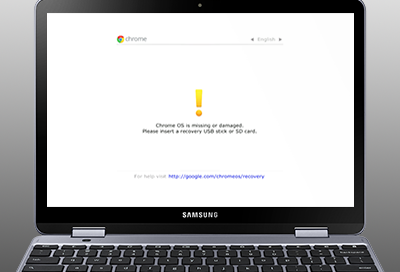
Exploring the Chromebook OS
Chromebooks have gained popularity in recent years as lightweight, affordable laptops that run on Google’s Chrome OS. This operating system is designed to be simple, fast, and secure, catering to users who primarily use web applications and cloud services.
One of the key features of Chromebook OS is its integration with Google’s ecosystem. Users can easily access Gmail, Google Drive, Google Docs, and other Google services seamlessly. The operating system also supports Android apps from the Google Play Store, expanding its functionality beyond just web-based applications.
Chromebook OS is known for its quick boot-up time and automatic updates that ensure users always have the latest security patches and features. The interface is clean and minimalist, focusing on providing a clutter-free user experience.
Another highlight of Chromebook OS is its security features. The operating system utilizes sandboxing to isolate processes and prevent malware from spreading. Additionally, users benefit from built-in virus protection and encryption to keep their data safe.
While Chromebook OS may not offer as much customization or software compatibility as traditional operating systems like Windows or macOS, it excels in providing a streamlined experience for users who prioritize web browsing, productivity tasks, and cloud storage.
In conclusion, Chromebook OS offers a lightweight and efficient computing experience tailored for users who live in the cloud. Its simplicity, speed, security features, and seamless integration with Google services make it a compelling choice for those looking for a hassle-free computing solution.
9 Reasons Why Chromebook OS is the Perfect Choice for Modern Users
- 1. Lightweight and portable design, ideal for on-the-go use.
- 2. Fast boot-up time for quick access to web applications and services.
- 3. Seamless integration with Google’s ecosystem, including Gmail, Google Drive, and more.
- 4. Support for Android apps from the Google Play Store expands functionality.
- 5. Automatic updates ensure users always have the latest features and security patches.
- 6. Clean and minimalist interface for a clutter-free user experience.
- 7. Built-in virus protection and encryption enhance security measures.
- 8. Sandboxing technology isolates processes to prevent malware spread.
- 9. Cost-effective option compared to traditional laptops with similar performance.
5 Drawbacks of Chromebook OS: Offline Limitations, Internet Dependency, Software Compatibility, Customization Restrictions, and Gaming Constraints
- Limited offline functionality compared to traditional operating systems.
- Dependency on internet connection for optimal performance and access to most applications.
- Less software compatibility, especially for specialized or resource-intensive programs.
- Restricted customization options in terms of system settings and personalization.
- Limited gaming capabilities due to reliance on web-based games or Android apps.
1. Lightweight and portable design, ideal for on-the-go use.
The lightweight and portable design of Chromebook OS makes it an ideal choice for users who are constantly on the move. Whether you’re a student, a frequent traveler, or a professional working remotely, the compact and slim form factor of Chromebooks allows for easy portability and convenience. You can effortlessly slip your Chromebook into a backpack or bag and carry it with you wherever you go, ensuring that you have access to your essential apps and files whenever you need them. This portability factor enhances productivity and flexibility, making Chromebook OS a practical solution for on-the-go use in today’s fast-paced world.
2. Fast boot-up time for quick access to web applications and services.
One of the standout advantages of Chromebook OS is its lightning-fast boot-up time, allowing users to access web applications and services in a matter of seconds. This quick start-up process enhances productivity by eliminating long waits and enabling users to dive straight into their tasks without delay. The swift performance of Chromebook OS ensures that users can efficiently navigate the digital landscape and make the most of their online experiences with minimal interruptions.
3. Seamless integration with Google’s ecosystem, including Gmail, Google Drive, and more.
One of the standout advantages of Chromebook OS is its seamless integration with Google’s ecosystem, encompassing popular services like Gmail, Google Drive, and more. This tight integration allows users to effortlessly access and manage their emails, documents, photos, and other files stored in Google’s cloud-based applications directly from their Chromebook. By leveraging this connectivity, users can enjoy a cohesive digital experience that promotes productivity and efficiency across various tasks and workflows.
4. Support for Android apps from the Google Play Store expands functionality.
The support for Android apps from the Google Play Store on Chromebook OS significantly expands its functionality, offering users access to a vast library of applications to enhance their productivity and entertainment options. This integration allows Chromebook users to seamlessly run popular mobile apps on their laptops, bridging the gap between mobile and desktop experiences. Whether it’s productivity tools, games, or multimedia apps, the availability of Android apps on Chromebook OS provides users with a versatile and dynamic computing environment tailored to their diverse needs.
5. Automatic updates ensure users always have the latest features and security patches.
One of the standout advantages of Chromebook OS is its automatic updates feature, which guarantees that users are consistently equipped with the newest features and security patches. This proactive approach not only enhances the user experience by introducing improvements and new functionalities but also ensures that the system remains fortified against potential vulnerabilities. With automatic updates seamlessly integrated into the operating system, Chromebook users can rest assured that their devices are always up-to-date and optimized for performance and security.
6. Clean and minimalist interface for a clutter-free user experience.
Chromebook OS excels in providing a clean and minimalist interface, ensuring a clutter-free user experience. The simplicity of the interface allows users to focus on their tasks without distractions, making navigation and multitasking seamless. By eliminating unnecessary elements and streamlining the user interface, Chromebook OS enhances productivity and creates a visually appealing environment for users to work efficiently.
7. Built-in virus protection and encryption enhance security measures.
One notable advantage of Chromebook OS is its built-in virus protection and encryption, which significantly enhance security measures for users. The operating system’s robust security features help safeguard against malware and cyber threats, providing peace of mind to users as they browse the web and use various online services. With automatic updates and proactive measures in place, Chromebook OS ensures that personal data remains secure and protected from potential vulnerabilities, making it a reliable choice for those prioritizing online safety.
8. Sandboxing technology isolates processes to prevent malware spread.
One of the standout features of Chromebook OS is its advanced sandboxing technology, which effectively isolates processes to prevent the spread of malware. By confining each process within its own secure environment, Chromebook OS enhances the overall security of the system and minimizes the risk of malicious software infecting the device. This proactive approach to cybersecurity not only safeguards user data but also ensures a safer browsing experience, making Chromebooks a reliable choice for users concerned about online threats.
9. Cost-effective option compared to traditional laptops with similar performance.
One significant advantage of Chromebook OS is its cost-effectiveness when compared to traditional laptops offering similar performance. Chromebooks are known for their affordability, making them an attractive option for budget-conscious consumers seeking a reliable computing solution without breaking the bank. Despite their lower price point, Chromebooks can deliver comparable performance to more expensive laptops, making them a practical choice for individuals and businesses looking to maximize value without compromising on functionality.
Limited offline functionality compared to traditional operating systems.
One drawback of Chromebook OS is its limited offline functionality when compared to traditional operating systems. Since Chromebooks are designed to be primarily used while connected to the internet, certain tasks such as accessing files stored locally or running certain applications offline may be more challenging. While Chrome OS has made strides in improving its offline capabilities by allowing some apps to work without an internet connection, users who frequently find themselves in areas with limited or no internet access may face difficulties in fully utilizing their Chromebooks. This limitation can be a hindrance for users who rely heavily on offline work or need constant access to their files and applications without depending on an internet connection.
Dependency on internet connection for optimal performance and access to most applications.
One notable drawback of Chromebook OS is its heavy reliance on an internet connection for optimal performance and access to most applications. While the operating system is designed to work seamlessly with web-based applications and cloud services, users may face limitations when offline. Without a stable internet connection, users may experience difficulty accessing certain apps or performing tasks that require online connectivity. This dependency on the internet can be a hindrance in situations where Wi-Fi or data connectivity is unreliable or unavailable, potentially impacting productivity and usability for some users.
Less software compatibility, especially for specialized or resource-intensive programs.
One notable drawback of Chromebook OS is its limited software compatibility, particularly when it comes to specialized or resource-intensive programs. Due to its focus on web-based applications and cloud services, Chromebook OS may not support certain software commonly used in specific industries or for power-hungry tasks. Users who rely on niche or demanding programs may find themselves constrained by the operating system’s restrictions, requiring them to seek alternative solutions or workarounds to accomplish their tasks effectively.
Restricted customization options in terms of system settings and personalization.
One notable drawback of Chromebook OS is its limited customization options when it comes to system settings and personalization. Unlike traditional operating systems that offer extensive control over various aspects of the user interface and system configurations, Chromebook OS has a more streamlined approach. Users may find themselves restricted in their ability to personalize the look and feel of their device, as well as adjust settings to suit their preferences. This lack of flexibility in customization can be a downside for users who value personalization and fine-tuning their computing experience to better suit their needs and aesthetic preferences.
Limited gaming capabilities due to reliance on web-based games or Android apps.
One significant drawback of Chromebook OS is its limited gaming capabilities, primarily due to its reliance on web-based games or Android apps. Unlike traditional gaming laptops or desktops that support a wide range of PC games, Chromebooks are not optimized for high-end gaming experiences. The selection of games available on the Chromebook platform is often limited compared to other operating systems, which can be frustrating for users who enjoy playing graphically demanding or niche games. This limitation may deter avid gamers from choosing a Chromebook as their primary device for gaming purposes.
Tags: affordable laptops, android apps, automatic updates, chromebook os, cloud services, cloud storage, encryption, gmail, google docs, google drive, google ecosystem, google play store, google's chrome os, lightweight, minimalist interface, productivity tasks, quick boot-up time, sandboxing, security features, security patches, virus protection, web applications, web browsing