
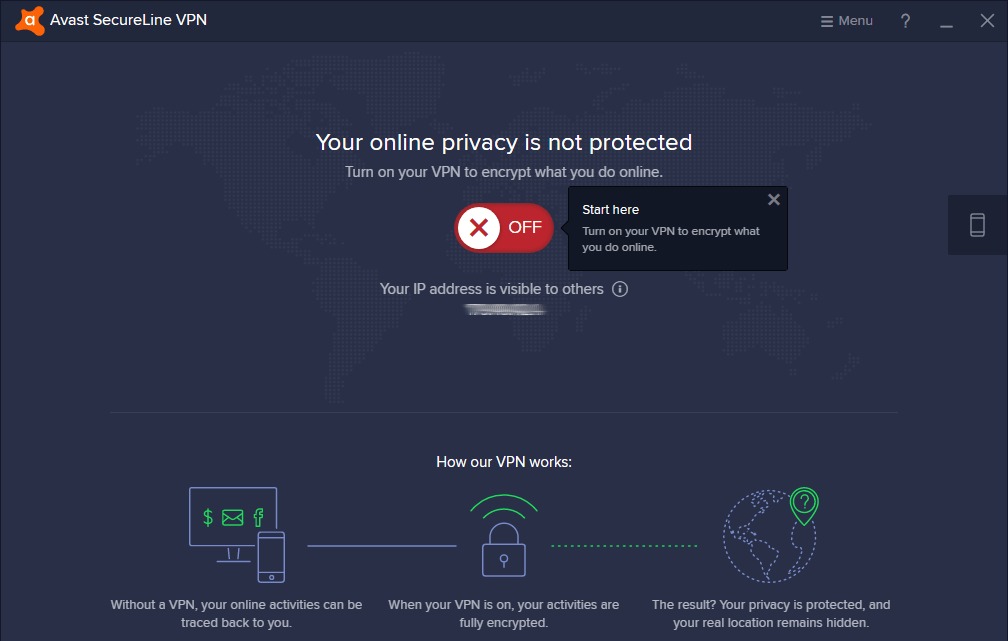
The Benefits of Avast SecureLine VPN
Avast SecureLine VPN is a popular virtual private network service that offers a secure and private internet browsing experience. With the increasing concerns about online privacy and security, using a VPN has become essential for many internet users.
One of the key features of Avast SecureLine VPN is its ability to encrypt your internet connection, ensuring that your online activities remain private and protected from prying eyes. Whether you are browsing the web, streaming content, or accessing public Wi-Fi networks, Avast SecureLine VPN helps safeguard your data and identity.
Another advantage of Avast SecureLine VPN is its wide range of server locations around the world. By connecting to servers in different countries, you can bypass geo-restrictions and access content that may be blocked in your region. This is particularly useful for streaming services, online gaming, and accessing websites with restricted access.
Furthermore, Avast SecureLine VPN offers fast connection speeds and reliable performance, ensuring a seamless browsing experience without lags or buffering. The user-friendly interface makes it easy to connect to servers and customize settings according to your preferences.
In addition to protecting your online privacy, Avast SecureLine VPN also helps prevent tracking by advertisers and other third parties. By masking your IP address and encrypting your internet traffic, you can browse the web anonymously without leaving a digital footprint.
In conclusion, Avast SecureLine VPN is a versatile solution for enhancing your online security and privacy. Whether you are concerned about data breaches, censorship, or surveillance, using a reliable VPN service like Avast SecureLine can provide peace of mind while navigating the digital landscape.
8 Essential Tips for Optimizing Your Avast SecureLine VPN Experience
- Ensure your Avast SecureLine VPN is always up to date to benefit from the latest security features.
- Choose a server location closest to your physical location for better connection speeds.
- Use the kill switch feature to ensure your internet connection is cut off if the VPN connection drops unexpectedly.
- Consider enabling the auto-connect feature for added convenience and continuous protection.
- Avoid public Wi-Fi without using Avast SecureLine VPN to prevent potential security risks.
- Check the privacy policy and terms of service before using Avast SecureLine VPN for a clear understanding of how your data is handled.
- Customize your settings based on your preferences for optimal performance and usability.
- Reach out to customer support if you encounter any issues or have questions about using Avast SecureLine VPN.
Ensure your Avast SecureLine VPN is always up to date to benefit from the latest security features.
To maximize the security and effectiveness of Avast SecureLine VPN, it is crucial to ensure that the software is always kept up to date. By regularly updating Avast SecureLine VPN, users can take advantage of the latest security features, bug fixes, and performance enhancements that the service offers. Keeping the VPN software current helps to strengthen protection against online threats and vulnerabilities, ensuring a safer and more reliable browsing experience for users.
Choose a server location closest to your physical location for better connection speeds.
To optimize your connection speeds while using Avast SecureLine VPN, it is recommended to select a server location that is closest to your physical location. By choosing a server in proximity to you, you can minimize latency and ensure faster data transmission, resulting in a smoother and more efficient browsing experience. This tip helps enhance the performance of the VPN connection, allowing you to enjoy seamless internet access while maintaining the security and privacy benefits of Avast SecureLine VPN.
Use the kill switch feature to ensure your internet connection is cut off if the VPN connection drops unexpectedly.
Utilizing the kill switch feature in Avast SecureLine VPN is a crucial step to maintain your online privacy and security. By enabling this feature, you can ensure that your internet connection is immediately severed if the VPN connection unexpectedly drops. This proactive measure helps prevent any data leaks or exposure of your sensitive information during such interruptions, giving you peace of mind while browsing the web with enhanced protection.
Consider enabling the auto-connect feature for added convenience and continuous protection.
Consider enabling the auto-connect feature on Avast SecureLine VPN for added convenience and continuous protection. By activating this feature, you can ensure that your connection to the VPN server is automatically established whenever you access the internet, without the need for manual intervention. This not only saves time but also provides a seamless experience where your online activities are consistently shielded from potential threats and intrusions. With auto-connect enabled, you can enjoy uninterrupted privacy and security while browsing the web, streaming content, or using public Wi-Fi networks.
Avoid public Wi-Fi without using Avast SecureLine VPN to prevent potential security risks.
To mitigate potential security risks, it is advisable to avoid connecting to public Wi-Fi networks without the protection of Avast SecureLine VPN. Public Wi-Fi hotspots are often vulnerable to cyber threats, making it easy for hackers to intercept sensitive data transmitted over these networks. By using Avast SecureLine VPN, your internet connection is encrypted, ensuring that your online activities remain secure and private even when using public Wi-Fi. This extra layer of protection can significantly reduce the risk of falling victim to cyber attacks and safeguard your personal information from unauthorized access.
Check the privacy policy and terms of service before using Avast SecureLine VPN for a clear understanding of how your data is handled.
Before utilizing Avast SecureLine VPN, it is advisable to review the privacy policy and terms of service to gain a comprehensive understanding of how your data is managed. By familiarizing yourself with these documents, you can ensure transparency regarding the handling of your personal information while using the VPN service. Understanding the privacy practices and data protection measures outlined in the policy and terms of service can help you make informed decisions about safeguarding your online privacy and security when utilizing Avast SecureLine VPN.
Customize your settings based on your preferences for optimal performance and usability.
To maximize the performance and usability of Avast SecureLine VPN, it is essential to customize your settings according to your preferences. By adjusting settings such as server locations, connection protocols, and security features, you can tailor the VPN experience to meet your specific needs. Whether you prioritize speed, security, or access to geo-restricted content, customizing your settings ensures that Avast SecureLine VPN operates efficiently and effectively for a personalized browsing experience.
Reach out to customer support if you encounter any issues or have questions about using Avast SecureLine VPN.
If you encounter any issues or have questions about using Avast SecureLine VPN, it is highly recommended to reach out to their customer support team for assistance. Customer support can provide valuable guidance, troubleshoot any technical problems, and offer solutions to ensure a seamless experience with the VPN service. Don’t hesitate to contact Avast SecureLine VPN’s customer support for prompt and effective assistance in resolving any concerns you may have.
Tags: auto-connect feature, avast secureline vpn, bug fixes, censorship, connection speeds, connection speeds optimization, data breaches, digital footprint, encryption, geo-restrictions, internet connection protection, ip address masking, kill switch feature, online privacy, performance, performance enhancements, security, security features, server location optimization, server locations, software updates, surveillance, tracking prevention, vpn service