
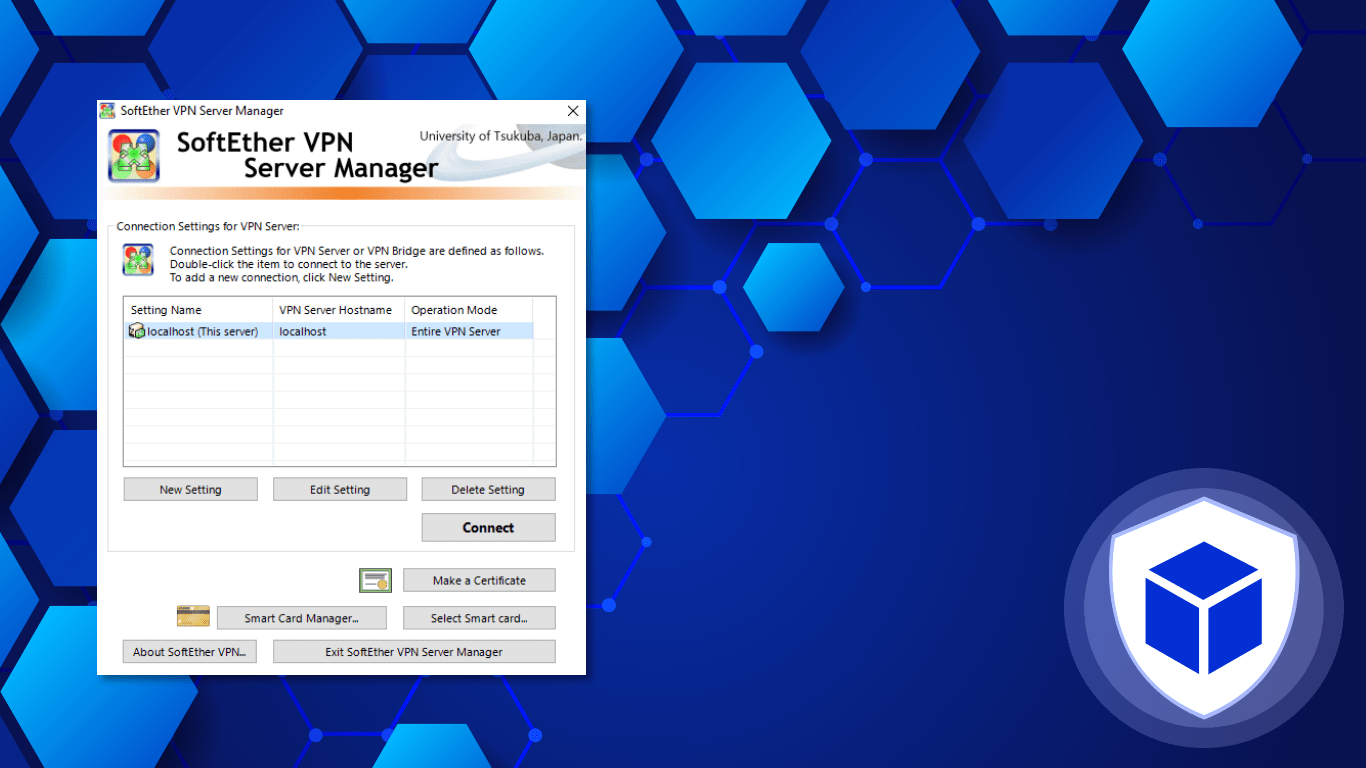
Exploring SoftEther VPN Client: A Comprehensive Guide
SoftEther VPN Client is a versatile and powerful VPN software that offers a wide range of features and functionalities for secure and private internet browsing. Whether you are looking to protect your online privacy, access geo-restricted content, or secure your network connections, SoftEther VPN Client has got you covered.
Key Features of SoftEther VPN Client:
- Multi-Protocol Support: SoftEther supports multiple VPN protocols such as SSL-VPN, L2TP/IPsec, OpenVPN, and Microsoft SSTP for flexible connectivity options.
- High Performance: The software is known for its high-speed performance and low latency, making it ideal for streaming, gaming, and other bandwidth-intensive activities.
- Cross-Platform Compatibility: SoftEther VPN Client is compatible with various operating systems including Windows, macOS, Linux, and FreeBSD.
- User-Friendly Interface: The intuitive user interface of SoftEther makes it easy to set up and configure VPN connections without any technical expertise.
- Security Features: With advanced encryption algorithms and secure tunneling protocols, SoftEther ensures that your data remains protected from prying eyes.
How to Use SoftEther VPN Client:
To start using SoftEther VPN Client, simply download the software from the official website and follow the installation instructions. Once installed, launch the client and configure your preferred connection settings such as server location and protocol. You can then connect to the VPN server with just a few clicks.
Whether you are browsing the web from a public Wi-Fi hotspot or accessing sensitive information over the internet, SoftEther VPN Client provides you with a secure and encrypted connection to ensure your data remains safe from cyber threats.
In Conclusion
If you are looking for a reliable and feature-rich VPN client that offers both security and performance benefits, look no further than SoftEther VPN Client. With its wide range of capabilities and user-friendly interface, it is an excellent choice for individuals and businesses seeking enhanced online privacy and security.
Top 6 FAQs About Using SoftEther VPN Client: Installation, Compatibility, and More
- How do I download and install SoftEther VPN Client?
- What operating systems are compatible with SoftEther VPN Client?
- Can I use SoftEther VPN Client to access geo-restricted content?
- Is SoftEther VPN Client free to use?
- How do I configure my connection settings in SoftEther VPN Client?
- Does SoftEther VPN Client offer customer support for technical issues?
How do I download and install SoftEther VPN Client?
To download and install SoftEther VPN Client, simply visit the official website of SoftEther and locate the “Downloads” section. From there, choose the appropriate version of the client for your operating system (Windows, macOS, Linux, etc.) and click on the download link. Once the installation file is downloaded, run the setup wizard and follow the on-screen instructions to install the software on your device. After a successful installation, launch the SoftEther VPN Client application and configure your preferred settings to establish a secure VPN connection for protecting your online activities and ensuring privacy while browsing the internet.
What operating systems are compatible with SoftEther VPN Client?
SoftEther VPN Client is compatible with a variety of operating systems, making it a versatile choice for users across different platforms. Whether you are using Windows, macOS, Linux, or FreeBSD, you can easily install and configure SoftEther VPN Client to enjoy secure and private internet browsing. Its cross-platform compatibility ensures that users have the flexibility to use the software on their preferred operating system without any compatibility issues. This broad support for multiple operating systems makes SoftEther VPN Client a convenient option for individuals and organizations looking to enhance their online security and privacy across various devices.
Can I use SoftEther VPN Client to access geo-restricted content?
Yes, you can use SoftEther VPN Client to access geo-restricted content. By connecting to a VPN server located in a different region or country, you can bypass geographical restrictions and access online content that may be otherwise unavailable in your current location. SoftEther VPN Client’s multi-protocol support and high-speed performance make it an effective tool for accessing geo-blocked websites, streaming services, and other online platforms. Whether you want to watch region-specific shows, access restricted websites, or enjoy content from around the world, SoftEther VPN Client provides a secure and reliable solution to help you overcome geo-restrictions and enjoy unrestricted internet access.
Is SoftEther VPN Client free to use?
SoftEther VPN Client is indeed free to use. One of the key advantages of SoftEther VPN Client is that it is an open-source software, which means that users can access and utilize its features without any cost. Whether you are an individual user looking to secure your online activities or a business seeking reliable network encryption, SoftEther VPN Client offers a cost-effective solution without compromising on performance or security. This accessibility and affordability make SoftEther VPN Client a popular choice for those seeking a reliable and feature-rich VPN client.
How do I configure my connection settings in SoftEther VPN Client?
Configuring connection settings in SoftEther VPN Client is a straightforward process that allows users to customize their VPN experience according to their preferences. To set up your connection settings, simply open the SoftEther VPN Client interface and navigate to the “VPN Gate Public VPN Relay Servers” section. From there, you can choose a server location, select a preferred protocol, and configure additional options such as encryption settings and DNS resolution. By adjusting these settings, users can tailor their VPN connection for optimal performance, security, and privacy while enjoying seamless access to a global network of servers.
Does SoftEther VPN Client offer customer support for technical issues?
For users seeking assistance with technical issues, SoftEther VPN Client does provide customer support to address inquiries and resolve problems efficiently. Whether you encounter connectivity issues, configuration difficulties, or any other concerns while using the software, the dedicated customer support team is available to offer guidance and solutions. Users can reach out to the support team through various channels such as email, online forums, or documentation resources to receive timely help and ensure a smooth experience with SoftEther VPN Client.
Tags: comprehensive guide, cross-platform compatibility, encryption algorithms, freebsd, gaming, geo-restricted content, high performance, l2tp/ipsec, linux, low latency, macos, microsoft sstp, multi-protocol support, network connections, online privacy, openvpn, private internet browsing, secure, secure tunneling protocols, security features, softether vpn client, ssl vpn, streaming, user-friendly interface, vpn software, windows