
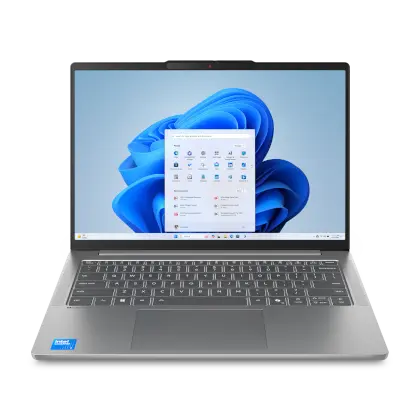
The Best Laptops You Can Get for Under $300
Looking for an affordable laptop that doesn’t compromise on performance? You’re in the right place! While $300 may not get you the latest high-end features, there are still some great options available that offer decent performance for everyday tasks.
Acer Aspire 1
The Acer Aspire 1 is a budget-friendly laptop that comes with a 14-inch HD display, Intel Celeron processor, 4GB RAM, and 64GB eMMC storage. It’s perfect for basic computing tasks like web browsing, word processing, and streaming media.
HP Stream 14
The HP Stream 14 is another excellent choice for those on a tight budget. It features a 14-inch HD display, Intel Celeron processor, 4GB RAM, and 32GB eMMC storage. This laptop is lightweight and portable, making it ideal for students or frequent travelers.
Lenovo Chromebook Duet
If you prefer a Chromebook, the Lenovo Chromebook Duet is a fantastic option under $3
It comes with a detachable keyboard and touchpad, making it versatile for both laptop and tablet use. The device features a MediaTek Helio P60T processor, 4GB RAM, and up to 128GB storage.
ASUS VivoBook L203MA
The ASUS VivoBook L203MA is a compact laptop with an 11.6-inch HD display, Intel Celeron processor, 4GB RAM, and 64GB eMMC storage. It’s great for light productivity tasks and has a long-lasting battery life.
While these laptops may not offer top-of-the-line performance or premium features, they are solid choices for users with basic computing needs who are looking to stay within a budget of $300 or less.
Top 7 Tips for Finding the Best Laptop Under $300
- Consider buying a refurbished laptop to get better specs within your budget.
- Look for laptops with at least 4GB of RAM for smoother performance.
- Check for laptops with SSD storage instead of traditional HDD for faster boot times and better overall speed.
- Search for deals and discounts online or in local stores to find the best value for your money.
- Compare specifications such as processor type, display quality, and battery life before making a purchase.
- Read reviews from other users to ensure reliability and durability of the laptop you are interested in.
- Consider buying older models or Chromebooks if you prioritize affordability over the latest features.
Consider buying a refurbished laptop to get better specs within your budget.
When searching for the best laptop under $300, consider buying a refurbished laptop to potentially get better specs within your budget. Refurbished laptops are pre-owned devices that have been restored to like-new condition by the manufacturer or a certified refurbisher. By opting for a refurbished laptop, you may be able to afford a model with higher specifications, such as more RAM, storage capacity, or processing power, than if you were buying new. This can provide you with improved performance and functionality without breaking the bank. Just be sure to purchase from a reputable seller that offers warranties and guarantees to ensure your peace of mind.
Look for laptops with at least 4GB of RAM for smoother performance.
When searching for the best laptop under $300, it is crucial to prioritize models with a minimum of 4GB of RAM. Having sufficient RAM ensures smoother performance and allows the laptop to handle multitasking more effectively. With 4GB of RAM, users can expect better responsiveness when running multiple applications simultaneously, browsing the web, or streaming media content. This feature is essential for ensuring a seamless computing experience within the constraints of a budget-friendly laptop.
Check for laptops with SSD storage instead of traditional HDD for faster boot times and better overall speed.
When searching for the best laptop under $300, it is advisable to prioritize models equipped with SSD storage over traditional HDD. Solid-state drives offer faster boot times and improved overall speed compared to hard disk drives. By opting for an SSD, users can experience quicker system responsiveness, smoother multitasking, and enhanced performance when running applications or accessing files. This upgrade can significantly enhance the user experience on a budget-friendly laptop, making it a worthwhile investment for those seeking efficiency and speed in their computing tasks.
Search for deals and discounts online or in local stores to find the best value for your money.
To get the best laptop under $300, it’s essential to search for deals and discounts both online and in local stores. By keeping an eye out for sales, promotions, and clearance offers, you can maximize your budget and find a laptop that offers the best value for your money. Online retailers often have special discounts or coupon codes that can help you save even more on your purchase. Additionally, visiting local electronics stores or checking out their clearance sections can sometimes lead to unexpected finds at affordable prices. Being proactive in seeking out deals can make a significant difference in getting a quality laptop within your budget constraints.
Compare specifications such as processor type, display quality, and battery life before making a purchase.
When searching for the best laptop under $300, it is crucial to compare specifications such as processor type, display quality, and battery life before making a purchase. The processor type determines the speed and performance of the laptop, while display quality affects your viewing experience. Additionally, a longer battery life ensures that you can use your laptop for extended periods without constantly needing to recharge. By carefully evaluating these key specifications, you can make an informed decision and choose a budget-friendly laptop that best suits your needs.
Read reviews from other users to ensure reliability and durability of the laptop you are interested in.
When searching for the best laptop under $300, it is crucial to read reviews from other users to assess the reliability and durability of the device you are considering. User reviews provide valuable insights into real-world experiences with the laptop, highlighting its strengths and potential weaknesses. By taking the time to research and analyze user feedback, you can make a more informed decision and choose a laptop that meets your needs and expectations.
Consider buying older models or Chromebooks if you prioritize affordability over the latest features.
When searching for the best laptop under $300, it’s wise to consider buying older models or Chromebooks if affordability is your top priority over having the latest features. Older models may offer good performance for basic tasks at a lower cost, while Chromebooks provide a budget-friendly option with efficient performance for tasks like web browsing, email, and document editing. By prioritizing affordability over the latest features, you can find a laptop that meets your needs without breaking the bank.
Tags: acer aspire 1, asus vivobook l203ma, best laptop under 300, deals and discounts, hp stream 14, laptop, lenovo chromebook duet, ram, refurbished laptop, ssd storage, under $300