
The Importance of Windows Firewall for Your Computer Security
Windows Firewall is a crucial component of your computer’s security system. It acts as a barrier between your computer and potential threats from the internet, helping to protect your data and privacy.
One of the key functions of Windows Firewall is to monitor incoming and outgoing network traffic. It analyzes data packets to determine whether they should be allowed or blocked based on a set of predefined security rules.
By blocking unauthorized access to your computer, Windows Firewall helps prevent hackers and malicious software from gaining control of your system. It also helps in detecting and blocking suspicious activities that could be indicative of a cyber attack.
Configuring Windows Firewall properly is essential to ensure maximum protection for your computer. You can customize the firewall settings to allow or block specific programs, ports, and protocols according to your security needs.
Regularly updating Windows Firewall is also important as new threats emerge constantly, and updates often include patches for known vulnerabilities. Keeping your firewall up-to-date ensures that you are protected against the latest security risks.
In addition to using Windows Firewall, it is recommended to complement it with other security measures such as antivirus software, anti-malware programs, and safe browsing practices. A multi-layered approach to security can significantly reduce the risk of cyber threats compromising your system.
In conclusion, Windows Firewall plays a crucial role in safeguarding your computer against online threats. By understanding its importance and taking necessary precautions, you can enhance the security of your digital environment and minimize the risk of falling victim to cyber attacks.
Top 9 Advantages of Windows Firewall: Built-in Protection, Customizable Security, and More
- Built-in protection
- Easy to use
- Customizable rules
- Blocks unauthorized access
- Network profile management
- Stealth mode
- Automatic updates
- Integration with other security features
- Logs and notifications
5 Drawbacks of Windows Firewall: Why It Might Not Be the Best Choice for Advanced Users
- Limited customization options compared to third-party firewall software
- May cause compatibility issues with certain applications or network configurations
- Can be complex for inexperienced users to configure and troubleshoot
- Does not offer advanced features found in premium firewall solutions
- Some advanced users may find its protection capabilities insufficient
Built-in protection
One of the key advantages of Windows Firewall is its built-in protection feature. As a native component of Windows operating systems, it offers users a fundamental layer of defense against online threats right out of the box. This built-in functionality ensures that users have a basic level of security in place without the need to install additional third-party firewall software, making it convenient and accessible for all Windows users to safeguard their systems against potential cyber risks.
Easy to use
The user-friendly interface of Windows Firewall makes it a standout feature, as it enables easy configuration of security settings. Whether adjusting permissions for specific applications or setting up custom rules, the intuitive design of Windows Firewall simplifies the process for users of all levels of technical expertise. This ease of use not only enhances the overall user experience but also encourages more people to take advantage of this essential security tool to protect their systems effectively.
Customizable rules
One of the key advantages of Windows Firewall is its customizable rules feature, which empowers users to create tailored settings for their network communication. By defining specific rules, users can dictate which applications and services are permitted to access the network, enhancing control over data transmission and security. This flexibility allows users to fine-tune their firewall protection according to their unique needs and preferences, ensuring a more personalized and effective defense against potential threats.
Blocks unauthorized access
Windows Firewall is a valuable tool that effectively blocks unauthorized access to your computer by scrutinizing and blocking suspicious incoming connections. By acting as a vigilant gatekeeper, Windows Firewall fortifies the security of your system, thwarting potential threats from gaining entry and compromising your data and privacy. This proactive approach to network security enhances your overall defense against cyber attacks, providing you with peace of mind knowing that your computer is shielded from unauthorized intrusions.
Network profile management
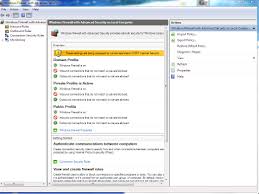
Windows Firewall offers the advantage of network profile management, allowing users to customize firewall rules according to different network profiles such as public, private, and domain. This feature enables users to tailor their security settings based on specific requirements for each network type. By setting distinct firewall rules for different profiles, users can effectively control the access permissions of various applications and services, enhancing overall network security and privacy. This flexibility in managing network profiles with Windows Firewall empowers users to optimize their security configurations to best suit their individual needs and preferences.
Stealth mode
One significant advantage of Windows Firewall is its Stealth mode feature, which can effectively render your computer invisible on public networks. By concealing your device from potential threats, Windows Firewall reduces the likelihood of being targeted by malicious actors seeking to exploit vulnerabilities. This added layer of security enhances your privacy and minimizes the risk of unauthorized access or attacks while connected to public Wi-Fi networks or other shared environments.
Automatic updates
One significant advantage of Windows Firewall is its automatic updates feature. Regularly receiving updates from Microsoft, the firewall stays equipped to address emerging security threats and vulnerabilities in real-time. This proactive approach ensures that your computer remains protected against the latest cyber risks, enhancing overall system security and providing peace of mind to users.
Integration with other security features
Windows Firewall offers a significant advantage through its seamless integration with other security features, such as antivirus software. By working in harmony with these tools, Windows Firewall enhances the overall security of the system by providing a layered defense against various threats. This collaborative approach ensures comprehensive protection for users, as potential vulnerabilities are identified and addressed from multiple angles, strengthening the overall security posture of the computer.
Logs and notifications
Windows Firewall offers the valuable benefit of logs and notifications, enhancing users’ awareness of their system’s security status. By logging activity and issuing notifications for blocked connections, Windows Firewall keeps users informed about potential risks in real-time. This proactive approach allows users to promptly address any suspicious or unauthorized network activity, helping to maintain a secure computing environment and mitigate potential threats effectively.
Limited customization options compared to third-party firewall software
One of the drawbacks of Windows Firewall is its limited customization options when compared to third-party firewall software. While Windows Firewall provides basic protection and functionality, it may lack advanced features and flexibility that are offered by specialized firewall programs. Third-party firewall software often allows users to fine-tune security settings, create custom rules, and have more control over network traffic monitoring. This limitation in customization options in Windows Firewall may be a concern for users who require specific configurations or desire a higher level of security customization for their computer systems.
May cause compatibility issues with certain applications or network configurations
One notable drawback of Windows Firewall is its potential to cause compatibility issues with specific applications or network configurations. Due to its strict security protocols, the firewall may sometimes block legitimate programs or services from functioning correctly, leading to connectivity issues or functionality disruptions. This can be frustrating for users who rely on certain software or network setups that may not align seamlessly with Windows Firewall’s default settings. It requires careful configuration and troubleshooting to ensure that the firewall does not inadvertently hinder the performance of essential applications or network connections.
Can be complex for inexperienced users to configure and troubleshoot
Configuring and troubleshooting Windows Firewall can be challenging for inexperienced users due to its complexity. The wide range of settings and options available may overwhelm those who are not familiar with network security concepts. Inaccurate configurations or missteps in troubleshooting could potentially leave the system vulnerable to security risks. Inexperienced users may find it difficult to navigate the interface and understand the implications of their actions, leading to unintended consequences. Seeking assistance from knowledgeable sources or utilizing user-friendly guides can help mitigate these challenges and ensure that Windows Firewall is properly configured for effective protection against online threats.
Does not offer advanced features found in premium firewall solutions
One limitation of Windows Firewall is that it does not offer advanced features commonly found in premium firewall solutions. While Windows Firewall provides basic protection by monitoring network traffic and blocking potential threats, it may lack more sophisticated functionalities such as deep packet inspection, application-level filtering, and advanced threat detection capabilities. Users who require specialized security features or enhanced customization options may find that Windows Firewall falls short compared to dedicated third-party firewall software. In such cases, investing in a premium firewall solution tailored to specific security needs and preferences could be a more suitable choice for comprehensive protection against advanced cyber threats.
Some advanced users may find its protection capabilities insufficient
Some advanced users may find the protection capabilities of Windows Firewall insufficient due to its limitations in customization and advanced configuration options. While it provides basic protection against common threats, experienced users who require more granular control over their network security may find the default settings restrictive. Advanced users may prefer third-party firewall solutions that offer more extensive features and flexibility to tailor security settings according to their specific needs and preferences.
Tags: anti-malware programs, antivirus software, computer security, cyber attack, data packets, digital environment, firewall, firewall settings, hackers, malicious software, multi-layered approach, network traffic, online threats, safe browsing practices, security risks, security rules, unauthorized access, updates, windows firewall