
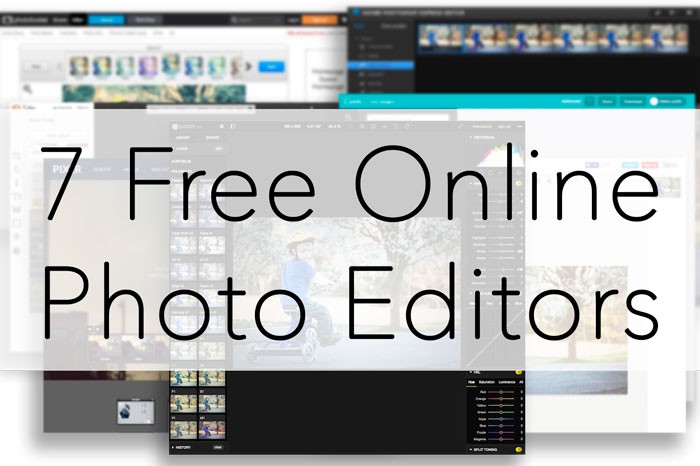
Photo Editor Free Download: How to Choose the Right Tool
A photo editor can help you improve colors, remove distractions, crop images, and create graphics for social media or work. The good news is that you don’t always need to pay for professional software. Many free photo editors offer useful tools for beginners and experienced users alike.
This guide covers what to look for in a photo editor free download, several popular options, and a few tips for downloading software safely.
What to Look for in a Free Photo Editor
Before downloading an editor, consider what you want to do with your images. A simple program may be all you need for cropping and basic adjustments, while more advanced projects may call for layers, masks, or RAW photo support.
- Essential editing tools: Look for cropping, resizing, exposure and color controls, sharpening, and red-eye or blemish correction.
- Layers and selections: These features are useful for combining images, making selective edits, and creating more complex designs.
- File support: Check that the editor can open and export the formats you use, such as JPG, PNG, or TIFF. Photographers may also want RAW support.
- Ease of use: A clear interface and helpful tutorials can make a big difference, especially if you’re new to editing.
- Device compatibility: Confirm that the software works with your operating system and meets its system requirements.
- Free-plan limits: Some products offer free basic tools alongside paid features, subscriptions, or optional add-ons. Review the terms before installing.
Popular Free Photo Editors
GIMP
GIMP is a free, open-source image editor for desktop computers. It includes tools for retouching, image composition, and working with layers. Its range of features makes it a flexible choice, though new users may need time to get familiar with the interface.
Paint.NET
Paint.NET is a Windows image editor designed to be approachable while offering more than basic paint tools. It supports layers, effects, and a range of common adjustments. Check the official site for the current version and download options.
Krita
Krita is primarily built for digital painting and illustration, but it can also be used for image editing. It offers brushes, layers, and other creative tools that may appeal to artists and designers. Some features may be more specialized than a casual photo editor requires.
darktable
darktable is a free, open-source application focused on RAW photo processing and photography workflows. It can be a good option for photographers who want detailed control over image adjustments. Its interface and tools are geared more toward photography than quick, simple edits.
Photopea
Photopea runs in a web browser, so you can edit images without installing a desktop program. It supports many common image formats and offers features such as layers and selections. Because it is browser-based, it may be a convenient choice when you’re using a shared computer or don’t want to download software.
How to Download a Photo Editor Safely
When looking for a photo editor free download, use the developer’s official website or a trusted app store. Search results and third-party download pages can sometimes lead to outdated installers, confusing “download” buttons, or unwanted bundled programs.
- Visit the software developer’s official website or a recognized app store.
- Confirm that the program supports your device and operating system.
- Read the license and check whether the download is genuinely free or includes optional paid features.
- Review any installer screens carefully, and decline add-ons you don’t want.
- Keep the program updated and scan downloaded files with your device’s security software.
Download an App or Edit in Your Browser?
A desktop download may be a better fit if you need advanced tools, work with large files, or regularly edit photos. Browser-based editors are convenient for occasional edits and can save you from installing software, but they may depend on a stable internet connection and your browser’s performance.
For either option, consider where your images are processed and stored. If you’re editing private or sensitive photos, review the service’s privacy information before uploading them.
Tips for Getting Better Results
- Keep an unchanged copy of the original image before editing.
- Make small adjustments first, then compare the result with the original.
- Avoid excessive sharpening, saturation, or skin smoothing.
- Choose the right export format: JPG is widely used for photos, while PNG is often useful for graphics that need transparency.
- Export at a suitable size for where the image will appear, such as a website, social media post, or print project.
Choose the Editor That Fits Your Needs
The best photo editor is the one that matches your experience, device, and projects. For advanced desktop editing, consider a full-featured program such as GIMP. For RAW photography, explore darktable. For quick edits without an installation, a browser-based tool such as Photopea may be more convenient.
Compare features, check the software’s current terms, and download only from trusted sources. With the right free photo editor, you can make everyday image adjustments—or take on more creative projects—without committing to a paid program.
7 Tips for Safely Downloading a Free Photo Editor
- Download photo editors from official websites or trusted app stores.
- Check that the editor supports your device and operating system.
- Review requested permissions before installing.
- Compare free features before choosing an editor.
- Avoid download links from unfamiliar websites.
- Check for bundled software during installation.
- Keep the editor updated for security and bug fixes.
Download photo editors from official websites or trusted app stores.
When looking for a free photo editor, download it only from the developer’s official website or a trusted app store. These sources are more likely to provide authentic, up-to-date software and help you avoid fake installers, unwanted add-ons, or harmful files. Before installing, double-check the app name, publisher, and system requirements.
Check that the editor supports your device and operating system.
Before starting a photo editor free download, make sure the software supports your device and operating system. Check the developer’s system requirements, including the compatible Windows, macOS, Linux, iOS, or Android versions and any hardware requirements. Choosing a compatible editor helps prevent installation problems and ensures the tools run smoothly on your device.
Review requested permissions before installing.
Before installing a free photo editor, review the permissions it requests and consider whether they make sense for the app’s features. Access to your photos may be necessary for editing, but requests for unrelated data or device functions could be a reason to pause and learn more. If the permissions seem excessive, check the app’s privacy information or choose a trusted alternative.
Compare free features before choosing an editor.
Before downloading a photo editor, compare what each free version includes. Some tools offer essential features like cropping, color correction, and resizing, while others may include layers, filters, or RAW photo support. Check whether advanced tools are locked behind a subscription, whether the free version adds watermarks, and if there are limits on exports or file formats. Comparing these details helps you choose an editor that fits your needs without unwanted costs or restrictions.
Avoid download links from unfamiliar websites.
Avoid downloading a photo editor from unfamiliar websites, since their links may lead to outdated installers, unwanted bundled software, or malicious files. Instead, get the program directly from its official developer website or a trusted app store. Before installing, check the app name and publisher, review any optional offers, and keep your device’s security software up to date.
Check for bundled software during installation.
During installation, review each screen carefully and look for optional bundled software, such as toolbars, browser extensions, or other apps. These extras may be preselected, so choose a custom or advanced installation when available and uncheck anything you don’t want. This helps keep your device free of unwanted programs while installing your photo editor.
Keep the editor updated for security and bug fixes.
Keep your photo editor updated to get important security protections, bug fixes, and performance improvements. Updates can help protect your device from known vulnerabilities and prevent issues such as crashes or tools not working as expected. Download updates through the editor’s official website, app store, or built-in updater, and avoid update links from unfamiliar sources.
Tags: browser-based photo editor, darktable, desktop photo editor, free photo editor, free photo editor download, gimp, image editing, image formats, krita, layers and masks, paint.net, photo editing software, photo editing tips, photo editing tools, photo editor for beginners, photo editor free download, photopea, raw photo editing, safe software download