
WinRAR Download: How to Download and Install WinRAR Safely
WinRAR is a file-compression utility for Windows that can create and open archives, including RAR and ZIP files. If you need to extract a downloaded archive or compress files to share, getting WinRAR from an official source helps you avoid altered installers and unwanted software.
Where to Download WinRAR
Download WinRAR from the official WinRAR website or the RARLAB download page:
Choose the installer that matches your Windows system. Most modern PCs use 64-bit Windows, but check your system settings if you are unsure. Avoid download buttons on unfamiliar third-party sites, which may lead to bundled or modified installers.
How to Install WinRAR on Windows
- Open one of the official download pages above.
- Select the appropriate WinRAR version for your system and download the installer.
- Open the downloaded file. If Windows displays a security prompt, confirm that the publisher and file source are trustworthy before continuing.
- Follow the setup instructions, choose your preferred installation options, and finish the installation.
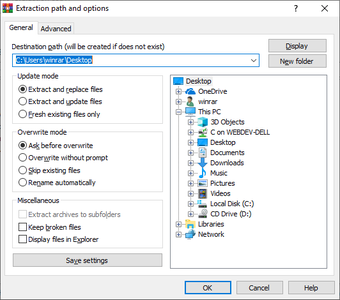
- To extract an archive, right-click it in File Explorer and choose an extraction option from the WinRAR menu.
What WinRAR Does
WinRAR can create RAR and ZIP archives and extract many common archive formats. Compressing files can make them easier to store or send, while extracting an archive restores its contents to a folder. The amount of space saved depends on the file types—already-compressed photos and videos, for example, may shrink very little.
Is WinRAR Free?
WinRAR offers a trial period so users can evaluate the software. After the trial, a purchase may be required under the terms presented by the publisher. Check the official site for current licensing details and pricing. Be cautious of sites claiming to provide a “free full version” through unofficial downloads.
Tips for a Safer Download
- Use the official WinRAR or RARLAB website.
- Check that the download is intended for your version of Windows.
- Keep Windows security features enabled and scan files if you have concerns.
- Do not open archives from unknown senders unless you trust the source.
- Use a strong password when creating an archive that contains sensitive files, and share the password securely.
Frequently Asked Questions
Can WinRAR open ZIP files?
Yes. WinRAR can open and extract ZIP files, as well as RAR archives and several other common formats.
Is WinRAR available for Mac?
WinRAR is primarily a Windows application. RARLAB provides separate tools for other platforms, but Mac users may prefer an archive utility designed for macOS.
Why should I download WinRAR from the official site?
The official download page is the best way to get the installer published by the software provider and reduce the risk of downloading a repackaged or unwanted program.
For a straightforward WinRAR download, use the official download page, select the installer that fits your Windows system, and follow the setup instructions. Always handle compressed files carefully, especially when they come from unfamiliar sources.
WinRAR Download FAQs: Free Trial, Pricing, and Safe Download Sites
- Is WinRAR free and safe?
- Can I download WinRAR for free?
- How much does WinRAR cost?
- Is there a safe website to download WinRAR?
Is WinRAR free and safe?
WinRAR can be downloaded from its official website and used during its evaluation period, but it is commercial software, so continued use may require a paid license under its current terms. The installer is generally safe when obtained directly from WinRAR or RARLAB; avoid unofficial download sites, and be cautious with archives from unknown sources because they may contain harmful files.
Can I download WinRAR for free?
Yes, you can download WinRAR and try it at no cost during its evaluation period. After that, you’re expected to purchase a license to continue using it under the terms set by the publisher. Download it from the official WinRAR or RARLAB website, and check the current licensing details there.
How much does WinRAR cost?
WinRAR offers a free trial, after which users are expected to purchase a license. The price can vary by country, currency, and license type, so check the official WinRAR website for current pricing and terms before buying.
Is there a safe website to download WinRAR?
Yes. The safest place to download WinRAR is its official website, win-rar.com, or the RARLAB downloads page at rarlab.com. These sources provide the publisher’s installer and help reduce the risk of bundled or modified files from third-party download sites. Check that you’re downloading the version for your system, and avoid unofficial pages promising cracked or “full” versions.
Tags: archive extraction, archive safety, bundled software, file compression, mac archive tools, official installer, official winrar website, paid license, password-protected archives, rar files, rarlab, safe download, third-party download sites, windows, windows security, winrar download, winrar installation, winrar trial, zip files