
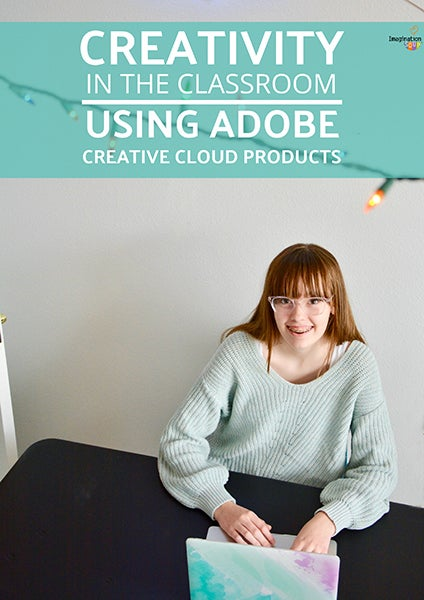
Adobe Creative Cloud for Students: Plans, Benefits, and What to Know
Adobe Creative Cloud gives students access to tools for photo editing, graphic design, video production, illustration, and more. Whether you’re creating class presentations, building a portfolio, or learning a new skill, an eligible student plan can make Adobe’s creative apps more affordable.
Here’s what to know about Adobe Creative Cloud for students, including what may be included, how to check eligibility, and what to consider before subscribing.
What Is Adobe Creative Cloud for Students?
Adobe offers discounted Creative Cloud subscriptions to eligible students and teachers in the United States. Depending on the plan available when you sign up, a subscription may include access to multiple Creative Cloud apps, cloud services, and other Adobe features.
Commonly used apps include:
- Photoshop for image editing and digital artwork
- Illustrator for vector graphics, logos, and illustrations
- Premiere Pro for video editing
- After Effects for motion graphics and visual effects
- InDesign for page layouts and publications
- Lightroom for organizing and editing photos
- Adobe Express for quick designs, social posts, and other projects
App availability and plan features can change. Check Adobe’s official Creative Cloud plans page to see exactly what a current student subscription includes.
Who Can Get the Student Discount?
Eligibility is generally based on enrollment in an approved educational institution. Adobe may ask you to verify your student status during sign-up or later. Verification requirements can vary, so review Adobe’s current terms before purchasing.
You may need to provide information such as your school-issued email address or documentation confirming enrollment. A school email address alone may not be enough in every case.
How Much Does Adobe Creative Cloud Cost for Students?
Adobe’s student pricing and promotions can change. Some offers provide a reduced introductory price, while the subscription may renew at a higher rate afterward. The renewal price, billing schedule, taxes, and cancellation terms should be displayed during checkout.
Before subscribing, compare the total cost over the period you expect to use the service—not just the introductory price. Set a reminder to review your subscription before its renewal date if you’re unsure whether you’ll continue using it.
What Are the Benefits for Students?
Access to industry-standard creative tools
Learning Adobe apps can help students develop skills used in fields such as design, photography, marketing, film, publishing, and digital media. Familiarity with these tools may also help when preparing portfolios or applying for internships and jobs.
One subscription for different kinds of projects
A multi-app plan can be useful if your coursework involves several creative formats. You could edit photos in Photoshop, design an infographic in Illustrator, and assemble a video project in Premiere Pro.
Learning resources and tutorials
Adobe and other publishers provide tutorials for many Creative Cloud apps. These resources can help beginners learn the basics and give experienced users a way to explore more advanced features.
Things to Consider Before You Subscribe
- Check your school’s access. Your college or university may already provide access to some Adobe apps through a campus license.
- Review the renewal terms. Confirm when the introductory offer ends and what the subscription will cost afterward.
- Understand cancellation rules. The available cancellation options and any fees depend on the plan and its terms. Read them before completing your purchase.
- Check your computer’s requirements. Creative apps can require substantial storage, memory, and processing power. Review the system requirements for the apps you plan to use.
- Consider which apps you need. If you only need one program, compare the cost of an individual-app plan with the student offer.
- Keep your eligibility current. Student discounts may have eligibility and renewal requirements. Check Adobe’s terms if your enrollment status changes.
How to Get Started
- Visit Adobe’s official Creative Cloud plans page.
- Choose the student or education offer that matches your needs.
- Review the included apps, price, renewal terms, and cancellation conditions.
- Complete the student-status verification requested by Adobe.
- Download the Creative Cloud desktop app and install the programs you plan to use.
Is Adobe Creative Cloud Worth It for Students?
Adobe Creative Cloud can be a strong option for students who regularly work on creative projects or want to build experience with professional design and media tools. The student offer may be especially useful when you need several apps, but the value depends on your budget, coursework, and how often you’ll use them.
Compare Adobe’s current student plans with your school’s software access and other tools before deciding. A little research can help you choose a plan that fits your projects without paying for features you don’t need.
Adobe Creative Cloud for Students: Pricing, Eligibility, Apps, Verification, Renewal, and Cancellation FAQs
- How much does Adobe Creative Cloud cost for students?
- Who is eligible for the Adobe Creative Cloud student discount?
- What apps are included in Adobe Creative Cloud for students?
- How do students verify their eligibility for Adobe Creative Cloud?
- Does Adobe Creative Cloud for students automatically renew at a higher price?
- Can students cancel an Adobe Creative Cloud subscription at any time?
How much does Adobe Creative Cloud cost for students?
Adobe Creative Cloud student pricing varies by plan and promotion, so check Adobe’s U.S. website for the current price. Student offers may have a discounted introductory period and then renew at a higher rate; review the renewal price, billing terms, and eligibility requirements before subscribing.
Who is eligible for the Adobe Creative Cloud student discount?
The Adobe Creative Cloud student discount is generally available to students age 13 or older who are enrolled in an eligible school, college, or university. Adobe may verify enrollment using a school-issued email address or other documentation, and eligibility requirements can vary by offer. Check Adobe’s current terms to confirm that your institution and enrollment status qualify.
What apps are included in Adobe Creative Cloud for students?
Adobe Creative Cloud student plans may include a collection of creative apps such as Photoshop, Illustrator, Premiere Pro, After Effects, InDesign, Lightroom, and Acrobat Pro, along with services like Adobe Fonts and cloud storage. The exact apps and features depend on the plan and current offer, so check Adobe’s student plans page before subscribing.
How do students verify their eligibility for Adobe Creative Cloud?
Students can usually verify their eligibility for Adobe Creative Cloud by signing up with an eligible school email address or providing documentation that confirms current enrollment, such as a student ID, transcript, or tuition receipt. Adobe may request verification through its education verification process, and the exact requirements can vary by school and offer. Check Adobe’s instructions during checkout, and make sure your documents show your name, school, and a recent enrollment date.
Does Adobe Creative Cloud for students automatically renew at a higher price?
Yes. Adobe Creative Cloud student plans may automatically renew at the regular price after the discounted introductory period ends, so the cost can increase. The renewal price and timing depend on your plan and offer; check the terms shown at checkout and in your Adobe account. If you don’t want to continue at the renewal price, review Adobe’s cancellation terms and cancel before the next billing date.
Can students cancel an Adobe Creative Cloud subscription at any time?
Students can cancel an Adobe Creative Cloud subscription, but the timing and any fees depend on the plan and its terms. Annual plans paid monthly may include an early cancellation fee after the applicable refund period, while other plans may have different conditions. Before canceling, review the cancellation details in your Adobe account, including any fees, refund eligibility, and the date your access will end.
Tags: adobe creative cloud for students, adobe creative cloud student, adobe express, after effects, cancellation terms, creative apps, creative cloud plans, creative projects, design tools, education offer, eligibility verification, illustrator, indesign, lightroom, photo editing, photoshop, premiere pro, renewal price, school software access, student benefits, student discount, student pricing, student subscription, system requirements, video editing