
Microsoft Products: A Guide to the Company’s Software, Devices, and Services
Microsoft products are part of everyday life for many people, from the Windows computers used at home and work to the cloud services that power businesses around the world. The company offers software, hardware, productivity tools, and online services for individuals, organizations, developers, and gamers.
Here’s an overview of Microsoft’s major product categories and how they fit together.
Windows
Windows is Microsoft’s operating system for personal computers. It provides the familiar desktop environment people use to run apps, manage files, connect to accessories, and customize their devices. Windows is available on computers made by many manufacturers, as well as on Microsoft’s own Surface devices.
Because Windows supports a broad range of hardware and software, it is used in homes, schools, offices, and specialized workplaces. Features and available tools can vary by version, device, and settings.
Microsoft 365 and Office apps
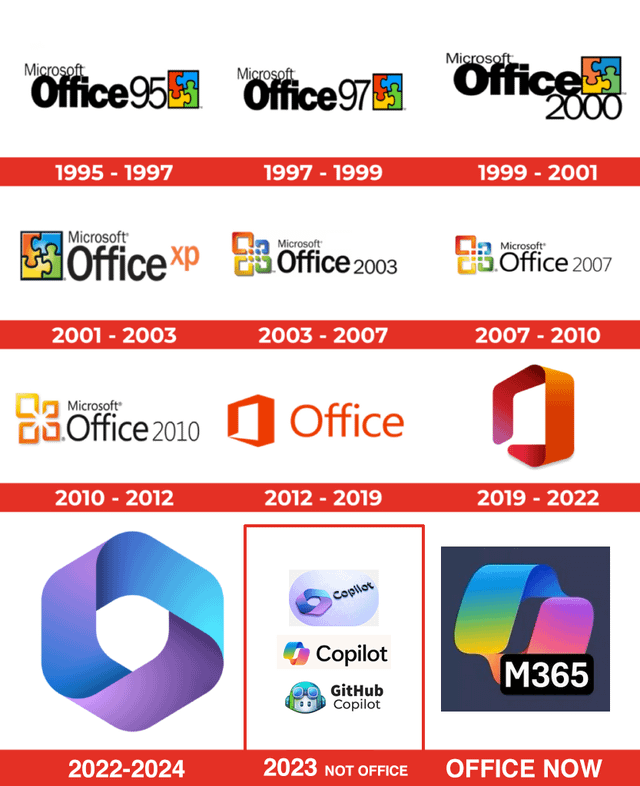
Microsoft 365 is a subscription service that brings together productivity apps and cloud-based services. Depending on the plan, it may include familiar tools such as Word, Excel, PowerPoint, Outlook, and OneNote, along with online storage and collaboration features.
- Word is used to create and edit documents.
- Excel helps users organize information, work with calculations, and build spreadsheets.
- PowerPoint is designed for creating presentations.
- Outlook supports email, calendars, and contacts.
- OneNote provides a digital space for notes and research.
- OneDrive stores and syncs files online.
Microsoft also offers free web versions of some Office apps, while paid plans provide different combinations of features and services. The right option depends on how many people need access and which tools they use.
Microsoft Teams and collaboration tools
Microsoft Teams brings together chat, meetings, calling, and collaboration features. It is commonly used by organizations and schools to communicate and work on projects. Teams can connect with other Microsoft services, including Microsoft 365 apps, though available features depend on the account and plan.
For personal communication, Microsoft also offers services such as Outlook.com and Skype, with availability and features varying over time and by region.
Azure and cloud computing
Microsoft Azure is the company’s cloud computing platform. Businesses and developers use Azure to host websites and applications, store and process data, manage networks, and build cloud-based solutions. It offers a wide range of services, so organizations can choose the tools that match their technical needs.
Azure is different from consumer products such as OneDrive. OneDrive is designed primarily for storing and syncing personal or work files, while Azure provides infrastructure and services that organizations can use to build and operate technology systems.
Surface devices and accessories
Surface is Microsoft’s line of computers and accessories. The range has included laptops, tablets, and devices that combine elements of both. Surface products are designed to work with Windows and may support accessories such as keyboards, pens, docks, and external displays.
As with any computer purchase, it is useful to compare the processor, memory, storage, display, battery life, ports, and price. The best choice depends on whether the device will be used for everyday tasks, creative work, school, or business.
Xbox and gaming
Xbox is Microsoft’s gaming brand. It includes Xbox consoles, games, accessories, and online services. Xbox Game Pass is a subscription service that provides access to a changing catalog of games, with details depending on the plan and region.
Microsoft also publishes games for PC and other platforms. Many Xbox titles support features such as online play or cross-platform play, but availability differs by game.
Dynamics 365 and business applications
Dynamics 365 is a collection of business applications for areas such as sales, customer service, finance, supply chain management, and operations. Companies can use these tools to manage business processes and customer relationships. The products are generally aimed at organizations rather than individual consumers.
Security and developer tools
Microsoft offers security products and services for individuals and organizations. These include built-in Windows security features and business-focused tools for managing devices, identities, and security risks. The exact protections available depend on the product, plan, device, and configuration.
Developers can also use Microsoft tools such as Visual Studio and Visual Studio Code to write and test software. GitHub, which is owned by Microsoft, provides services for hosting code and collaborating on software projects.
Choosing the right Microsoft products
Microsoft’s product range can be useful when tools need to work together, but not every person or organization needs the same setup. Before choosing a product, consider:
- Your main task: Decide whether you need a computer, office apps, cloud hosting, business software, or gaming services.
- Compatibility: Check that the product works with your devices, apps, and existing systems.
- Cost: Compare one-time purchases, subscriptions, and business plans. Pricing and included features can change.
- Privacy and security: Review account settings, data controls, and security options.
- Support needs: Consider how much setup, administration, or technical help will be required.
Conclusion
Microsoft products span personal computing, workplace productivity, cloud services, business applications, and gaming. Windows and Microsoft 365 serve many everyday needs, while Azure, Dynamics 365, and Microsoft’s security and developer tools support more specialized work. By comparing features, compatibility, and cost, individuals and organizations can choose the products that best fit their goals.
Microsoft Products and Services: Frequently Asked Questions
- What products and services does Microsoft offer?
- What is the difference between Microsoft 365 and Office 2024?
- Is Microsoft 365 available for free?
- Which Microsoft 365 plan is right for me?
- How do I download and install Microsoft Office apps?
- How can I recover or reset my Microsoft account password?
- What is the difference between Windows 11 Home and Windows 11 Pro?
- How do I contact Microsoft Support for help with a product?
- Can I use Microsoft products on Mac, iPhone, and Android devices?
What products and services does Microsoft offer?
Microsoft offers a wide range of products and services, including the Windows operating system, Microsoft 365 apps such as Word, Excel, and Outlook, and cloud storage through OneDrive. Its portfolio also includes Microsoft Teams for communication and collaboration, Azure cloud computing services, Surface computers and accessories, Xbox consoles and gaming services, and business applications such as Dynamics 365. Microsoft also provides developer tools, security solutions, and online services for individuals, businesses, and organizations.
What is the difference between Microsoft 365 and Office 2024?
Microsoft 365 is a subscription that provides access to Office apps such as Word, Excel, and PowerPoint, along with ongoing feature updates and cloud services that vary by plan. Office 2024 is a one-time purchase for a specific version of the apps on one compatible computer; it receives security updates but generally does not include new feature upgrades or the same subscription services. Choose Microsoft 365 if you want continuously updated apps and cloud features, or Office 2024 if you prefer to pay once for a fixed set of apps.
Is Microsoft 365 available for free?
Yes, Microsoft 365 offers free access to web versions of apps such as Word, Excel, and PowerPoint with a Microsoft account. These versions include core features and let you save files online with OneDrive, but they may have fewer tools than the paid desktop apps. Paid Microsoft 365 plans add features and services that vary by plan, so check Microsoft’s website for current details.
Which Microsoft 365 plan is right for me?
The right Microsoft 365 plan depends on how you’ll use it and who needs access. For one person or a household, compare the personal and family plans based on the number of users and included features. If you need Microsoft 365 for work, consider a business plan that fits your team size and requirements, such as business email, collaboration tools, and device management. Check Microsoft’s current plan details and pricing before choosing, since features and availability can change.
How do I download and install Microsoft Office apps?
To download and install Microsoft Office apps, sign in to your Microsoft account at Microsoft 365 or Office.com and choose the option to install Microsoft 365 or Office, if it’s included with your subscription or license. Open the downloaded installer and follow the on-screen instructions. Once installation is complete, launch an app such as Word or Excel and sign in with the account associated with your license to activate it. You can also use the Office apps in a web browser without installing them; available apps and features depend on your account and plan.
How can I recover or reset my Microsoft account password?
To recover or reset your Microsoft account password, go to Microsoft’s password reset page and enter the email address, phone number, or Skype name associated with your account. Choose how you’d like to receive a security code, verify your identity, and follow the prompts to create a new password. If you can’t access any of the listed verification methods, use Microsoft’s account recovery form and provide as much accurate information as possible. For a work or school account, contact your organization’s IT administrator.
What is the difference between Windows 11 Home and Windows 11 Pro?
Windows 11 Home is designed for everyday use at home, with features for browsing, gaming, schoolwork, and personal productivity. Windows 11 Pro includes the same core Windows experience, plus business-focused tools such as BitLocker device encryption, Remote Desktop hosting, domain and Microsoft Entra ID join, and Group Policy management. Home is usually the better fit for personal computers, while Pro may be useful for businesses or people who need its extra security and management features. Availability can depend on the device and configuration.
How do I contact Microsoft Support for help with a product?
To contact Microsoft Support, visit the official support site at support.microsoft.com and select the product or issue you need help with. Sign in to your Microsoft account if prompted, then follow the available troubleshooting steps or choose a contact option, such as chat or a callback, when offered. Support options vary by product, account type, and region, so use Microsoft’s official website to find the most current help.
Can I use Microsoft products on Mac, iPhone, and Android devices?
Yes. Many Microsoft products are available on Mac, iPhone, and Android devices. Microsoft 365 apps such as Word, Excel, PowerPoint, Outlook, and OneNote have versions for these platforms, and services like OneDrive and Microsoft Teams can also be accessed through apps or a web browser. Features may differ by device, operating system, and subscription plan, so check the product’s requirements before installing or subscribing.
Tags: azure, business applications, cloud computing, cloud services, collaboration tools, devices and accessories, dynamics 365, excel, gaming, github, microsoft 365, microsoft products, microsoft teams, office apps, onedrive, onenote, outlook, powerpoint, productivity software, skype, surface, visual studio, visual studio code, windows, word, xbox, xbox game pass