
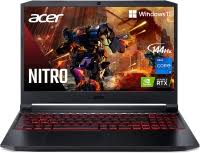
Gaming Laptop Deals: How to Find the Right Laptop for Less
A good gaming laptop deal can save you money without forcing you to settle for a machine that struggles with your favorite games. The trick is to look beyond the discount: compare the graphics card, processor, display, memory, storage, and cooling system to make sure the laptop is worth its price.
Whether you’re shopping for a first gaming laptop or upgrading an older model, this guide explains what to look for, when to shop, and how to spot a genuine bargain.
What Makes a Gaming Laptop Deal Worth It?
A large markdown does not automatically make a laptop a good buy. A model may be discounted because it has an older graphics card, limited memory, a low-quality display, or a price that was raised before the sale. Compare the laptop’s specifications and price with similar models before deciding.
Start by asking yourself three questions:
- Can it run the games you play at your preferred resolution and settings?
- Does it have enough memory and storage for your games and everyday tasks?
- Is the sale price competitive with laptops offering similar hardware?
Key Specs to Check Before You Buy
Graphics card
The graphics processing unit (GPU) has a major impact on gaming performance. Check the exact GPU model rather than relying on phrases such as “gaming-ready” or “high performance.” Also keep in mind that laptop GPUs can perform differently from similarly named desktop graphics cards. A laptop’s power limits and cooling design affect how fast its GPU can run.
Choose a GPU based on the games you play and the laptop’s screen resolution. Competitive games may run well on a more affordable system, while demanding new releases and higher resolutions generally call for more graphics power.
Processor
The central processing unit (CPU) handles game logic, background applications, and many everyday tasks. Look at the processor’s full model name and generation, then compare it with the GPU. A powerful graphics card paired with a very weak processor can limit overall performance.
Memory and storage
For a smoother experience, look for a laptop with enough RAM to run your games alongside the operating system and other applications. Some laptops allow memory upgrades, while others have RAM that is soldered in place, so check before buying.
Solid-state storage helps games and apps load quickly. Consider how much space you need: modern games can take up a lot of storage, and a small drive may fill up fast. A laptop with an extra storage slot or an upgradeable drive can offer more flexibility.
Display
The display affects how games look and feel. Compare screen size, resolution, refresh rate, brightness, and color quality. A higher refresh rate can make motion look smoother, especially in fast-paced games, but it is most useful when the laptop can produce enough frames to take advantage of it.
Cooling and build quality
Gaming laptops generate heat, and a laptop’s cooling system can affect performance, fan noise, and comfort. Look for reviews that discuss temperatures and noise under load, not just the laptop’s appearance or benchmark results. A sturdy chassis and comfortable keyboard also matter if you plan to use the laptop every day.
When to Shop for Gaming Laptop Deals
Discounts appear throughout the year, but some shopping periods tend to bring a wider selection of promotions. These may include major holiday sales, back-to-school events, seasonal clearance periods, and retailer-specific promotions. New product launches can also lead to discounts on older models.
There is no guarantee that a specific laptop will be cheaper during a particular sale. If you find a model that fits your needs at a competitive price, compare it with similar options and review the return policy before waiting for another promotion.
How to Compare Prices
- Compare exact configurations. Two laptops with the same product name may have different GPUs, RAM, storage, or displays.
- Check the price history. Price-tracking tools can help show whether a discount is meaningful or a frequent sale price.
- Compare multiple retailers. Check the manufacturer’s store and reputable electronics retailers for the same configuration.
- Include the full cost. Factor in tax, shipping, accessories, and any upgrade you may need.
- Read the return and warranty terms. A low price is less appealing if returning a defective or unsuitable laptop is difficult.
Common Gaming Laptop Deal Mistakes
Buying based on the discount percentage
A big advertised discount can distract from outdated hardware or a high original price. Focus on the current price and specifications, not only the percentage off.
Ignoring upgrade options
Some laptops can be upgraded with more memory or storage, while others offer limited access to their components. Check the manufacturer’s specifications and warranty terms before planning an upgrade.
Forgetting about portability
Gaming laptops can vary widely in size, weight, battery life, and power-adapter bulk. If you plan to carry yours to class or work, check its weight and battery reviews. A powerful laptop may be a poor fit if it is too cumbersome for your routine.
Expecting long battery life while gaming
Gaming on battery power usually reduces performance and drains the battery quickly. If you need a laptop for long unplugged sessions, look at reviews covering everyday battery life, but plan to plug in for demanding games.
Quick Checklist Before Checkout
- Confirm the exact GPU and CPU.
- Check RAM capacity and whether it can be upgraded.
- Make sure the storage capacity suits your game library.
- Review the display’s resolution, refresh rate, and quality.
- Look for testing on cooling, fan noise, and gaming performance.
- Compare the price with similar configurations.
- Read the return policy, warranty, and seller information.
Frequently Asked Questions
Are gaming laptop deals available year-round?
Yes. Retailers and manufacturers run promotions throughout the year, though the selection and discount amounts vary. Comparing prices over time can help you judge whether an offer is competitive.
Should I buy an older gaming laptop if it is heavily discounted?
It can be a good value if its hardware meets your needs and the price reflects its age. Check how its GPU and CPU compare with newer options, and consider how long you expect to keep it.
Is a higher refresh rate always better?
Not necessarily. A faster display can improve the feel of supported games, but it is most beneficial when the laptop can deliver a high frame rate. Display brightness, resolution, color quality, and response time also matter.
Find a Deal That Fits Your Gaming Needs
The best gaming laptop deal is not always the cheapest model or the one with the largest advertised discount. It is the laptop that delivers the performance, display, storage, portability, and reliability you need at a fair price. Compare exact configurations, check independent reviews, and confirm the return terms before you buy.
Your Guide to Finding the Best Gaming Laptop Deals: Top FAQs Answered
- When is the best time to buy a gaming laptop on sale?
- How can I tell if a gaming laptop deal is actually good?
- What specs should I prioritize when buying a gaming laptop on a budget?
- Are refurbished or open-box gaming laptops worth buying?
- How much should I spend on a gaming laptop?
- Where can I find reliable gaming laptop deals?
When is the best time to buy a gaming laptop on sale?
The best time to buy a gaming laptop on sale is often during major shopping events, such as Black Friday, Cyber Monday, back-to-school sales, and holiday promotions. You may also find good deals when new models launch and retailers discount older configurations to clear inventory. Sale timing varies, so compare prices over several weeks and check that the laptop’s specifications, warranty, and return policy meet your needs before buying.
How can I tell if a gaming laptop deal is actually good?
To tell whether a gaming laptop deal is genuinely good, compare its current price with the laptop’s recent price history and similar models with the same GPU, processor, memory, storage, and display. Look beyond the advertised discount, and check independent reviews for gaming performance, cooling, and build quality. Make sure the specifications suit the games you play, and factor in the warranty, return policy, and any upgrades you may need. A worthwhile deal offers the features you need at a competitive price—not just a big markdown.
What specs should I prioritize when buying a gaming laptop on a budget?
When buying a budget gaming laptop, prioritize the graphics card first, since it has the biggest impact on gaming performance. Choose a capable, recent-generation GPU for the games and resolution you expect to use, then look for a processor that can keep up. Aim for at least 16 GB of RAM if your budget allows, and choose an SSD with enough storage for your games; check whether either component can be upgraded later. A 1080p display with a solid refresh rate is often a better value than a higher-resolution screen, and reliable cooling matters because overheating can reduce performance. Compare the exact specifications and independent reviews—not just the advertised discount—before buying.
Are refurbished or open-box gaming laptops worth buying?
Refurbished or open-box gaming laptops can be worth buying if the savings are substantial and the device comes from a reputable seller. Open-box models are often customer returns or display units, while refurbished laptops have typically been inspected and repaired if needed. Before purchasing, check the laptop’s condition, return window, warranty coverage, battery health, and exact specifications. A low price is less appealing if the seller offers limited support or the laptop has outdated components, so compare its cost with a new model offering similar performance.
How much should I spend on a gaming laptop?
How much you should spend on a gaming laptop depends on the games you play, the performance you expect, and how long you want to keep it. Entry-level models can handle many popular games at lower settings, while midrange laptops typically offer a stronger balance of performance and price for newer titles. Higher-end models cost more and are best suited to demanding games, high-resolution displays, or features such as faster refresh rates. Compare the laptop’s exact GPU, processor, memory, and display rather than choosing by price alone, and set a budget that leaves room for any accessories or storage upgrades you may need.
Where can I find reliable gaming laptop deals?
Reliable gaming laptop deals are available directly from laptop manufacturers and well-known electronics retailers, especially during holiday sales, back-to-school promotions, and clearance events. Compare the exact model and specifications across several sellers, check price history when possible, and read recent customer and professional reviews. Before purchasing, confirm that the seller is authorized, the laptop includes a valid warranty, and the return policy gives you time to test it.
Tags: back-to-school deals, battery life, build quality, cooling system, cpu, display, gaming laptop buying guide, gaming laptop deals, gaming laptops, gaming performance, gpu, graphics card, holiday sales, laptop discounts, laptop upgrades, memory, portability, price comparison, price history, processor, ram, refresh rate, resolution, return policy, seasonal clearance, ssd, storage, warranty