
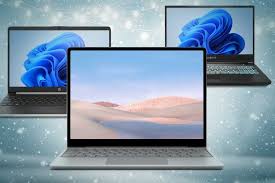
The Ultimate Guide to PC Laptops
PC laptops have become an essential tool for work, entertainment, and communication in today’s digital age. With a wide range of options available in the market, choosing the right PC laptop can be a daunting task. In this comprehensive guide, we will explore the key features, benefits, and considerations when selecting a PC laptop.
Key Features of PC Laptops:
- Processor: The processor is the brain of your PC laptop. Look for Intel Core i5 or i7 processors for optimal performance.
- RAM: Random Access Memory (RAM) determines how fast your laptop can run multiple applications simultaneously. Aim for at least 8GB of RAM.
- Storage: Solid State Drives (SSD) offer faster boot times and application loading compared to traditional Hard Disk Drives (HDD).
- Graphics Card: For gaming or graphic-intensive tasks, consider laptops with dedicated graphics cards from NVIDIA or AMD.
- Display: Choose a laptop with a high-resolution display for crisp visuals and an immersive viewing experience.
Benefits of Using a PC Laptop:
PC laptops offer versatility and portability, allowing you to work from anywhere at any time. They are customizable to suit your specific needs and can handle a wide range of tasks from productivity to gaming. Additionally, PC laptops are compatible with various software applications and peripherals, making them a versatile choice for both professionals and students.
Considerations When Choosing a PC Laptop:
- Budget: Determine your budget range before starting your search to narrow down options that fit within your price range.
- Usage: Consider how you will use the laptop – whether it’s for work, entertainment, gaming, or all of the above.
- Portability: If you need a laptop for on-the-go use, opt for lightweight and slim models with long battery life.
- Brand Reputation: Research reputable brands known for quality products and reliable customer support.
In conclusion, choosing the right PC laptop requires careful consideration of key features, benefits, and personal preferences. By understanding your needs and priorities, you can find a PC laptop that meets your requirements and enhances your digital experience.
Top 5 Advantages of PC Laptops: Versatility, Customization, Compatibility, Performance, and Portability
7 Drawbacks of PC Laptops: From Battery Life to Security Concerns
- Limited battery life compared to some ultrabooks and tablets
- Can be heavier and bulkier than other portable devices
- May require additional cooling solutions for intensive tasks
- Potential for hardware compatibility issues with certain software
- Not as user-friendly for touchscreen interactions as tablets or 2-in-1 devices
- Risk of malware and security vulnerabilities if not properly protected
- Upgrades and repairs can be more challenging compared to desktop PCs
Versatile
PC laptops are highly versatile, offering a wide range of features and functionalities to cater to various needs. Whether you need a laptop for work, entertainment, gaming, or creative endeavors, PC laptops provide the flexibility and customization options to adapt to different tasks and preferences. With the ability to install different software applications, upgrade hardware components, and connect to external devices, PC laptops empower users to tailor their computing experience according to their specific requirements. This versatility makes PC laptops a popular choice for professionals, students, and casual users alike who seek a device that can seamlessly transition between different tasks with ease.
Customizable
One significant advantage of PC laptops is their customizability, allowing users to upgrade components like RAM, storage, and graphics cards to enhance performance. This flexibility enables users to adapt their laptops to meet evolving needs and keep up with technological advancements without having to purchase a completely new device. By offering the ability to customize and upgrade key components, PC laptops provide a cost-effective solution for users seeking improved performance and functionality tailored to their specific requirements.
Compatibility
One significant advantage of PC laptops is their compatibility with a wide range of software applications and peripherals. Whether you need to use industry-specific software for work or connect various devices such as printers, external hard drives, or monitors, PC laptops offer seamless integration and support. This compatibility ensures that users have the flexibility to customize their laptop setup according to their needs, making PC laptops a versatile choice for professionals, students, and enthusiasts alike.
Powerful Performance
PC laptops offer powerful performance capabilities thanks to their high-end processors and dedicated graphics cards. This combination allows them to tackle demanding tasks with efficiency and speed, making them ideal for users who require top-notch performance for activities such as gaming, graphic design, video editing, and more. The robust hardware components in PC laptops ensure smooth multitasking and seamless operation even when running resource-intensive applications, providing users with a reliable and high-performance computing experience.
Portability
The portability of PC laptops offers the flexibility and convenience of being able to work or game on-the-go. With their lightweight and slim designs, PC laptops are easy to carry around, whether you’re traveling for work, studying at a coffee shop, or simply moving from room to room at home. The ability to take your laptop with you wherever you go ensures that you can stay productive or entertained without being tied down to a specific location.
Limited battery life compared to some ultrabooks and tablets
One significant drawback of PC laptops is their limited battery life when compared to some ultrabooks and tablets. While advancements in battery technology have improved laptop endurance, many PC laptops still struggle to match the extended battery life offered by ultrabooks and tablets. This limitation can be a hindrance for users who require long hours of uninterrupted usage without access to a power source, making it essential to consider battery performance when choosing a PC laptop for on-the-go use.
Can be heavier and bulkier than other portable devices
One notable downside of PC laptops is their tendency to be heavier and bulkier compared to other portable devices such as tablets or ultrabooks. The larger form factor of PC laptops can make them less convenient to carry around, especially for users who prioritize portability and mobility. This added weight and size may be a drawback for individuals who frequently travel or need a lightweight device for on-the-go use. While advancements in technology have led to slimmer and lighter laptop models, some PC laptops still struggle to compete with the sleek designs of other portable devices in terms of size and weight.
May require additional cooling solutions for intensive tasks
One drawback of PC laptops is that they may require additional cooling solutions for intensive tasks. When performing resource-heavy activities such as gaming or video editing, the internal components of a PC laptop can generate a significant amount of heat, leading to potential performance issues or even hardware damage. Users may need to invest in external cooling pads or fans to maintain optimal temperatures and prevent overheating, adding extra cost and accessories to ensure smooth operation during demanding tasks.
Potential for hardware compatibility issues with certain software
One notable con of PC laptops is the potential for hardware compatibility issues with certain software. Due to the wide range of hardware configurations available in the market, some software applications may not function properly or may experience glitches on certain PC laptop models. This can be frustrating for users who rely on specific software for work or entertainment purposes, as troubleshooting compatibility issues can be time-consuming and complex. It is essential for PC laptop users to research software requirements and ensure compatibility with their hardware setup to avoid encountering these compatibility challenges.
Not as user-friendly for touchscreen interactions as tablets or 2-in-1 devices
One downside of PC laptops is that they are not as user-friendly for touchscreen interactions compared to tablets or 2-in-1 devices. While some PC laptops come with touchscreens, the overall experience may not be as seamless or intuitive as using a dedicated tablet or convertible device. This limitation can affect tasks that require precise touch input or gestures, making certain interactions less efficient on a traditional laptop setup. Users who prioritize touchscreen functionality may find that tablets or 2-in-1 devices better cater to their needs for a more interactive and tactile computing experience.
Risk of malware and security vulnerabilities if not properly protected
One significant drawback of PC laptops is the inherent risk of malware and security vulnerabilities if not properly protected. Without adequate antivirus software, regular system updates, and safe browsing practices, PC laptops are susceptible to cyber threats such as viruses, ransomware, and phishing attacks. These security risks can compromise sensitive data, disrupt system performance, and potentially lead to identity theft or financial loss. It is essential for PC laptop users to prioritize cybersecurity measures to safeguard their devices and personal information from malicious actors on the internet.
Upgrades and repairs can be more challenging compared to desktop PCs
One significant drawback of PC laptops is that upgrades and repairs can be more challenging compared to desktop PCs. Due to their compact and integrated design, laptops often have limited accessibility to internal components, making it difficult for users to upgrade or replace hardware such as the processor, graphics card, or RAM. Additionally, specialized tools and technical expertise may be required to disassemble and repair certain components in a laptop, which can result in higher maintenance costs and longer downtime. This limitation can be frustrating for users who value customization and scalability in their computing devices.
Tags: benefits, brand reputation, budget, compatibility, customizable, display, graphics card, key features, pc laptop, pc laptops, portability, processor, ram, storage, ultimate guide, usage, versatility