
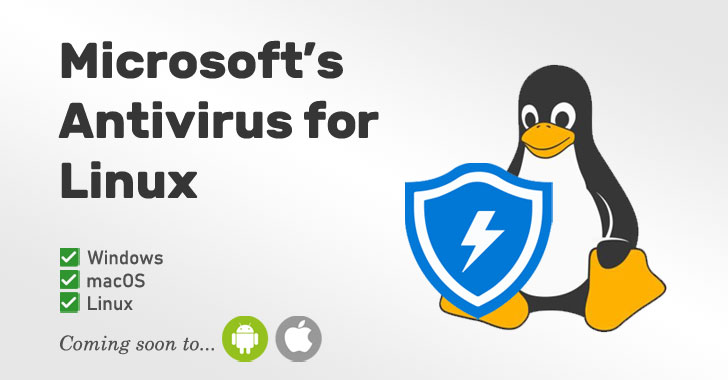
The Power of Microsoft Antivirus
Microsoft Antivirus, also known as Windows Defender, is a built-in security feature in Windows operating systems. It offers essential protection against various types of malware, including viruses, spyware, and ransomware.
Key Features of Microsoft Antivirus:
- Real-time protection: Windows Defender constantly monitors your system for any suspicious activity and provides real-time protection against threats.
- Automatic updates: The antivirus software receives regular updates from Microsoft to stay up-to-date with the latest security definitions.
- Firewall integration: Windows Defender integrates seamlessly with the Windows Firewall to enhance your system’s overall security.
- Browser protection: It offers browser extension support to safeguard your online activities and block malicious websites.
Benefits of Using Microsoft Antivirus:
Here are some benefits of using Microsoft Antivirus:
- Free of charge: Windows Defender comes pre-installed with Windows OS at no extra cost, making it a cost-effective security solution.
- User-friendly interface: The intuitive interface makes it easy for users to configure settings and perform scans effortlessly.
- Limited system impact: Unlike some third-party antivirus programs, Microsoft Antivirus has minimal impact on system performance.
In Conclusion
In conclusion, Microsoft Antivirus is a reliable security tool that provides essential protection for your Windows device. While it may not offer all the advanced features found in premium antivirus software, it is a solid choice for users looking for basic malware defense without additional costs.
Remember to keep your antivirus software updated regularly and practice safe browsing habits to ensure maximum protection against cyber threats.
Top 5 Tips for Maximizing Your Microsoft Antivirus Protection
- Ensure your Microsoft antivirus is always up to date with the latest virus definitions.
- Run regular full system scans to check for any potential threats or malware.
- Be cautious when opening email attachments or downloading files from unknown sources.
- Enable real-time protection to help prevent malicious software from infecting your computer.
- Consider customizing your antivirus settings to suit your specific security needs and preferences.
Ensure your Microsoft antivirus is always up to date with the latest virus definitions.
To maximize the effectiveness of your Microsoft antivirus, it is crucial to ensure that it is always up to date with the latest virus definitions. Regularly updating your antivirus software allows it to detect and protect against new and emerging threats, providing you with a higher level of security for your system. By staying current with virus definitions, you can strengthen the defense mechanisms of your Microsoft antivirus and better safeguard your device from potential malware attacks.
Run regular full system scans to check for any potential threats or malware.
It is crucial to run regular full system scans using Microsoft Antivirus to proactively detect and eliminate any potential threats or malware lurking on your device. By conducting thorough scans at scheduled intervals, you can ensure that your system remains secure and protected against evolving cyber threats. Regular scans help identify hidden malware, suspicious files, and other security risks that may compromise the integrity of your data and system performance. Stay vigilant and prioritize running full system scans to maintain a robust defense against malicious entities.
Be cautious when opening email attachments or downloading files from unknown sources.
It is crucial to exercise caution when dealing with email attachments or downloading files from unfamiliar sources while using Microsoft Antivirus. Cybercriminals often use email attachments as a common method to distribute malware and compromise systems. By being vigilant and refraining from opening suspicious attachments or downloading files from unknown sources, users can significantly reduce the risk of falling victim to cyber threats. Remember, staying cautious and following best practices for online security is essential in maintaining a safe and secure computing environment.
Enable real-time protection to help prevent malicious software from infecting your computer.
Enabling real-time protection on Microsoft Antivirus, also known as Windows Defender, is a crucial step in safeguarding your computer against malicious software. By activating this feature, the antivirus program continuously monitors your system for potential threats and takes immediate action to prevent malware from infecting your device. Real-time protection serves as a proactive defense mechanism, providing peace of mind and enhancing the overall security of your computer by swiftly identifying and neutralizing harmful software before it can cause any damage.
Consider customizing your antivirus settings to suit your specific security needs and preferences.
When using Microsoft Antivirus, it’s essential to consider customizing your antivirus settings to align with your specific security needs and preferences. By adjusting the settings, you can tailor the level of protection, scan frequency, and other parameters to better suit your computing habits and desired security measures. Taking the time to customize these settings can enhance the effectiveness of Microsoft Antivirus and provide a more personalized security experience tailored to your individual requirements.
Tags: automatic updates, benefits, browser protection, downloading files, email attachments, features, firewall integration, free of charge, full system scans, limited system impact, microsoft antivirus, real-time protection, user-friendly interface, virus definitions