
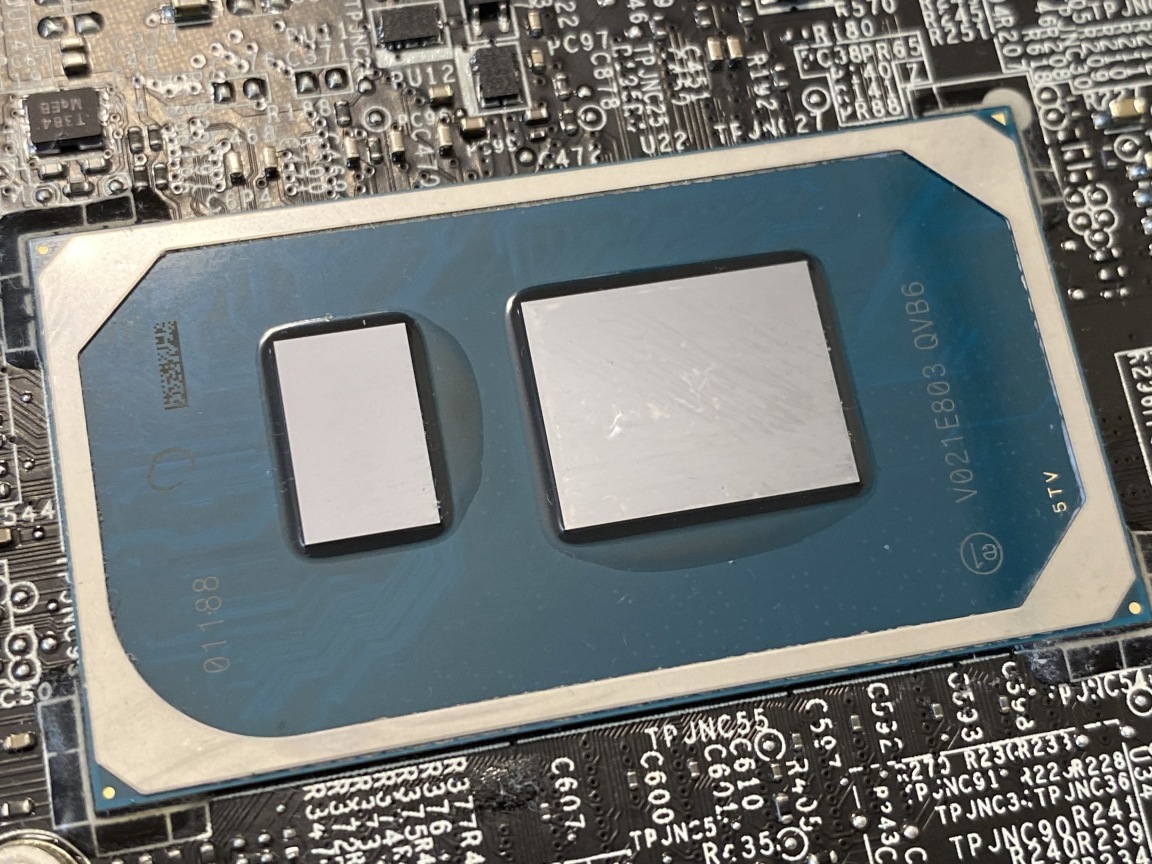
The Best Processors for Laptops in 2021
When it comes to choosing a laptop, one of the most important factors to consider is the processor. The processor is the brain of your computer, responsible for executing tasks and running applications efficiently. With so many options available in the market, it can be overwhelming to decide which processor is best suited for your needs. Here are some of the top processors that you should consider when purchasing a laptop:
Intel Core i7-1185G7
The Intel Core i7-1185G7 is a powerful processor known for its high performance and energy efficiency. It is ideal for multitasking, gaming, and demanding applications. With turbo boost technology, this processor can reach clock speeds up to 4.8GHz, ensuring smooth and fast performance.
AMD Ryzen 9 5900HX
The AMD Ryzen 9 5900HX is another excellent choice for those looking for top-notch performance in their laptops. This processor offers superior multi-core performance and is great for content creation, gaming, and heavy workloads. With its advanced architecture, the Ryzen 9 5900HX delivers impressive speed and responsiveness.
Apple M1 Chip
For Mac users, the Apple M1 chip has been a game-changer in terms of performance and efficiency. This custom-designed silicon by Apple offers exceptional power efficiency while delivering remarkable processing power. The M1 chip ensures seamless performance across various tasks and applications on MacBook models.
Intel Core i5-1135G7
If you are looking for a more budget-friendly option without compromising on performance, the Intel Core i5-1135G7 is a solid choice. This processor provides decent processing power for everyday tasks such as web browsing, video streaming, and light productivity work.
Ultimately, the best processor for your laptop depends on your specific needs and budget constraints. Consider factors such as clock speed, number of cores, cache size, and thermal design power (TDP) when making your decision.
Whichever processor you choose, make sure it aligns with your usage requirements to get the most out of your laptop’s performance.
Top 9 FAQs on Choosing the Best Processor for Your Laptop
- 1. What is the best processor for a laptop?
- 2. How do I choose the right processor for my laptop?
- 3. Which brand offers the top processors for laptops?
- 4. What are the key factors to consider when selecting a laptop processor?
- 5. Is it better to prioritize clock speed or number of cores in a laptop processor?
- 6. Are Intel processors superior to AMD processors for laptops?
- 7. How does the thermal design power (TDP) of a processor impact laptop performance?
- 8. Can I upgrade the processor in my laptop for better performance?
- 9. What is the significance of cache size in relation to laptop processors?
1. What is the best processor for a laptop?
When it comes to determining the best processor for a laptop, it ultimately depends on your specific needs and usage requirements. Factors such as performance, power efficiency, multitasking capabilities, and budget constraints play a crucial role in selecting the ideal processor. Intel’s Core i7-1185G7 and AMD’s Ryzen 9 5900HX are known for their high performance and multitasking abilities, making them popular choices for demanding tasks like gaming and content creation. On the other hand, the Apple M1 chip has gained recognition for its exceptional power efficiency and seamless performance on MacBook models. For those seeking a more budget-friendly option, processors like the Intel Core i5-1135G7 offer decent performance for everyday tasks. It is essential to consider these factors carefully to choose the best processor that aligns with your specific needs and enhances your laptop’s overall performance.
2. How do I choose the right processor for my laptop?
When selecting the right processor for your laptop, there are several key factors to consider to ensure optimal performance and compatibility with your computing needs. Firstly, determine the primary purpose of your laptop usage, whether it’s for basic tasks like web browsing and word processing or more intensive activities such as gaming or video editing. Next, assess the processor’s specifications, including clock speed, number of cores, cache size, and thermal design power (TDP), to gauge its processing power and efficiency. Additionally, research different processor brands like Intel and AMD to compare their performance capabilities and reliability. Ultimately, choosing the right processor for your laptop involves striking a balance between your budget constraints and the level of performance required to meet your computing demands effectively.
3. Which brand offers the top processors for laptops?
When it comes to selecting the best processor for laptops, one common question that arises is, “Which brand offers the top processors for laptops?” Two prominent brands that are known for providing top-notch processors for laptops are Intel and AMD. Intel has long been a leader in the processor market, offering a wide range of processors with varying performance levels to cater to different user needs. On the other hand, AMD has made significant strides in recent years with its Ryzen series processors, known for their exceptional performance and value for money. Both Intel and AMD continually innovate and introduce new technologies to enhance the computing experience, making them reliable choices when looking for high-quality processors for laptops. Ultimately, the decision between Intel and AMD depends on individual preferences and specific requirements.
4. What are the key factors to consider when selecting a laptop processor?
When selecting a laptop processor, there are several key factors to consider to ensure that you choose the best option for your needs. Clock speed is an important factor, as it determines how quickly the processor can execute tasks. The number of cores is also crucial, as more cores allow for better multitasking and performance. Cache size plays a role in storing frequently accessed data for quick retrieval. Additionally, consider the thermal design power (TDP) of the processor, which indicates its power consumption and heat generation. Lastly, compatibility with other hardware components and software requirements should be taken into account to ensure optimal performance and efficiency from your laptop processor choice.
5. Is it better to prioritize clock speed or number of cores in a laptop processor?
When considering the best processor for a laptop, the question of whether to prioritize clock speed or the number of cores often arises. The answer depends on the intended use of the laptop. For tasks that require single-threaded performance, such as gaming or certain applications, prioritizing clock speed may be more beneficial as it determines how quickly a processor can execute instructions. On the other hand, for multitasking, video editing, and other multi-threaded tasks, having a higher number of cores can significantly improve performance by allowing the processor to handle multiple tasks simultaneously. Ultimately, striking a balance between clock speed and core count based on your specific usage needs is key to selecting the most suitable laptop processor.
6. Are Intel processors superior to AMD processors for laptops?
When it comes to the debate between Intel and AMD processors for laptops, there is no definitive answer as to which is superior. Both Intel and AMD offer a range of processors with varying performance levels, features, and price points. Intel processors are known for their strong single-core performance and power efficiency, making them a popular choice for laptops requiring high processing power. On the other hand, AMD processors often excel in multi-core performance and offer competitive pricing, appealing to users looking for value and multitasking capabilities. Ultimately, the superiority of Intel or AMD processors for laptops depends on individual preferences, specific use cases, and budget considerations. It’s essential to evaluate factors such as processing needs, software compatibility, battery life requirements, and budget constraints when determining the best processor for your laptop.
7. How does the thermal design power (TDP) of a processor impact laptop performance?
The thermal design power (TDP) of a processor plays a crucial role in determining the performance of a laptop. TDP represents the maximum amount of heat generated by the processor that the cooling system needs to dissipate. A higher TDP generally indicates that the processor consumes more power and generates more heat during operation. If a laptop’s cooling system is not designed to handle the TDP of a high-performance processor, it can lead to thermal throttling, where the processor reduces its performance to prevent overheating. On the other hand, a lower TDP processor may offer better energy efficiency and generate less heat, making it suitable for thinner and lighter laptops with limited cooling capabilities. Therefore, understanding the TDP of a processor is essential in choosing the right balance between performance and thermal management for optimal laptop performance.
8. Can I upgrade the processor in my laptop for better performance?
When it comes to upgrading the processor in a laptop for better performance, it’s a frequently asked question among users. Unlike desktop computers, most laptops have processors that are soldered onto the motherboard, making them difficult or impossible to upgrade. In some rare cases, certain high-end gaming laptops or workstation models may allow for processor upgrades, but it typically requires technical expertise and may void the warranty. Therefore, before attempting to upgrade the processor in your laptop, it’s crucial to check with the manufacturer’s specifications and consult with a professional to determine if such an upgrade is feasible and beneficial for your specific laptop model.
9. What is the significance of cache size in relation to laptop processors?
The cache size plays a crucial role in the performance of laptop processors. Cache memory is a small, high-speed memory unit located on the processor chip that stores frequently accessed data and instructions for quick retrieval. A larger cache size allows the processor to access essential information faster, reducing latency and improving overall system performance. It helps in speeding up tasks by providing quick access to data that the processor needs to execute instructions efficiently. When choosing a laptop processor, considering the cache size is important as it can impact the speed and responsiveness of your system, especially when running complex applications or multitasking.
Tags: amd ryzen 9 5900hx, apple m1 chip, best, best processor for laptop, budget-friendly option, content creation, gaming, intel core i5-1135g7, intel core i7-1185g7, laptop, multitasking, performance, power efficiency, processor