
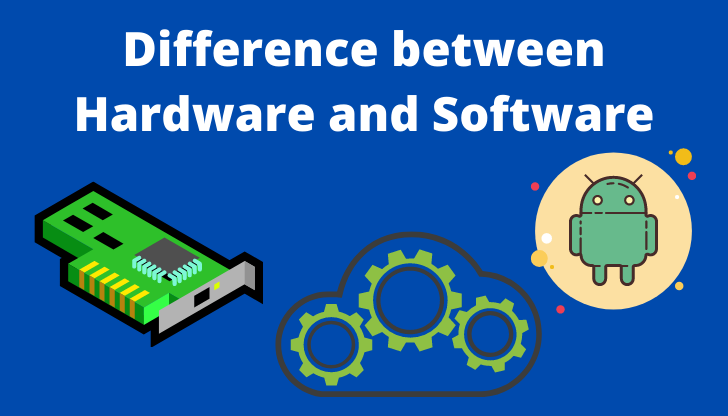
The Relationship Between Hardware and Software
Hardware and software are two essential components that work together to make any computing device function. They are interdependent, with hardware providing the physical infrastructure and software offering the instructions for how that hardware operates.
Hardware:
Hardware refers to the physical components of a computer or electronic device. This includes the central processing unit (CPU), memory (RAM), storage devices (hard drives, SSDs), input/output devices (keyboard, mouse, monitor), and more. Hardware is tangible and can be seen and touched.
Software:
Software, on the other hand, consists of programs and data that instruct the hardware on what tasks to perform. There are two main types of software: system software (e.g., operating systems) that manage the hardware resources, and application software (e.g., word processors, web browsers) that enable users to perform specific tasks.
Their Relationship:
Hardware without software is like a car without a driver – it has potential but cannot do anything on its own. Similarly, software without hardware is like having a set of instructions with no tools to execute them.
When you turn on your computer, the hardware boots up and loads the operating system into memory. The operating system then manages the hardware resources and allows you to run various applications. Without hardware components like a CPU or memory, software programs would have no platform to run on.
Conclusion:
The relationship between hardware and software is symbiotic – each relies on the other to function effectively. Understanding how they work together can help users troubleshoot issues, optimize performance, and appreciate the complexity behind everyday technology.
8 Essential Tips for Maintaining Your Hardware and Software
- Regularly update your software to ensure security and access to new features.
- Keep your hardware clean and dust-free to prevent overheating.
- Back up important data regularly to avoid data loss.
- Use antivirus software to protect against malware and viruses.
- Organize cables with ties or clips for better airflow and easier maintenance.
- Uninstall unused programs to free up system resources.
- Check for driver updates for optimal hardware performance.
- Enable two-factor authentication for enhanced account security.
Regularly update your software to ensure security and access to new features.
Regularly updating your software is crucial for maintaining the security of your devices and accessing new features. Software updates often include patches for known vulnerabilities that hackers could exploit to gain unauthorized access to your system. By keeping your software up to date, you not only protect your data and privacy but also ensure that you can take advantage of the latest enhancements and improvements offered by developers. Make it a habit to check for updates regularly and install them promptly to keep your devices running smoothly and securely.
Keep your hardware clean and dust-free to prevent overheating.
Keeping your hardware clean and dust-free is crucial in maintaining optimal performance and preventing overheating issues. Dust accumulation can clog vents, fans, and heat sinks, hindering proper airflow and causing components to overheat. Regularly cleaning your hardware, such as desktop computers, laptops, and gaming consoles, with compressed air or a soft brush can help extend their lifespan and ensure smooth operation. By incorporating this simple maintenance tip into your routine, you can safeguard your devices against potential damage caused by overheating and improve their overall reliability.
Back up important data regularly to avoid data loss.
It is crucial to back up important data regularly to prevent the risk of data loss. By creating backups of your valuable files, documents, photos, and other information, you can safeguard against unexpected hardware failures, software glitches, malware attacks, or accidental deletions. Implementing a consistent backup routine ensures that even if something goes wrong with your device or software, you can easily restore your data and minimize the impact of any potential data loss. Remember, it’s always better to be safe than sorry when it comes to protecting your important information.
Use antivirus software to protect against malware and viruses.
Utilizing antivirus software is a crucial tip to safeguard your computer against malware and viruses. By regularly scanning your system and monitoring for suspicious activities, antivirus programs can detect and eliminate potential threats before they cause harm. Investing in reliable antivirus software not only helps protect your personal data and sensitive information but also ensures the smooth operation of your hardware by preventing malicious software from compromising its functionality. Remember, prevention is key when it comes to cybersecurity, and antivirus software serves as a vital defense mechanism in the ongoing battle against cyber threats.
Organize cables with ties or clips for better airflow and easier maintenance.
Organizing cables with ties or clips is a simple yet effective tip to improve airflow and streamline maintenance in your computer setup. By neatly securing cables, you can prevent them from obstructing airflow within your system, which helps maintain optimal operating temperatures for components. Additionally, organized cables make it easier to identify and access specific connections when troubleshooting or upgrading hardware, saving time and reducing the risk of damaging delicate components. Embracing this practice not only enhances the aesthetics of your workspace but also contributes to the overall efficiency and longevity of your hardware setup.
Uninstall unused programs to free up system resources.
One effective tip to optimize your system’s performance is to uninstall unused programs. By removing software that you no longer need or use, you can free up valuable system resources such as memory and storage space. This action not only declutters your device but also helps improve its speed and responsiveness. Regularly cleaning up your programs can enhance the overall efficiency of your hardware and software, ensuring a smoother computing experience.
Check for driver updates for optimal hardware performance.
To ensure optimal hardware performance, it is crucial to regularly check for driver updates. Drivers act as the bridge between the hardware components and the software applications, facilitating smooth communication and functionality. By updating drivers, you can take advantage of bug fixes, performance enhancements, and compatibility improvements provided by manufacturers. This simple maintenance task can significantly boost your system’s efficiency and stability, ultimately enhancing your overall computing experience.
Enable two-factor authentication for enhanced account security.
Enabling two-factor authentication is a crucial step in enhancing account security by adding an extra layer of protection beyond just a password. This security measure requires users to provide a second form of verification, such as a code sent to their mobile device or generated by an authenticator app, in addition to their password. By implementing two-factor authentication, users significantly reduce the risk of unauthorized access to their accounts, ensuring that even if their password is compromised, malicious actors would still need the secondary verification to gain entry. This simple yet effective practice can greatly bolster the security of sensitive information and personal data stored online.
Tags: application software, components, computer, cpu, electronic device, hardware, hardware and software, input/output devices, memory, operating system, relationship, software, storage devices, system software, tasks