
The Versatility of Visio Software
Visio software, developed by Microsoft, is a powerful tool that allows users to create diagrams, flowcharts, and visual representations of complex data. Whether you are a business professional, engineer, designer, or student, Visio offers a wide range of features to help you visualize ideas and concepts effectively.
Key Features of Visio Software:
- Drag-and-Drop Functionality: With an intuitive interface, users can easily drag and drop shapes and connectors to create professional-looking diagrams.
- Templates and Stencils: Visio provides a variety of templates and stencils for different types of diagrams, making it easy to get started on your projects.
- Data Connectivity: Users can link their diagrams to external data sources such as Excel spreadsheets or databases to create dynamic visuals that update in real-time.
- Collaboration Tools: Visio offers collaboration features that allow multiple users to work on the same diagram simultaneously, making it ideal for team projects.
Uses of Visio Software:
Visio software is widely used across various industries for different purposes:
- Business Process Mapping: Businesses use Visio to map out workflows, processes, and organizational structures for better decision-making.
- Network Diagramming: IT professionals utilize Visio to create network diagrams that illustrate the layout and connections of computer networks.
- Flowcharting: Designers and project managers rely on Visio for creating flowcharts that visualize steps in a process or project timeline.
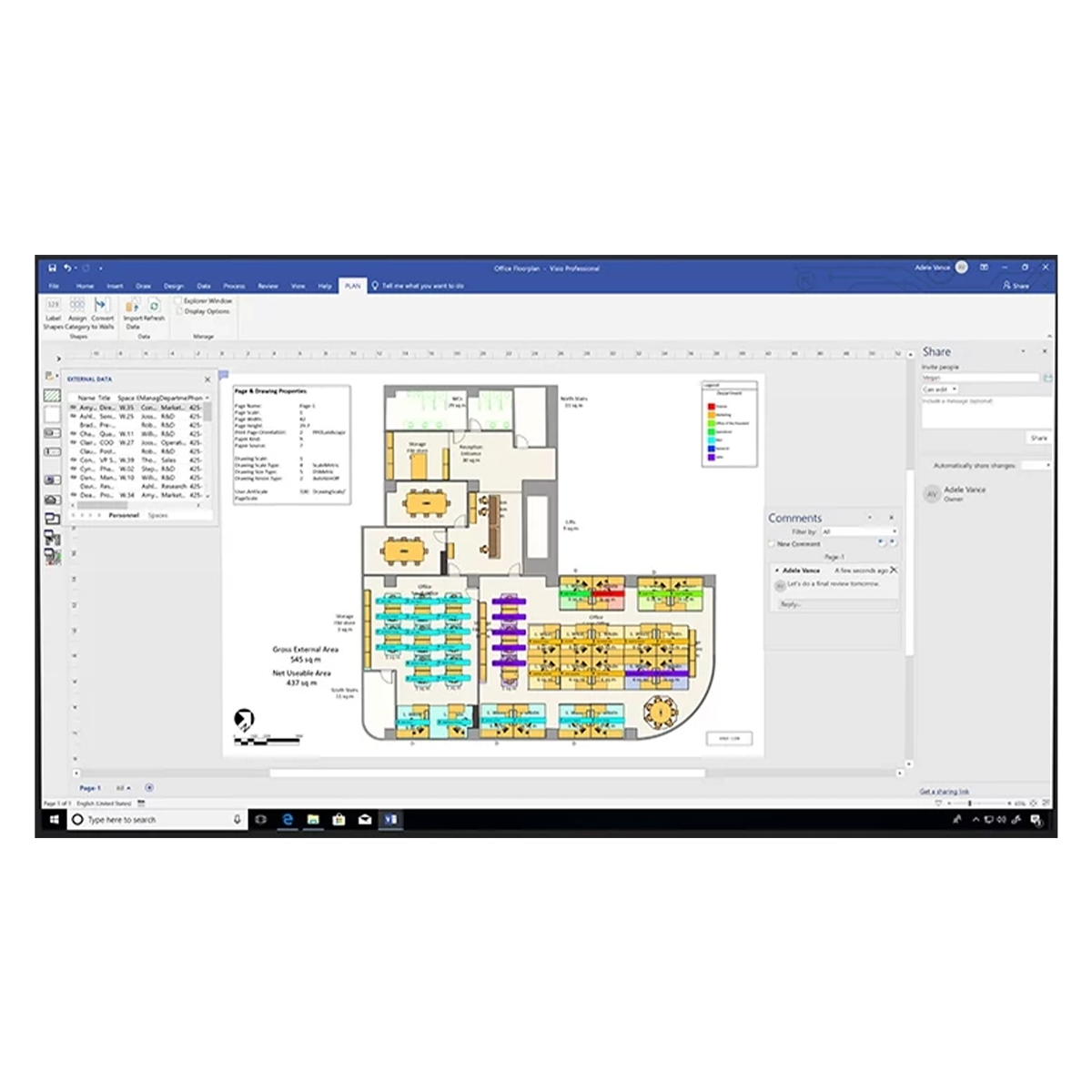
- Floor Plans and Building Designs: Architects and interior designers use Visio to design floor plans, building layouts, and space utilization diagrams.
In conclusion, Visio software is a versatile tool that offers endless possibilities for visualizing information across different fields. Whether you need to create simple flowcharts or complex technical diagrams, Visio provides the tools you need to bring your ideas to life with clarity and precision.
Top 6 Advantages of Using Visio Software for Professional Diagramming
- Intuitive drag-and-drop interface for easy diagram creation
- Wide selection of templates and stencils to jumpstart projects
- Seamless data connectivity with external sources for dynamic visuals
- Robust collaboration tools for team projects and real-time editing
- Versatile application across industries for various diagramming needs
- Professional-looking output with detailed diagrams and flowcharts
Challenges of Using Visio Software: Key Drawbacks to Consider
- Steep Learning Curve
- Costly License Fees
- Limited Compatibility
- Lack of Advanced Design Tools
- Resource Intensive
- Limited Customization Options
Intuitive drag-and-drop interface for easy diagram creation
One of the standout features of Visio software is its intuitive drag-and-drop interface, which simplifies the process of creating diagrams. With this user-friendly functionality, users can effortlessly select shapes and connectors and place them on the canvas to build professional-looking visuals. This streamlined approach not only saves time but also enhances the overall user experience, making diagram creation a seamless and efficient task for individuals across various industries and skill levels.
Wide selection of templates and stencils to jumpstart projects
One of the standout advantages of Visio software is its wide selection of templates and stencils, which serve as a valuable resource for users looking to kickstart their projects with ease. By offering a diverse range of pre-designed templates and stencils tailored to various diagramming needs, Visio empowers users to quickly create professional-looking visuals without starting from scratch. This feature not only saves time but also provides inspiration and guidance for users, ensuring that their projects are off to a productive and efficient start.
Seamless data connectivity with external sources for dynamic visuals
One of the standout features of Visio software is its seamless data connectivity with external sources, allowing users to create dynamic visuals that update in real-time. By linking diagrams to data from sources like Excel spreadsheets or databases, Visio enables users to visualize information dynamically, providing a clear and up-to-date representation of complex data relationships. This capability not only enhances the efficiency of data visualization but also ensures that users can easily maintain accuracy and relevance in their diagrams as underlying data changes.
Robust collaboration tools for team projects and real-time editing
Visio software excels in facilitating seamless collaboration among team members by offering robust collaboration tools and real-time editing capabilities. With Visio, multiple users can work on the same diagram simultaneously, allowing teams to brainstorm ideas, make edits, and contribute to projects in a synchronized manner. This feature not only enhances productivity but also promotes effective communication and teamwork, ensuring that everyone stays on the same page throughout the project development process. The real-time editing functionality of Visio empowers teams to make instant changes, receive feedback promptly, and collectively create visually compelling diagrams with precision and efficiency.
Versatile application across industries for various diagramming needs
Visio software’s versatility shines through its ability to cater to diverse diagramming needs across industries. Whether it’s business process mapping, network diagramming, flowcharting, or floor plan design, Visio proves to be a valuable tool that adapts seamlessly to different sectors. Its wide range of features and customizable options make it a go-to choice for professionals looking to create visually engaging diagrams that effectively communicate complex information. With Visio’s flexibility and applicability in various fields, users can confidently tackle their diagramming requirements with efficiency and precision.
Professional-looking output with detailed diagrams and flowcharts
Visio software excels in providing users with professional-looking output by enabling them to create detailed diagrams and intricate flowcharts with ease. Whether it’s a complex organizational structure, a technical network layout, or a sophisticated process flow, Visio empowers users to produce visually appealing and highly detailed visuals that effectively communicate information. The software’s precision and flexibility allow users to customize every aspect of their diagrams, resulting in polished and professional outputs that are perfect for presentations, reports, and documentation.
Steep Learning Curve
One significant drawback of Visio software is its steep learning curve, especially for beginners. Navigating the intricate features and functionalities of Visio can be challenging, demanding a significant investment of time and effort to become proficient in using the software effectively. The complexity of Visio may deter some users from fully exploring its capabilities, potentially limiting their ability to leverage its full potential in creating detailed diagrams and visual representations.
Costly License Fees
One significant drawback of Visio software is its costly license fees. The full version of Visio often carries a high price tag, which can be prohibitive for individuals or small businesses with limited budgets. The expense associated with acquiring a license for Visio may deter some potential users from accessing its advanced features and capabilities, thus limiting its reach and usability among those who cannot afford the premium cost.
Limited Compatibility
One significant drawback of Visio software is its limited compatibility, which can pose challenges for users who need to share or collaborate on diagrams with individuals who do not have the software installed. Visio files may not be easily opened or edited by those without access to the program, resulting in potential compatibility issues that hinder seamless communication and collaboration. This limitation can be frustrating for teams or organizations that rely on smooth sharing of visual information across different platforms or with external stakeholders.
Lack of Advanced Design Tools
One drawback of Visio software is its lack of advanced design tools, especially when compared to other specialized design software available in the market. Users may find that Visio falls short in offering certain advanced features necessary for creating intricate and complex designs. While Visio excels in providing a user-friendly interface and basic diagramming capabilities, it may not meet the requirements of users seeking more sophisticated design tools for their projects.
Resource Intensive
One significant drawback of Visio software is its resource-intensive nature, which can pose challenges when running the program on older or low-spec systems. Due to its demanding requirements, users may experience performance issues such as slow loading times, lagging interactions, and overall sluggishness. This limitation can hinder the user experience and productivity, especially for individuals working with limited hardware capabilities. It is essential for users to consider the system requirements of Visio before installation to ensure smooth operation and optimal performance.
Limited Customization Options
One notable drawback of Visio software is its limited customization options, which can pose a challenge for users seeking to tailor shapes and elements beyond the pre-existing templates and stencils. This constraint may restrict users from achieving their desired visual representations, especially when specific modifications or unique designs are required. The lack of flexibility in customization could potentially hinder the creativity and personalization that users aim to incorporate into their diagrams, leading to frustration and limitations in expressing complex ideas effectively through Visio.
Tags: business process mapping, business professional, collaboration tools, data, data connectivity, designer, diagrams, drag-and-drop functionality, engineer, exploring, features, floor plans and building designs, flowcharting, flowcharts, microsoft, network diagramming, power, stencils, student, templates, uses, versatility, visio software