
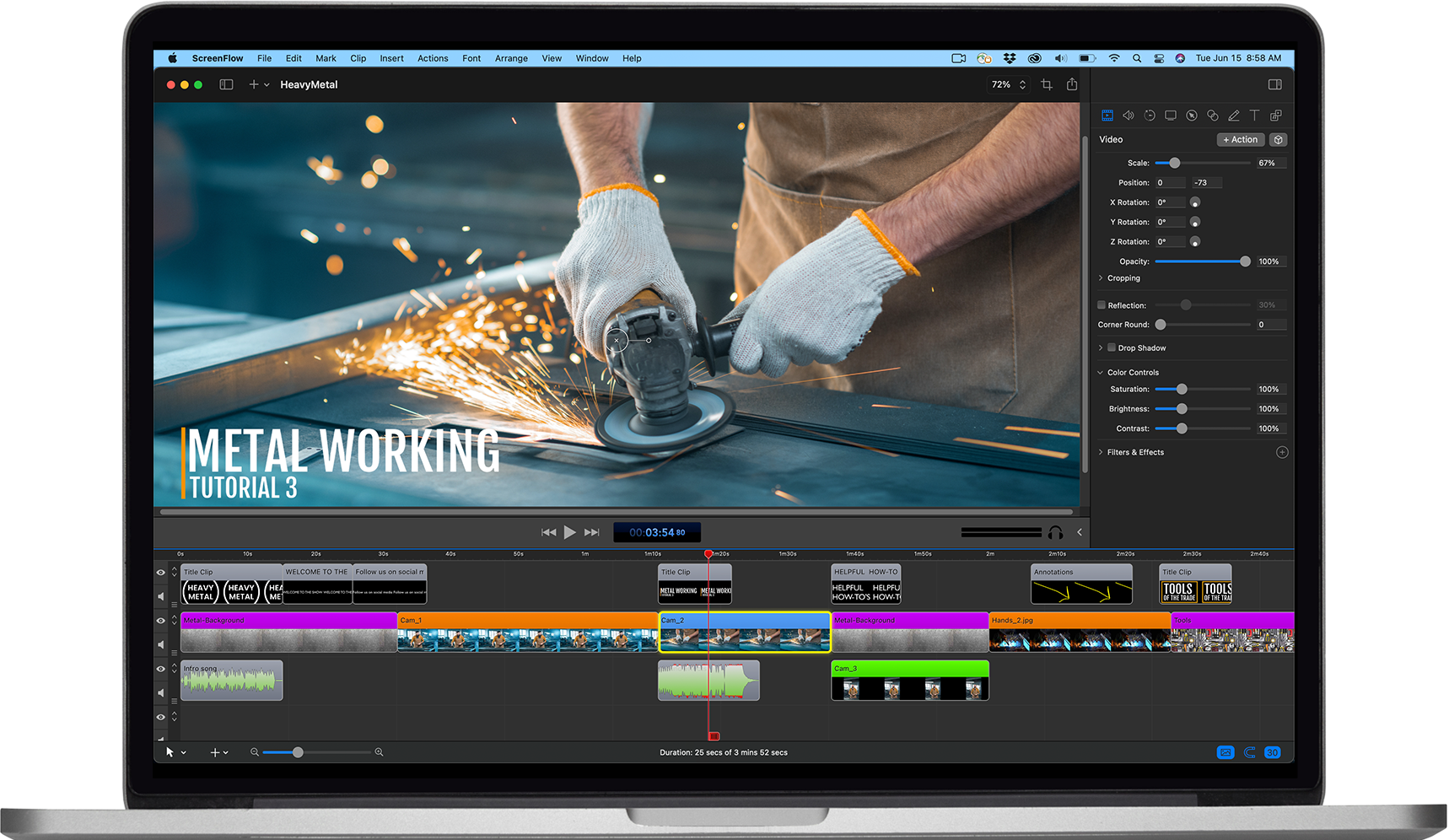
The Power of Video Recording Software
In today’s digital age, video recording software has become an essential tool for individuals and businesses alike. Whether you are a content creator, educator, gamer, or simply want to capture precious moments, video recording software offers a wide range of features and benefits.
Benefits of Video Recording Software:
- High-Quality Recordings: Video recording software allows you to capture videos in high definition, ensuring crisp visuals and clear audio.
- Screen Recording: Many video recording programs offer screen recording capabilities, enabling you to capture on-screen activities for tutorials, presentations, or gameplay.
- Edit and Enhance: With built-in editing tools, you can easily trim, merge, add effects, and enhance your recordings to create professional-looking videos.
- Live Streaming: Some video recording software allows you to live stream your recordings directly to platforms like YouTube or Twitch, reaching a wider audience in real-time.
- Flexible Settings: Customize settings such as resolution, frame rate, audio input/output, and more to suit your specific recording needs.
Popular Video Recording Software:
There are numerous video recording software options available in the market catering to different user requirements. Some popular choices include:
- OBS Studio: A free and open-source software known for its powerful features and flexibility.
- Camtasia: Ideal for creating professional-looking tutorials and presentations with its easy-to-use editing tools.
- Bandicam: Popular among gamers for its ability to record gameplay with minimal impact on performance.
- Screencast-O-Matic: A user-friendly tool for quick screen recordings and edits.
Whether you are looking to create engaging content for your audience or improve productivity through screen recordings, investing in quality video recording software can make a significant difference in your projects. Explore the features offered by different programs and choose the one that best suits your needs.
7 Essential Tips for Choosing and Using Video Recording Software Effectively
- Choose a video recording software that suits your needs and skill level.
- Ensure the software is compatible with your operating system and hardware.
- Adjust the settings for video quality, resolution, frame rate, and audio input before recording.
- Consider using a tripod or stabilizer for steady shots and smooth recordings.
- Utilize features like screen capture, webcam overlay, and editing tools for a polished final product.
- Practice using the software to become familiar with its functions and shortcuts.
- Regularly update the software to access new features and improvements.
Choose a video recording software that suits your needs and skill level.
When selecting a video recording software, it is crucial to choose one that aligns with your specific needs and skill level. Opting for software that is tailored to your requirements ensures a seamless recording experience and allows you to make the most out of its features. Whether you are a beginner looking for user-friendly tools or an advanced user seeking robust capabilities, finding the right fit will enhance your video recording process and enable you to produce high-quality content efficiently.
Ensure the software is compatible with your operating system and hardware.
When selecting video recording software, it is crucial to ensure that the program is compatible with your operating system and hardware. Compatibility issues can lead to performance issues, crashes, or even complete inability to use the software. Before making a decision, check the system requirements of the video recording software to confirm that it will run smoothly on your device. By ensuring compatibility with your operating system and hardware, you can maximize the effectiveness of the software and avoid any frustrating technical issues during your recording sessions.
Adjust the settings for video quality, resolution, frame rate, and audio input before recording.
To optimize your video recording experience, it is crucial to adjust the settings for video quality, resolution, frame rate, and audio input before starting the recording process. By fine-tuning these settings based on your specific requirements, you can ensure that your recordings are of the highest quality with clear visuals and crisp audio. Setting the right resolution and frame rate will enhance the overall viewing experience, while adjusting audio input settings will capture sound accurately. Taking the time to configure these settings beforehand can make a significant difference in the final output of your video recordings.
Consider using a tripod or stabilizer for steady shots and smooth recordings.
When using video recording software, it is advisable to consider incorporating a tripod or stabilizer into your setup. By utilizing a tripod or stabilizer, you can achieve steady shots and ensure smooth recordings. This equipment helps minimize camera shake and movement, resulting in professional-looking videos that captivate your audience with their stability and fluidity. Whether you are filming a vlog, tutorial, or any other content, the use of a tripod or stabilizer can greatly enhance the quality of your recordings.
Utilize features like screen capture, webcam overlay, and editing tools for a polished final product.
To enhance the quality of your video recordings, make the most of features like screen capture, webcam overlay, and editing tools offered by video recording software. By utilizing screen capture, you can effectively showcase on-screen activities or presentations. Incorporating a webcam overlay adds a personal touch to your videos and creates a more engaging viewing experience for your audience. Additionally, leveraging editing tools allows you to refine your recordings, trim unnecessary segments, add effects, and ensure a polished final product that meets your standards of professionalism and creativity.
Practice using the software to become familiar with its functions and shortcuts.
To maximize the efficiency and quality of your video recordings, it is highly recommended to practice using the software regularly to become familiar with its functions and shortcuts. By dedicating time to explore the various features and shortcuts offered by the video recording software, you can streamline your workflow, enhance your editing skills, and ultimately produce more polished and professional-looking videos. Practice not only improves your proficiency with the software but also boosts your confidence in utilizing its capabilities to their full potential.
Regularly update the software to access new features and improvements.
To maximize the benefits of your video recording software, it is important to regularly update the program to access new features and improvements. Software updates often include bug fixes, performance enhancements, and additional functionalities that can enhance your recording experience. By staying up-to-date with the latest versions of the software, you can take advantage of cutting-edge technology and ensure smooth operation for all your video recording needs. Keep an eye out for notifications or visit the software provider’s website to stay informed about updates and make the most of your recording software.
Tags: bandicam, benefits, camtasia, compatibility, edit and enhance, flexible settings, hardware, high-quality recordings, live streaming, obs studio, operating system, screen recording, screencast-o-matic, settings adjustment, skill level, user requirements, video recording software