
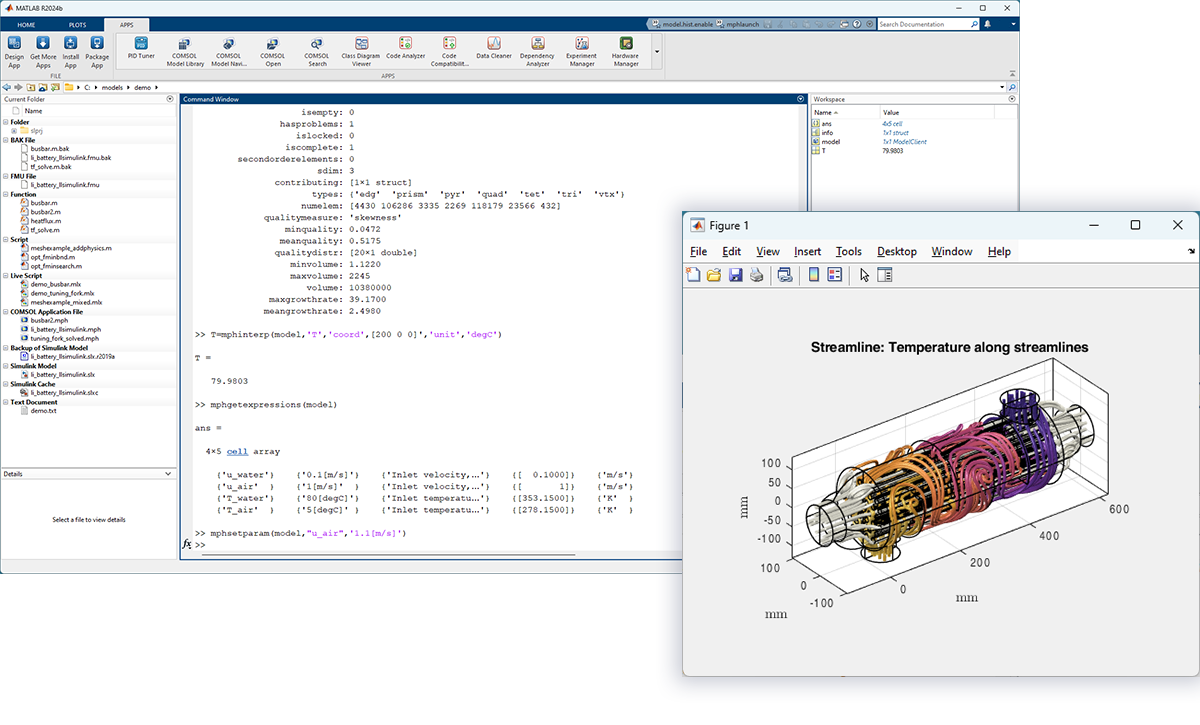
Exploring the Power of MATLAB Software
MATLAB is a high-level programming language and interactive environment developed by MathWorks. It is widely used in various fields such as engineering, mathematics, science, and finance for numerical computation, data analysis, visualization, and more.
One of the key strengths of MATLAB is its versatility. It offers a rich set of built-in functions and toolboxes that allow users to perform complex mathematical operations with ease. Whether you need to solve differential equations, analyze data, or create plots and graphs, MATLAB provides powerful tools to streamline your workflow.
Another notable feature of MATLAB is its user-friendly interface. With its intuitive syntax and extensive documentation, even beginners can quickly grasp the basics and start writing code. The interactive nature of MATLAB also enables users to test their algorithms in real-time and visualize the results instantly.
Moreover, MATLAB supports integration with other programming languages such as C/C++, Java, and Python, making it a versatile tool for software development and prototyping. Its compatibility with various operating systems further enhances its appeal to a wide range of users.
In addition to its core functionality, MATLAB offers specialized toolboxes for specific applications such as signal processing, image processing, control systems, and more. These toolboxes provide additional functions and algorithms tailored to the needs of different industries and research areas.
Overall, MATLAB continues to be a popular choice for professionals and researchers seeking a comprehensive platform for technical computing. Its robust features, extensive support resources, and active user community make it a valuable asset for tackling challenging problems and driving innovation in diverse fields.
Top 9 FAQs About MATLAB: Installation, Features, Comparisons, and More
- What is MATLAB software and what is it used for?
- How do I download and install MATLAB on my computer?
- What are the key features of MATLAB that make it popular among users?
- Can you explain the difference between MATLAB and other programming languages like Python or C++?
- Are there any free alternatives to MATLAB available for users on a budget?
- How can I learn MATLAB programming if I’m a beginner with no prior experience?
- What are some common applications of MATLAB in different industries or fields?
- Is it possible to integrate MATLAB with other software tools or programming languages?
- Where can I find resources for troubleshooting issues or getting help with using MATLAB?
What is MATLAB software and what is it used for?
MATLAB software is a high-level programming language and interactive environment developed by MathWorks. It is widely recognized for its versatility in various fields such as engineering, mathematics, science, and finance. MATLAB is primarily used for numerical computation, data analysis, visualization, and algorithm development. With a rich set of built-in functions and toolboxes, MATLAB enables users to perform complex mathematical operations efficiently. Its user-friendly interface and extensive documentation make it accessible to both beginners and experienced programmers alike. Additionally, MATLAB’s compatibility with other programming languages and operating systems enhances its utility for software development and prototyping. Overall, MATLAB serves as a powerful tool for professionals and researchers seeking to tackle challenging problems and drive innovation in their respective fields.
How do I download and install MATLAB on my computer?
Downloading and installing MATLAB on your computer is a straightforward process. To begin, you need to have an active MathWorks account to access the software. Simply log in to your MathWorks account on the official website, navigate to the MATLAB product page, and choose the version that suits your operating system. Once you have selected the appropriate version, initiate the download process and follow the on-screen instructions to complete the installation. During installation, you may be prompted to enter your license key or activation code provided by MathWorks. After successful installation, you can launch MATLAB from your desktop or start menu and begin exploring its powerful features for numerical computation, data analysis, and more.
What are the key features of MATLAB that make it popular among users?
One of the frequently asked questions about MATLAB software is, “What are the key features of MATLAB that make it popular among users?” The popularity of MATLAB can be attributed to its versatile nature and robust capabilities. Users appreciate MATLAB for its extensive library of built-in functions and toolboxes that facilitate complex numerical computations, data analysis, and visualization tasks. Additionally, its user-friendly interface and interactive environment make it accessible to both beginners and experienced programmers. The seamless integration with other programming languages and operating systems further enhances its appeal, making MATLAB a go-to choice for professionals across various industries seeking a powerful platform for technical computing.
Can you explain the difference between MATLAB and other programming languages like Python or C++?
When comparing MATLAB to other programming languages like Python or C++, one key distinction lies in its focus on numerical computation and technical computing tasks. MATLAB is specifically designed for mathematical operations, data analysis, and visualization, offering a wide range of built-in functions and toolboxes tailored to these purposes. In contrast, Python and C++ are general-purpose programming languages that can be used for a broader range of applications beyond numerical computing. While Python is known for its simplicity and versatility in various domains such as web development and data science, C++ is often preferred for system-level programming and performance-critical applications. Each language has its strengths and use cases, making it important to choose the one that best fits the specific requirements of a given project or task.
Are there any free alternatives to MATLAB available for users on a budget?
For users on a budget seeking free alternatives to MATLAB, there are several options available that offer similar functionalities for numerical computation and data analysis. One popular choice is Octave, an open-source software that is compatible with MATLAB syntax and toolboxes, making it a viable substitute for basic tasks. Another alternative is GNU Octave, which also provides a free and powerful environment for numerical computations. Additionally, Scilab and FreeMat are other notable alternatives that offer comprehensive features for scientific computing without the cost associated with MATLAB. These free alternatives can be valuable resources for users looking to leverage the capabilities of MATLAB without breaking the bank.
How can I learn MATLAB programming if I’m a beginner with no prior experience?
Learning MATLAB programming as a beginner with no prior experience can be a rewarding journey with the right approach. To start, it’s helpful to explore the wealth of online resources available, such as tutorials, courses, and documentation provided by MathWorks. These resources can introduce you to the basics of MATLAB syntax, data types, and functions. Additionally, practicing coding exercises and small projects can help solidify your understanding and build confidence in writing MATLAB scripts. Engaging with online communities and forums dedicated to MATLAB programming can also provide valuable insights and support from experienced users. Remember, patience and persistence are key as you embark on your learning path towards mastering MATLAB programming skills.
What are some common applications of MATLAB in different industries or fields?
MATLAB is a versatile software tool that finds widespread applications across various industries and fields. In engineering, MATLAB is commonly used for designing control systems, analyzing data from sensors, and simulating complex models. In the financial sector, MATLAB aids in quantitative analysis, risk management, and algorithmic trading strategies. In academia and research, MATLAB is instrumental in conducting statistical analysis, image processing, and signal processing tasks. Additionally, industries such as healthcare leverage MATLAB for medical imaging analysis and bioinformatics research. The adaptability and robust capabilities of MATLAB make it a valuable asset in solving diverse challenges across different sectors with efficiency and precision.
Is it possible to integrate MATLAB with other software tools or programming languages?
Yes, it is indeed possible to integrate MATLAB with other software tools and programming languages. MATLAB offers robust support for interoperability, allowing users to seamlessly connect their MATLAB code with external applications and systems. Through various interfaces and APIs, MATLAB can communicate with popular programming languages such as C/C++, Java, and Python, enabling data exchange, function calls, and collaborative development. Additionally, MATLAB provides specialized toolboxes and libraries that facilitate integration with specific software tools for tasks like data analysis, simulation, and visualization. This flexibility in integration empowers users to leverage the strengths of different platforms and enhance the capabilities of their MATLAB workflows for a more comprehensive technical computing experience.
Where can I find resources for troubleshooting issues or getting help with using MATLAB?
When seeking resources for troubleshooting issues or assistance with using MATLAB, users have several options available to them. The official MathWorks website is a valuable starting point, offering a comprehensive knowledge base, documentation, tutorials, and user forums where individuals can seek guidance from experts and fellow users. Additionally, MathWorks provides technical support services for licensed users, including phone and email support to address specific queries or challenges. Online communities such as Stack Overflow and MATLAB Central also serve as valuable platforms for sharing knowledge, asking questions, and finding solutions to common problems encountered while working with MATLAB software. By leveraging these resources effectively, users can enhance their proficiency in MATLAB and overcome any obstacles they may encounter along the way.
Tags: beginners, built-in functions, data analysis, documentation, engineering, finance, high-level programming language, interactive environment, mathematics, numerical computation, science, toolboxes, user-friendly interface, versatility, visualization