
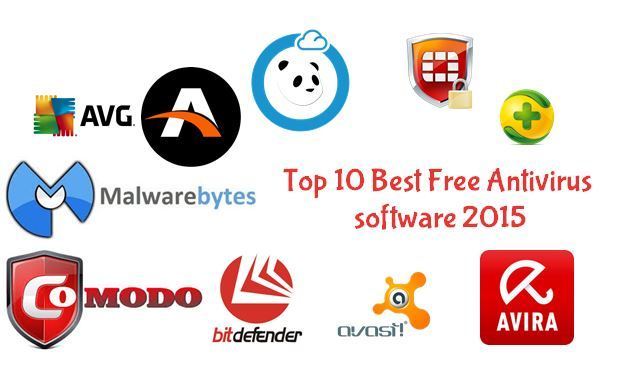
The Best Free Antivirus Programs for Windows 10
Windows 10 is a popular operating system used by millions of users worldwide. With the rise of cyber threats, having reliable antivirus software is essential to protect your computer from malware, viruses, and other malicious attacks. Fortunately, there are several free antivirus programs available for Windows 10 that offer robust protection without breaking the bank.
Avast Free Antivirus
Avast Free Antivirus is a top-rated security solution that offers real-time protection against malware, spyware, and ransomware. It features a user-friendly interface, regular updates, and various scanning options to keep your system secure.
AVG AntiVirus Free
AVG AntiVirus Free provides comprehensive protection against viruses, phishing attacks, and other online threats. It includes a file shredder, email scanner, and web protection features to safeguard your digital life.
Bitdefender Antivirus Free Edition
Bitdefender Antivirus Free Edition is a lightweight yet powerful antivirus program that offers real-time scanning, anti-phishing protection, and automatic updates. It has a minimal impact on system performance while providing maximum security.
Avira Free Security Suite
Avira Free Security Suite combines antivirus, privacy tools, and performance optimization features in one package. It offers advanced threat detection capabilities and customizable scanning options to keep your Windows 10 PC safe from cyber threats.
Windows Defender
Windows Defender comes pre-installed with Windows 10 and provides basic antivirus protection for your system. While it may not offer as many features as third-party antivirus programs, Windows Defender still offers decent security for everyday use.
In conclusion, choosing the right free antivirus program for Windows 10 is crucial to ensure the safety of your digital assets. Consider the features offered by each antivirus software mentioned above and select the one that best suits your needs and preferences.
Top 8 Benefits of Using Free Antivirus Software for Windows 10
- 1. Provides essential protection against malware and viruses.
- 2. Offers real-time scanning to detect and remove threats promptly.
- 3. Helps safeguard your personal data and online activities.
- 4. Some free antivirus programs include additional features like phishing protection and system optimization tools.
- 5. Regular updates ensure that your antivirus software is equipped to combat new threats.
- 6. Lightweight design minimizes impact on system performance.
- 7. Easy to use interfaces make it accessible for users of all levels of technical expertise.
- 8. Cost-effective solution for maintaining cybersecurity on Windows 10 systems.
7 Drawbacks of Using Free Antivirus Software on Windows 10
- Limited features compared to paid antivirus programs
- May display ads or promote additional products/services
- Less frequent updates and support compared to paid versions
- Potential for false positives leading to legitimate files being flagged as threats
- Limited customer support options
- May impact system performance or slow down computer during scans
- Some free antivirus programs may lack advanced security features
1. Provides essential protection against malware and viruses.
Free antivirus programs for Windows 10 offer essential protection against malware and viruses, safeguarding your computer from potential cyber threats. By continuously monitoring and scanning your system, these antivirus solutions help detect and remove malicious software that could compromise your data and privacy. With real-time protection features, free antivirus programs act as a crucial line of defense, ensuring a safer online experience for users without the need for additional costs.
2. Offers real-time scanning to detect and remove threats promptly.
One of the key advantages of using free antivirus software for Windows 10 is its ability to provide real-time scanning, allowing for the prompt detection and removal of potential threats. This proactive approach ensures that any malicious files or activities are identified and dealt with immediately, helping to safeguard your system and data from harmful attacks. By continuously monitoring your computer in real-time, free antivirus programs can effectively prevent malware and viruses from causing damage, providing users with peace of mind and a secure computing environment.
3. Helps safeguard your personal data and online activities.
Using a free antivirus program for Windows 10 can significantly benefit users by helping safeguard their personal data and online activities. These antivirus tools are equipped with features like real-time scanning, anti-phishing protection, and malware detection that work together to create a secure digital environment. By actively monitoring and blocking malicious threats, free antivirus programs ensure that sensitive information such as passwords, financial details, and browsing history remain protected from cybercriminals seeking to exploit vulnerabilities. This proactive approach not only enhances the overall security of the system but also provides peace of mind to users as they engage in various online activities without compromising their privacy.
4. Some free antivirus programs include additional features like phishing protection and system optimization tools.
One notable advantage of using free antivirus programs for Windows 10 is that some of them come with extra features beyond basic virus protection. These additional features can include phishing protection, which helps to safeguard your personal information from online scams, as well as system optimization tools that can enhance the performance and efficiency of your computer. By offering these supplementary functionalities at no extra cost, free antivirus programs provide users with a more comprehensive security solution while also improving their overall computing experience.
5. Regular updates ensure that your antivirus software is equipped to combat new threats.
Regular updates are a key advantage of using free antivirus software for Windows 10. These updates play a crucial role in keeping your antivirus program up-to-date with the latest threat definitions and security patches. By staying current, your antivirus software is better equipped to detect and combat new and emerging threats, providing you with a higher level of protection against malware, viruses, and other malicious attacks. This proactive approach to updating ensures that your system remains secure in the ever-evolving landscape of cybersecurity threats.
6. Lightweight design minimizes impact on system performance.
One significant advantage of using free antivirus software for Windows 10 is its lightweight design, which minimizes the impact on system performance. Unlike some resource-heavy antivirus programs that can slow down your computer, these lightweight solutions operate efficiently in the background without causing noticeable lag or disruptions to your daily tasks. By utilizing minimal system resources, free antivirus programs ensure that your Windows 10 PC runs smoothly and remains responsive while still providing robust protection against malware and other cyber threats.
7. Easy to use interfaces make it accessible for users of all levels of technical expertise.
The user-friendly interfaces of free antivirus programs for Windows 10 make them highly accessible to users of all levels of technical expertise. With simple navigation, clear instructions, and intuitive design, these antivirus solutions ensure that even beginners can easily install, configure, and use the software without feeling overwhelmed. This ease of use empowers all users to protect their systems effectively against malware and other cyber threats, regardless of their familiarity with technology.
8. Cost-effective solution for maintaining cybersecurity on Windows 10 systems.
A significant advantage of using free antivirus software for Windows 10 is its cost-effectiveness in maintaining cybersecurity on your system. By opting for a free antivirus program, users can ensure that their Windows 10 devices are protected from malware and other online threats without having to incur any additional expenses. This budget-friendly approach allows individuals and businesses to prioritize cybersecurity without compromising on the quality of protection, making it an accessible and practical solution for safeguarding Windows 10 systems.
Limited features compared to paid antivirus programs
One significant drawback of free antivirus programs for Windows 10 is their limited features when compared to paid antivirus software. While free options provide basic protection against malware and viruses, they often lack advanced security features such as real-time scanning, firewall protection, ransomware detection, and email filtering. Paid antivirus programs typically offer a more comprehensive suite of tools and functionalities to enhance your system’s security and privacy, making them a more robust choice for users seeking advanced protection against evolving cyber threats.
May display ads or promote additional products/services
One downside of using free antivirus programs for Windows 10 is that they may display ads or promote additional products and services. While these ads help support the development and maintenance of the free software, they can be intrusive and disruptive to the user experience. Users may find themselves bombarded with pop-ups or notifications urging them to upgrade to a paid version or purchase other related products, which can be annoying and distracting while trying to focus on important tasks. Additionally, some users may feel uneasy about the privacy implications of targeted advertising within their antivirus software.
Less frequent updates and support compared to paid versions
One significant drawback of using free antivirus software for Windows 10 is the less frequent updates and support provided in comparison to their paid counterparts. While free antivirus programs do offer basic protection, they often lag behind in terms of receiving timely updates for virus definitions and security patches. This can leave your system vulnerable to evolving cyber threats that require immediate attention. Additionally, free versions may not have access to dedicated customer support services, making it challenging to resolve technical issues or seek assistance when needed. Opting for a paid antivirus solution can ensure more regular updates and reliable support, enhancing the overall security of your Windows 10 device.
Potential for false positives leading to legitimate files being flagged as threats
One significant drawback of using free antivirus software for Windows 10 is the potential for false positives, where legitimate files are incorrectly identified as threats and flagged for removal or quarantine. This can be a frustrating experience for users, as essential programs or files may be disrupted or deleted due to a misinterpretation by the antivirus program. False positives can result in system errors, loss of data, and overall inconvenience, highlighting the importance of carefully monitoring and verifying any security alerts generated by free antivirus software to prevent unintended consequences.
Limited customer support options
One notable con of using free antivirus software for Windows 10 is the limited customer support options available to users. Unlike paid antivirus programs that often offer dedicated customer support through phone, email, or live chat, free antivirus providers may only provide basic online resources such as FAQs or community forums. This lack of direct customer assistance can be frustrating for users who encounter technical issues or need personalized help with their antivirus software. Without prompt and reliable customer support, users may find it challenging to resolve issues efficiently and effectively, potentially leaving their devices vulnerable to security threats.
May impact system performance or slow down computer during scans
One significant drawback of using free antivirus programs for Windows 10 is that they may impact system performance or slow down the computer during scans. Since these antivirus software are often resource-intensive, they can consume a considerable amount of CPU and memory, leading to decreased speed and responsiveness of the system. This can be particularly frustrating when running scans in the background while trying to perform other tasks on the computer, potentially causing delays and disruptions in workflow. Users should be aware of this downside and consider balancing the trade-off between security and system performance when choosing a free antivirus solution for their Windows 10 device.
Some free antivirus programs may lack advanced security features
One notable drawback of using free antivirus programs for Windows 10 is that some of them may lack advanced security features. While these free solutions offer basic protection against common threats, they often do not provide the same level of comprehensive security as their paid counterparts. Advanced features such as real-time threat detection, ransomware protection, and secure browsing tools may be limited or absent in free antivirus programs, leaving users potentially vulnerable to more sophisticated cyber attacks. It is important for users to weigh the benefits and limitations of free antivirus software to determine if additional security measures are necessary to safeguard their digital assets effectively.
Tags: antivirus, avast free antivirus, avg antivirus free, avira free security suite, bitdefender antivirus free edition, cyber threats, free antivirus for windows 10, free antivirus programs, malware, protection, real-time scanning, viruses, windows 10, windows defender