
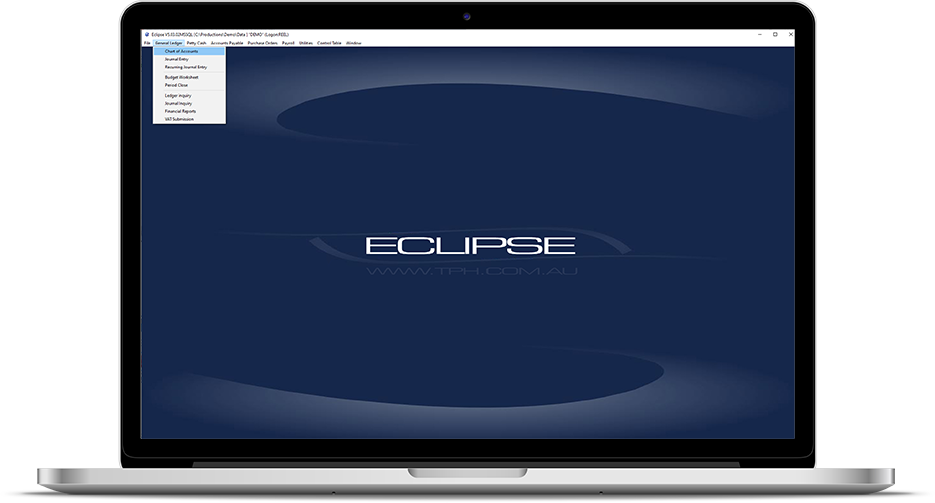
The Power of Eclipse Software: Revolutionizing Development
In the world of software development, having the right tools can make all the difference. Eclipse Software has emerged as a powerful and versatile integrated development environment (IDE) that is revolutionizing the way developers create applications.
One of the key strengths of Eclipse Software is its extensibility. With a rich ecosystem of plugins and extensions, developers can customize their IDE to suit their specific needs. Whether you are working on Java, C++, Python, or any other programming language, Eclipse provides a robust platform with features like code completion, debugging tools, and project management capabilities.
Another standout feature of Eclipse is its open-source nature. This means that developers have access to the source code and can contribute to its ongoing development. The community-driven approach behind Eclipse fosters collaboration and innovation, leading to continuous improvements and updates.
Furthermore, Eclipse Software supports collaboration among team members through features like version control integration and remote development capabilities. This enables developers to work together seamlessly, regardless of their physical location.
Whether you are a seasoned developer or just starting out in the world of programming, Eclipse Software offers a user-friendly interface and comprehensive documentation to support your journey. Its intuitive design and powerful features make it a preferred choice for individuals and organizations looking to streamline their development process.
In conclusion, Eclipse Software stands out as a game-changer in the field of software development. Its versatility, extensibility, open-source nature, and collaborative features make it an indispensable tool for developers around the world. Embrace the power of Eclipse Software and unlock your full potential as a developer.
Top 9 Frequently Asked Questions About Eclipse Software
- What is Eclipse Software?
- Is Eclipse Software free to use?
- Which programming languages are supported by Eclipse?
- How do I install Eclipse Software on my computer?
- What are the key features of Eclipse Software?
- Can I customize Eclipse with plugins and extensions?
- Does Eclipse support version control systems like Git?
- How can I debug my code using Eclipse?
- Is there a community or forum for Eclipse users to seek help?
What is Eclipse Software?
Eclipse Software is a robust integrated development environment (IDE) that has gained widespread popularity among developers for its versatility and powerful features. It provides a comprehensive platform for creating applications in various programming languages, including Java, C++, Python, and more. Eclipse stands out for its extensibility, allowing users to customize the IDE with a wide range of plugins and extensions to meet their specific needs. As an open-source tool, Eclipse fosters collaboration and innovation within the developer community, making it a go-to choice for individuals and organizations looking to streamline their development process.
Is Eclipse Software free to use?
One of the most frequently asked questions about Eclipse Software is whether it is free to use. The answer is yes, Eclipse Software is indeed free to use. As an open-source integrated development environment (IDE), Eclipse offers its core features and functionalities at no cost to users. This accessibility has made Eclipse a popular choice among developers looking for a robust and versatile platform without the burden of expensive licensing fees. Additionally, the open-source nature of Eclipse encourages collaboration and community-driven development, ensuring that users have access to a continuously evolving and improving toolset without financial barriers.
Which programming languages are supported by Eclipse?
Eclipse Software is known for its versatility and wide range of language support. Developers using Eclipse can work with a variety of programming languages, including but not limited to Java, C/C++, Python, PHP, Ruby, JavaScript, and more. The extensive ecosystem of plugins and extensions available for Eclipse further expands its language support capabilities, making it a popular choice among developers working in diverse programming environments. Whether you are a beginner learning your first programming language or an experienced developer working on complex projects, Eclipse provides the tools and support you need to succeed in your coding endeavors.
How do I install Eclipse Software on my computer?
Installing Eclipse Software on your computer is a straightforward process that involves a few simple steps. To begin, you can visit the official Eclipse website and navigate to the download section. From there, you can select the version of Eclipse that is compatible with your operating system (Windows, macOS, or Linux) and download the installation file. Once the download is complete, you can run the installer and follow the on-screen instructions to set up Eclipse on your computer. During the installation process, you may have the option to customize certain settings or choose additional components to include. After completing the installation, you can launch Eclipse and start exploring its features and capabilities for your development projects.
What are the key features of Eclipse Software?
When exploring the key features of Eclipse Software, it becomes evident that its strength lies in its versatility and robust capabilities. One of the standout features is its extensibility, allowing developers to tailor the IDE to their specific needs with a wide array of plugins and extensions. Eclipse offers comprehensive support for various programming languages, coupled with essential tools such as code completion, debugging functionalities, and project management capabilities. Moreover, its open-source nature fosters a collaborative environment where developers can contribute to its continuous improvement. With features like version control integration and remote development support, Eclipse Software empowers teams to work seamlessly together regardless of their geographical locations. Overall, Eclipse Software’s user-friendly interface and rich feature set make it a top choice for developers seeking an efficient and customizable integrated development environment.
Can I customize Eclipse with plugins and extensions?
Certainly! One of the most frequently asked questions about Eclipse Software is whether it can be customized with plugins and extensions. The answer is a resounding yes. Eclipse Software offers a rich ecosystem of plugins and extensions that allow developers to tailor their integrated development environment (IDE) to suit their specific needs. Whether you are looking to enhance your coding experience with new features, streamline your workflow with specialized tools, or support additional programming languages, Eclipse’s extensibility makes it easy to customize the IDE according to your preferences. With a wide range of plugins available for various purposes, developers can truly personalize their Eclipse experience and optimize their productivity in the software development process.
Does Eclipse support version control systems like Git?
Yes, Eclipse Software fully supports version control systems like Git. With its seamless integration with Git, developers can easily manage their source code repositories directly within the Eclipse IDE. This feature allows developers to track changes, collaborate with team members, and efficiently manage different versions of their code. By leveraging Eclipse’s support for Git, developers can streamline their workflow and ensure the integrity and security of their codebase.
How can I debug my code using Eclipse?
Debugging code using Eclipse is a straightforward process that can greatly enhance your development workflow. To debug your code in Eclipse, you can set breakpoints at specific lines of code where you want the program execution to pause. When the program reaches a breakpoint, you can inspect variables, evaluate expressions, step through the code line by line, and track the flow of execution. Eclipse provides a user-friendly interface with powerful debugging tools that help you identify and fix errors efficiently. By utilizing the debugging features in Eclipse, you can gain valuable insights into your code’s behavior and troubleshoot issues effectively to ensure smooth and error-free execution of your applications.
Is there a community or forum for Eclipse users to seek help?
For those seeking assistance or looking to connect with fellow Eclipse users, there is a vibrant community and forum available. The Eclipse community provides a valuable platform where users can seek help, share insights, and collaborate on various topics related to Eclipse Software. Whether you have technical questions, need troubleshooting support, or simply want to engage with like-minded individuals, the community and forum for Eclipse users offer a supportive environment for learning and networking. Joining this community can be a great way to enhance your Eclipse experience and stay connected with the latest developments in the world of software development.
Tags: c, collaboration, community-driven development, developers, eclipse software, extensibility, extensions, ide, innovation, integrated development environment, java, open-source nature, plugins, powerful features, programming languages, python, versatility