
Notebook Computers: A Practical Guide
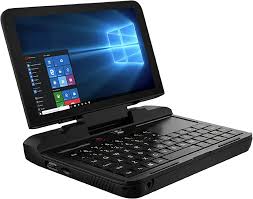
A notebook computer is a portable personal computer designed to combine a screen, keyboard, pointing device, battery, and other essential components in a compact, foldable case. Often called a laptop, a notebook can handle many of the same tasks as a desktop computer while taking up less space and traveling easily.
What Can You Do With a Notebook Computer?
Notebook computers support a wide range of everyday activities, including:
- Browsing the web, sending email, and joining video calls
- Writing documents, creating presentations, and managing spreadsheets
- Streaming movies, listening to music, and viewing photos
- Programming, designing graphics, and editing video
- Playing games and using specialized software
The tasks a notebook can handle depend on its processor, memory, graphics hardware, storage, and operating system. A basic model may be well suited to web browsing and schoolwork, while demanding creative applications and games may require more powerful components.
Common Types of Notebook Computers
Traditional notebooks
Traditional notebooks have a clamshell design: the screen opens from the keyboard and closes when the computer is not in use. They come in a wide range of sizes and configurations, from lightweight everyday models to powerful workstations.
Two-in-one notebooks
A two-in-one notebook can work as a laptop and, depending on its design, can also fold or detach into a tablet-style device. Some models support a digital pen, which can be useful for handwriting, drawing, or annotating documents.
Chromebooks
Chromebooks run ChromeOS and are designed primarily for web-based work, cloud services, and compatible apps. They may be a good fit for people whose needs center on browsing, online documents, and video calls. Before choosing one, check that it supports the applications and peripherals you rely on.
Gaming notebooks
Gaming notebooks typically include dedicated graphics hardware, fast displays, and cooling systems built to handle demanding workloads. These features can also help with tasks such as 3D rendering and video production. Gaming models are often heavier and may have shorter battery life under heavy use.
Key Features to Consider
Processor and memory
The processor, or CPU, handles general computing tasks. The amount of memory, or RAM, affects how well a computer manages multiple apps and browser tabs at once. For smooth everyday use, consider how you typically work and compare the specifications of models in your budget.
Storage
Most modern notebooks use solid-state drives (SSDs), which provide quick startup and file access. Think about how much space you need for documents, photos, applications, and other files. Cloud storage or an external drive can supplement the notebook’s built-in storage.
Display and size
A larger screen can make multitasking and detailed work more comfortable, but it may add weight and bulk. A smaller notebook is easier to carry, though its screen and keyboard may feel more compact. Screen resolution, brightness, and surface finish can also affect comfort, especially if you work outdoors or for long periods.
Battery life and portability
Battery life varies with the device, its settings, and the work being done. Video calls, gaming, bright screen settings, and other demanding tasks can use more power. If you travel frequently, compare independent battery tests when available and consider the notebook’s weight, charging options, and power adapter size.
Ports and wireless connections
Check that a notebook has the connections you need, such as USB ports, a headphone jack, an external display connection, or a memory card reader. Some thin models offer only a few ports, so you may need an adapter or docking station. Also consider support for current Wi-Fi and Bluetooth standards.
Keyboard, touchpad, and webcam
If you type often, pay attention to keyboard comfort, key layout, and touchpad responsiveness. For remote work or online classes, review the webcam, microphone, and speaker quality. Features such as a privacy shutter or fingerprint reader may also be useful.
Notebook Computer vs. Desktop Computer
A notebook’s main advantage is portability. It can be used in different rooms, carried to school or work, and taken on trips. A desktop computer generally offers more room for upgrades, larger displays, and easier component replacement. The right choice depends on whether mobility or expandability matters more to you. Some people use a notebook as their primary computer and connect it to an external monitor, keyboard, and mouse at a desk.
Tips for Caring for a Notebook
- Keep liquids, food, and dust away from the keyboard and ventilation openings.
- Use the computer on a firm surface so its cooling vents are not blocked.
- Install operating system and security updates regularly.
- Back up important files to a secure cloud service or external storage.
- Carry the notebook in a padded case and avoid placing heavy objects on it.
- Follow the manufacturer’s guidance for cleaning the screen and caring for the battery.
How to Choose the Right Notebook
Start by listing the tasks you need the computer to perform, the software you use, and how often you will carry it. Set a budget, then compare performance, display size, battery life, storage, ports, and warranty support. A notebook with the most impressive specifications is not necessarily the best choice if it is too heavy, lacks a needed connection, or does not run your essential software.
By matching a notebook computer’s features to your everyday needs, you can find a portable device that supports work, study, entertainment, and creativity without paying for capabilities you are unlikely to use.
Your Guide to Notebook Computers: Top Picks, Differences, and Uses Explained
- What is the best notebook computer to buy?
- What is the difference between a laptop and a notebook?
- What is the use of a notebook computer?
- What is the difference between a laptop and a computer?
What is the best notebook computer to buy?
The best notebook computer to buy depends on your budget and how you plan to use it. For everyday browsing, schoolwork, and video calls, look for a reliable model with a comfortable keyboard, a clear display, solid battery life, and enough memory and storage for your apps and files. If you need a notebook for gaming, video editing, or other demanding work, prioritize a powerful processor, dedicated graphics, and effective cooling. Before buying, check that it runs the software you need, has the ports and connectivity you want, and fits your portability needs; comparing recent independent reviews can help you choose the right model.
What is the difference between a laptop and a notebook?
The terms “laptop” and “notebook” are often used interchangeably for portable computers, and there is no strict technical distinction between them today. Historically, “notebook” tended to describe smaller, lighter models, while “laptop” could refer to larger, heavier computers. Modern devices vary widely in size and features, so it’s more useful to compare their specifications—such as screen size, weight, performance, and battery life—than rely on the name.
What is the use of a notebook computer?
A notebook computer is used for many of the same tasks as a desktop computer, including browsing the internet, sending email, writing documents, attending video calls, streaming media, and running work or school applications. Because it is portable and has a built-in screen, keyboard, and battery, it can also be used in different places, such as at home, in class, at the office, or while traveling.
What is the difference between a laptop and a computer?
A computer is any device that processes and stores information, including desktops, tablets, servers, and laptops. A laptop is a type of computer designed to be portable, with a built-in screen, keyboard, touchpad, and battery. In other words, every laptop is a computer, but not every computer is a laptop.
Tags: battery life, bluetooth, chromebook, cloud storage, computer buying guide, computer features, cpu, desktop computer, display, external monitor, gaming notebook, keyboard, laptop, memory, notebook care, notebook computer, notebook types, operating system, portability, portable computer, ports, processor, ram, solid-state drive, ssd, storage, touchpad, traditional notebook, two-in-one notebook, webcam, wi-fi