
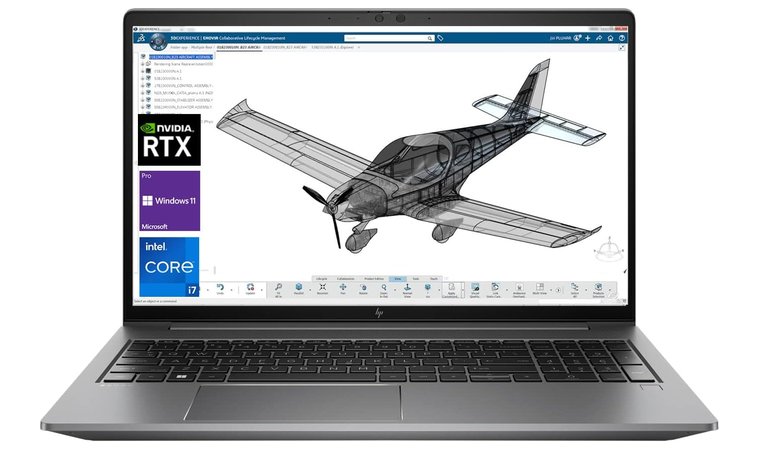
The Best Laptops for AutoCAD Users
AutoCAD is a powerful software used by architects, engineers, and designers for creating detailed 2D and 3D designs. To run AutoCAD smoothly, you need a laptop with high performance and excellent graphics capabilities. Here are some of the best laptops that are ideal for AutoCAD users:
Dell XPS 15
The Dell XPS 15 is a top choice for AutoCAD users due to its powerful Intel Core i7 processor, dedicated NVIDIA graphics card, and stunning 4K display. It offers excellent performance and graphics rendering capabilities for complex design projects.
HP ZBook Studio G5
The HP ZBook Studio G5 is a mobile workstation designed specifically for professionals working with demanding applications like AutoCAD. It features a high-performance Intel Xeon processor, NVIDIA Quadro graphics card, and a vibrant display with accurate color reproduction.
Lenovo ThinkPad P52
The Lenovo ThinkPad P52 is a reliable workhorse that can handle intensive CAD workloads with ease. It comes equipped with powerful Intel Core i7/i9 processors, NVIDIA Quadro graphics, and a durable build quality that can withstand heavy daily use.
ASUS ROG Zephyrus G14
The ASUS ROG Zephyrus G14 is a gaming laptop that also excels in running CAD software like AutoCAD. It boasts an AMD Ryzen processor, NVIDIA GeForce RTX graphics card, and a high-refresh rate display for smooth performance during design tasks.
When choosing a laptop for AutoCAD, consider factors such as processing power, graphics capabilities, RAM capacity, storage options, and display quality to ensure optimal performance for your design projects.
Investing in a high-quality laptop tailored to meet the demands of AutoCAD can significantly enhance your productivity and creativity as a designer or engineer.
Top 7 FAQs on Choosing the Best Laptop for AutoCAD
- Which laptop is best for AutoCAD in low price?
- What kind of laptop do you need for CAD?
- Do you need a powerful computer for AutoCAD?
- What to look for when buying a laptop for CAD?
- What laptop do most architects use?
- What type of laptop do I need for AutoCAD?
- What type of laptop is best for AutoCAD?
Which laptop is best for AutoCAD in low price?
When searching for the best laptop for AutoCAD at a lower price point, it’s essential to look for a balance between performance and affordability. While high-end laptops may offer top-tier specifications, there are budget-friendly options that can still handle AutoCAD tasks efficiently. Consider laptops with decent processing power, dedicated graphics cards, and sufficient RAM to run AutoCAD smoothly without breaking the bank. Look for brands like Acer, ASUS, or Lenovo that offer reliable performance at a more affordable price range. By researching and comparing different models, you can find a laptop that meets your AutoCAD needs while staying within your budget constraints.
What kind of laptop do you need for CAD?
When considering the best laptop for CAD (Computer-Aided Design) software like AutoCAD, it is essential to prioritize certain key specifications to ensure optimal performance. A laptop suitable for CAD work should ideally have a powerful multi-core processor (such as Intel Core i7 or AMD Ryzen), dedicated graphics card (NVIDIA Quadro or GeForce RTX), ample RAM (16GB or more), fast SSD storage, and a high-resolution display with accurate color reproduction. These components are crucial for handling complex design tasks, rendering 3D models efficiently, and providing a smooth user experience while working on CAD projects. By selecting a laptop that meets these criteria, CAD users can maximize their productivity and creativity in the design process.
Do you need a powerful computer for AutoCAD?
When considering the question of whether you need a powerful computer for AutoCAD, the answer is a resounding yes. AutoCAD is a sophisticated software application that demands significant computing power to run smoothly, especially when working on complex 2D and 3D design projects. A powerful computer with a high-performance processor, dedicated graphics card, ample RAM, and fast storage is essential for handling the intensive computational tasks required by AutoCAD. Investing in a robust laptop tailored to meet the specific requirements of AutoCAD will not only enhance your productivity but also ensure a seamless and efficient design workflow.
What to look for when buying a laptop for CAD?
When searching for the best laptop for CAD software like AutoCAD, there are several key factors to consider to ensure optimal performance and efficiency. Firstly, prioritize a powerful processor such as an Intel Core i7 or AMD Ryzen series, as CAD applications require significant processing power for rendering complex designs. Additionally, a dedicated graphics card from NVIDIA or AMD is essential to handle the graphical demands of CAD software. Adequate RAM (16GB or more) and fast storage (SSD) are crucial for seamless multitasking and quick file access. A high-resolution display with accurate color reproduction is also beneficial for precise design work. Lastly, consider the laptop’s build quality, cooling system, and connectivity options to support your CAD workflow effectively. By carefully evaluating these factors, you can select a laptop that meets the specific requirements of CAD applications and enhances your productivity as a designer or engineer.
What laptop do most architects use?
When it comes to the preferred choice of laptops among architects for running software like AutoCAD, there is a range of popular options that cater to their specific needs. Many architects often opt for powerful workstations such as the Dell XPS 15, HP ZBook Studio G5, or Lenovo ThinkPad P52 due to their robust performance capabilities, dedicated graphics cards, and high-quality displays. These laptops are favored by architects for their ability to handle complex design tasks efficiently and provide a seamless user experience while working on intricate architectural projects. Ultimately, the choice of laptop among architects may vary based on individual preferences and requirements for running AutoCAD and other design software effectively.
What type of laptop do I need for AutoCAD?
When considering the type of laptop you need for AutoCAD, it is essential to prioritize performance and graphics capabilities. AutoCAD is a demanding software that requires a laptop with a powerful processor, dedicated graphics card, ample RAM, and fast storage options. Look for laptops equipped with high-performance processors like Intel Core i7 or i9, NVIDIA Quadro or GeForce RTX graphics cards, at least 16GB of RAM (preferably 32GB), and SSD storage for quick loading times. A high-resolution display with accurate color reproduction is also beneficial for detailed design work in AutoCAD. Investing in a laptop that meets these specifications will ensure smooth operation and efficient workflow when using AutoCAD for your design projects.
What type of laptop is best for AutoCAD?
When considering the best laptop for AutoCAD, it is essential to prioritize certain key features to ensure optimal performance. A laptop with a powerful multi-core processor, such as an Intel Core i7 or AMD Ryzen, is recommended to handle the intensive calculations and rendering tasks of AutoCAD smoothly. Additionally, a dedicated graphics card from NVIDIA or AMD with ample VRAM is crucial for efficient 2D and 3D rendering in AutoCAD. It is also advisable to choose a laptop with sufficient RAM (at least 16GB) and fast storage options like SSDs to enhance overall speed and responsiveness while working on complex design projects. A high-resolution display with accurate color reproduction can further improve the visual clarity and precision required for detailed design work in AutoCAD. By selecting a laptop that meets these specifications, AutoCAD users can maximize their productivity and creativity in their design workflows.
Tags: asus rog zephyrus g14, best laptop for autocad, dell xps 15, display quality, graphics capabilities, hp zbook studio g5, laptop, lenovo thinkpad p52, performance, processing power, ram capacity, storage options