
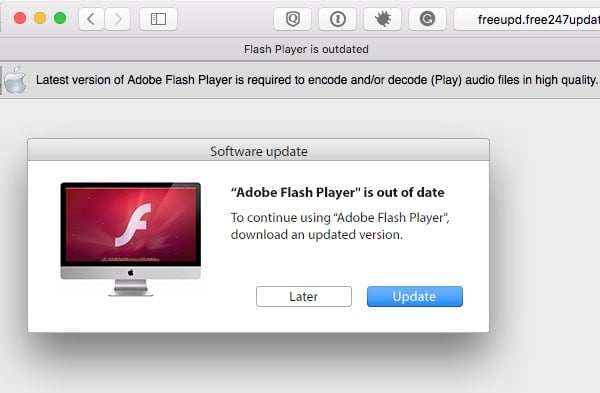
The Future of Adobe Flash on Mac: What You Need to Know
Adobe Flash has been a staple in the world of web content for many years. However, with the rise of newer technologies and security concerns, Adobe has announced that it will officially end support for Flash Player by the end of 2020.
For Mac users, this means that Adobe Flash will no longer be available for download or use on their devices. This decision comes as major web browsers and tech companies have been phasing out support for Flash due to its vulnerabilities and performance issues.
So, what does this mean for Mac users who still rely on Adobe Flash for certain websites or applications? It’s important to start looking for alternative solutions now to ensure a smooth transition away from Flash.
One option is to switch to HTML5, which has become the new standard for interactive web content. Many websites that previously relied on Flash have already migrated to HTML5, offering a more secure and efficient user experience.
Another alternative is to use dedicated software or plugins that can emulate Flash functionality without relying on the official Adobe Player. However, it’s crucial to ensure that these alternatives are trustworthy and regularly updated to avoid security risks.
Ultimately, the discontinuation of Adobe Flash on Mac is a significant development in the tech industry. While it may require some adjustments for users accustomed to Flash-based content, it also presents an opportunity to embrace newer technologies that offer improved performance and security.
As we bid farewell to Adobe Flash on Mac, let’s look forward to a more secure and innovative future in web content delivery.
Top 8 Advantages of Using Adobe Flash on Mac: From Interactive Multimedia to Seamless Browser Integration
- 1. Interactive Multimedia
- 2. Cross-Platform Compatibility
- 3. Rich Internet Applications
- 4. Animation Capabilities
- 5. Gaming Support
- 6. Streaming Video
- 7. User-Friendly Development Tools
- 8. Browser Integration
5 Drawbacks of Adobe Flash on Mac: Compatibility, Security, and Performance Challenges
- Adobe Flash is no longer supported on Mac devices, leading to potential compatibility issues with certain websites and applications.
- Flash Player is known for its security vulnerabilities, putting Mac users at risk of malware and cyber attacks.
- The discontinuation of Adobe Flash means that some older web content may become inaccessible on Mac systems.
- Mac users may experience performance issues when running Flash-based content, as the technology is resource-intensive.
- Without Adobe Flash support, Mac users may need to rely on less secure third-party plugins or software to access certain multimedia content.
1. Interactive Multimedia
Adobe Flash on Mac offers a powerful advantage in the realm of interactive multimedia creation. With its robust features, designers and developers can craft captivating content enriched with dynamic animations, seamless videos, and interactive elements. This capability not only enhances user engagement but also enables the delivery of immersive experiences across various platforms. Adobe Flash on Mac serves as a versatile tool for bringing creativity to life and pushing the boundaries of multimedia storytelling.
2. Cross-Platform Compatibility
One significant advantage of Adobe Flash for Mac is its cross-platform compatibility. With Flash, content creators can develop multimedia-rich experiences that can be easily viewed on different platforms and devices, allowing for seamless accessibility across a wide audience. This versatility not only enhances the reach of content but also ensures a consistent user experience regardless of the device or operating system being used.
3. Rich Internet Applications
Adobe Flash for Mac provides a significant advantage in enabling the development of rich internet applications that deliver dynamic and visually appealing user experiences. With Flash, developers can create interactive and engaging content that captivates users with animations, multimedia elements, and immersive interfaces. This capability not only enhances the aesthetic appeal of web applications but also contributes to a more engaging and interactive online experience for Mac users.
4. Animation Capabilities
One of the key advantages of Adobe Flash on Mac is its robust animation capabilities. By utilizing Flash, users have the ability to craft intricate animations and effects that elevate the visual appeal of websites and applications. This feature allows designers and developers to bring their creative visions to life, engaging users with dynamic and interactive content that enhances the overall user experience.
5. Gaming Support
One significant advantage of Adobe Flash on Mac is its robust gaming support. Many online games depend on Adobe Flash to provide engaging and interactive gaming experiences that can be accessed seamlessly across various browsers and operating systems. The versatility and compatibility of Adobe Flash make it a popular choice for game developers looking to reach a wide audience with their creations, ensuring that Mac users can enjoy a diverse range of gaming options right from their web browsers.
6. Streaming Video
Adobe Flash on Mac devices has excelled in the realm of streaming video content, offering users a seamless playback experience. With its robust capabilities, Flash has long been a preferred choice for delivering high-quality videos over the internet, ensuring smooth and uninterrupted viewing sessions for Mac users. Its ability to handle streaming video efficiently has made it a valuable tool for content creators and viewers alike, enhancing the overall multimedia experience on Mac devices.
7. User-Friendly Development Tools
One of the key advantages of Adobe Flash for Mac is its user-friendly development tools, such as Adobe Animate (formerly known as Flash Professional). These tools are designed to streamline the process of creating Flash content, making it more accessible to developers and designers. With features like intuitive interfaces and robust functionality, Adobe Animate empowers users to bring their creative visions to life with ease and efficiency. This pro of Adobe Flash on Mac ensures that users can unleash their creativity and produce engaging multimedia content without facing steep learning curves or technical barriers.
8. Browser Integration
One key advantage of Adobe Flash on Mac is its seamless integration with web browsers, enabling users to effortlessly access interactive web content. This feature enhances the overall user experience by providing easy access to a wide range of multimedia elements and interactive applications directly within the browser interface. The smooth integration of Adobe Flash with Mac browsers ensures that users can enjoy dynamic and engaging online content without any hassle, making it a convenient tool for exploring the interactive capabilities of the web.
Adobe Flash is no longer supported on Mac devices, leading to potential compatibility issues with certain websites and applications.
The discontinuation of Adobe Flash support on Mac devices poses a significant con, as it may result in compatibility issues with specific websites and applications that still rely on Flash for their functionality. Users who encounter such content may experience limitations or disruptions in accessing certain online resources, highlighting the importance of transitioning to alternative technologies to ensure a seamless browsing experience on Mac platforms.
Flash Player is known for its security vulnerabilities, putting Mac users at risk of malware and cyber attacks.
Adobe Flash Player on Mac has long been associated with security vulnerabilities, making it a prime target for malware and cyber attacks. These weaknesses in Flash’s code have posed significant risks to Mac users, leaving their devices vulnerable to exploitation by malicious actors. As a result, relying on Adobe Flash for web content can potentially expose Mac users to a range of security threats, underscoring the importance of transitioning to more secure alternatives in light of Adobe’s decision to discontinue support for Flash Player.
The discontinuation of Adobe Flash means that some older web content may become inaccessible on Mac systems.
With the discontinuation of Adobe Flash on Mac, a notable con is that some older web content may become inaccessible on Mac systems. Many websites and applications built with Flash technology will no longer function as intended, potentially leading to a loss of access to valuable online resources and interactive content for Mac users. This transition underscores the importance of updating and modernizing web content to align with current standards and technologies to ensure a seamless user experience across all platforms.
Mac users may experience performance issues when running Flash-based content, as the technology is resource-intensive.
Mac users may encounter performance issues when running Adobe Flash-based content due to the technology’s resource-intensive nature. Flash applications and animations can strain system resources, leading to slower load times, lagging performance, and potential overheating on Mac devices. This drawback highlights the need for a more efficient and optimized alternative to ensure a smoother user experience without compromising system stability.
Without Adobe Flash support, Mac users may need to rely on less secure third-party plugins or software to access certain multimedia content.
Without Adobe Flash support on Mac, users may face the challenge of having to resort to less secure third-party plugins or software in order to access specific multimedia content. This dependence on alternative solutions could potentially expose users to security vulnerabilities and risks, as these third-party options may not receive regular updates or adhere to the same security standards as Adobe Flash. It is essential for Mac users to exercise caution and thoroughly research any alternative plugins or software they choose to use in place of Adobe Flash to mitigate potential security threats.
Tags: 2020, adobe, adobe flash, adobe flash mac, creation, designers, developers, devices accessibility, dynamic animations, dynamic user experiences delivery, end, future, html5, interactive elements, interactive multimedia, mac, performance issues, platforms compatibility, rich internet applications development, security concerns, support, technologies, user engagement, videos, vulnerabilities, web content