
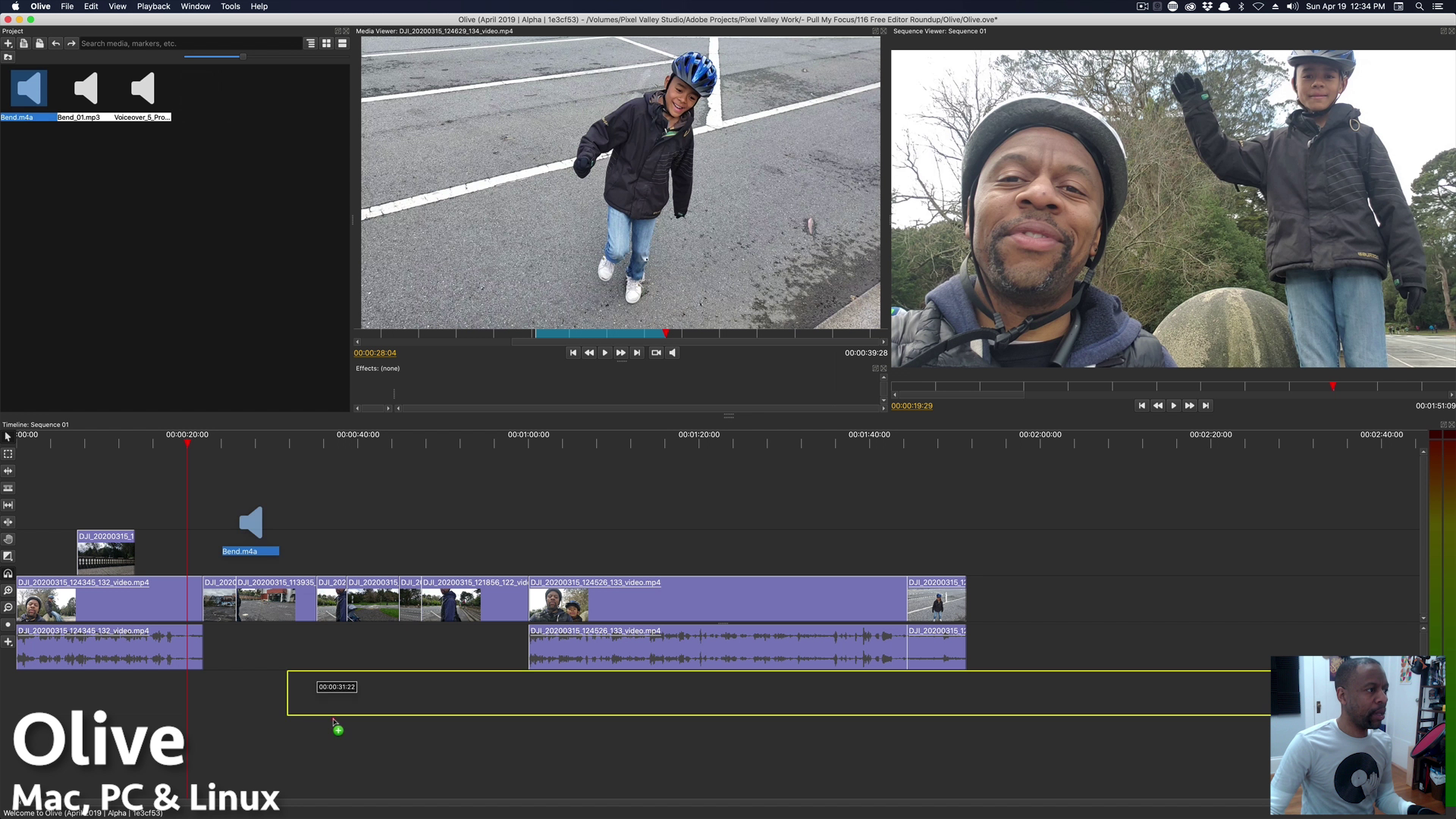
The Power of Adobe Video Editing Software
Adobe has long been a powerhouse in the world of creative software, and its video editing tools are no exception. With a suite of programs designed to cater to both beginners and professionals, Adobe offers versatility, power, and innovation in its video editing software.
Adobe Premiere Pro
At the heart of Adobe’s video editing suite is Premiere Pro. This industry-standard program provides a comprehensive set of tools for editing, color correction, audio mixing, and more. With features like multi-cam editing, motion graphics templates, and seamless integration with other Adobe products, Premiere Pro is a favorite among filmmakers and content creators.
Adobe After Effects
For those looking to add visual effects and motion graphics to their videos, Adobe After Effects is the go-to tool. From creating stunning animations to compositing layers for a polished look, After Effects offers endless possibilities for enhancing video projects.
Adobe Premiere Rush
For on-the-go editing or quick social media posts, Adobe Premiere Rush is a simplified version of Premiere Pro that still packs a punch. With an intuitive interface and easy-to-use tools, Rush is perfect for content creators who need to edit videos quickly without sacrificing quality.
Adobe Creative Cloud Integration
One of the biggest advantages of using Adobe’s video editing software is its seamless integration with other Creative Cloud apps. Whether you’re working on graphics in Photoshop or designing titles in Illustrator, Adobe’s ecosystem allows for smooth collaboration between different programs.
Conclusion
In conclusion, Adobe’s video editing software offers a powerful set of tools for creators looking to bring their vision to life. With industry-leading programs like Premiere Pro and After Effects, as well as user-friendly options like Premiere Rush, Adobe caters to a wide range of users with varying skill levels and needs.
If you’re serious about video editing and want access to cutting-edge features and capabilities, look no further than Adobe’s suite of video editing software.
8 Essential Tips to Master Adobe Video Editing Software
- Organize your media files in the project panel for easy access.
- Use keyboard shortcuts to speed up your editing workflow.
- Apply color correction and grading to enhance the visual appeal of your videos.
- Utilize audio effects and adjustments to improve sound quality.
- Experiment with different transitions to create smooth video transitions.
- Explore advanced features like motion graphics and visual effects for creative projects.
- Save your work regularly to avoid losing progress due to unexpected issues.
- Watch tutorials and take online courses to learn new techniques and improve your editing skills.
Organize your media files in the project panel for easy access.
To optimize your workflow in Adobe video editing software, it is essential to organize your media files within the project panel for easy access. By structuring your files systematically, you can save time searching for specific assets and maintain a clear overview of your project. Create folders, subfolders, and use descriptive naming conventions to categorize and label your media effectively. This simple tip not only enhances efficiency but also promotes a more streamlined editing process, allowing you to focus on the creative aspects of your project without unnecessary distractions.
Use keyboard shortcuts to speed up your editing workflow.
Utilizing keyboard shortcuts is a highly effective tip to accelerate your editing workflow when using Adobe video editing software. By memorizing and implementing these shortcuts, you can perform tasks more efficiently, navigate through the interface seamlessly, and execute commands with just a few keystrokes. This time-saving technique not only boosts your productivity but also allows you to focus more on the creative aspects of your video editing process. Mastering keyboard shortcuts in Adobe software can significantly enhance your editing experience and help you achieve professional results in less time.
Apply color correction and grading to enhance the visual appeal of your videos.
By applying color correction and grading using Adobe video editing software, you can significantly enhance the visual appeal of your videos. This process allows you to adjust the colors, contrast, and overall look of your footage to achieve a more polished and professional result. Whether you want to create a vibrant and eye-catching video or evoke a specific mood or tone, mastering color correction and grading techniques can make a substantial difference in the quality and impact of your final product. Adobe’s powerful tools make it easy to fine-tune the colors in your videos, bringing out the best in your visuals and captivating your audience with stunning imagery.
Utilize audio effects and adjustments to improve sound quality.
When working with Adobe video editing software, a valuable tip is to utilize audio effects and adjustments to enhance sound quality. By incorporating tools such as equalizers, noise reduction filters, and audio enhancements, you can refine the auditory experience of your videos. Adjusting levels, eliminating background noise, and adding effects can significantly improve the overall quality of your audio tracks, resulting in a more professional and engaging final product. Paying attention to sound quality is essential for creating immersive and captivating video content that resonates with your audience.
Experiment with different transitions to create smooth video transitions.
To enhance the flow and visual appeal of your video projects, consider experimenting with a variety of transitions available in Adobe video editing software. By exploring different transition effects such as fades, wipes, dissolves, and more, you can create seamless and polished transitions between scenes or clips. Adjusting the timing and style of transitions can help maintain continuity and engage viewers throughout your video content, adding a professional touch to your editing work.
Explore advanced features like motion graphics and visual effects for creative projects.
To elevate your creative projects to the next level, consider delving into advanced features such as motion graphics and visual effects within Adobe’s video editing software. By mastering these tools, you can add a dynamic and professional touch to your videos, making them more engaging and visually appealing. Whether you’re aiming to create eye-catching animations or seamlessly integrate stunning effects into your footage, exploring these advanced capabilities can unlock endless possibilities for bringing your creative vision to life.
Save your work regularly to avoid losing progress due to unexpected issues.
It is crucial to save your work regularly when using Adobe video editing software to prevent the loss of progress caused by unexpected issues. By frequently saving your project, you can safeguard against potential crashes or technical glitches that may occur during the editing process. This simple precaution ensures that your hard work is protected and allows you to pick up right where you left off without any setbacks. Remember, a few seconds spent saving can save you hours of frustration in the long run.
Watch tutorials and take online courses to learn new techniques and improve your editing skills.
To enhance your proficiency in Adobe video editing software, it is highly recommended to watch tutorials and enroll in online courses. By dedicating time to learning new techniques and honing your editing skills through these resources, you can unlock a world of creative possibilities and elevate the quality of your video projects. Whether you are a novice looking to grasp the basics or an experienced editor aiming to master advanced features, continuous learning through tutorials and online courses is key to staying updated and improving your efficiency in using Adobe’s powerful editing tools.
Tags: adobe video editing software, after effects, color correction, creative cloud integration, grading, keyboard shortcuts, media files organization, premiere pro, premiere rush, project panel, workflow optimization