
Exploring the Blackberry Desktop Manager
Blackberry Desktop Manager is a powerful software application that allows users to synchronize their Blackberry smartphones with their computers. This versatile tool offers a range of features to streamline data management and enhance user experience.
One of the key functionalities of the Blackberry Desktop Manager is its ability to sync contacts, calendars, tasks, and notes between the Blackberry device and the computer. This ensures that users have access to their important information across multiple platforms.
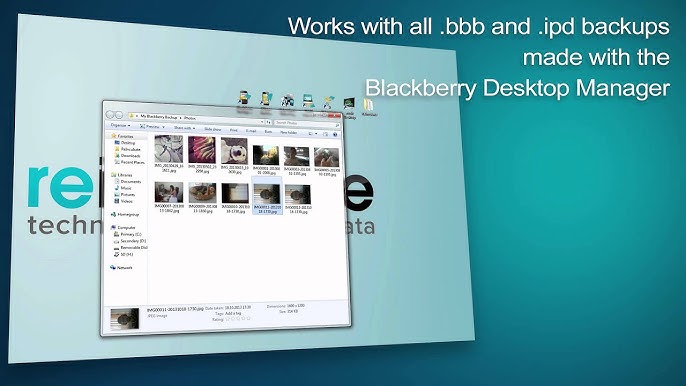
Additionally, the software enables users to back up and restore data on their Blackberry devices. This feature provides peace of mind by safeguarding valuable information in case of device loss or damage.
Another notable feature of the Blackberry Desktop Manager is its media management capabilities. Users can easily transfer music, photos, videos, and other media files between their Blackberry device and computer. This simplifies the process of organizing and accessing multimedia content.
Furthermore, the software allows for software updates and application installations on Blackberry devices directly from the computer. This ensures that users have access to the latest features and enhancements without having to navigate through complex menus on their devices.
In conclusion, the Blackberry Desktop Manager is a comprehensive tool that enhances productivity and convenience for Blackberry users. Its robust set of features simplifies data management, media synchronization, backup procedures, and software updates. Whether you are a business professional or a casual user, this software is a valuable asset for optimizing your Blackberry experience.
Top 8 Benefits of Using Blackberry Desktop Manager for Seamless Device Management
- Efficient data synchronization between Blackberry devices and computers
- Convenient backup and restore functionality for important data
- Streamlined media management for music, photos, videos, and more
- Simplified software updates and application installations directly from the computer
- Enhanced security features to protect sensitive information
- User-friendly interface for easy navigation and operation
- Compatibility with a wide range of Blackberry devices
- Customizable settings to personalize the user experience
Challenges with Blackberry Desktop Manager: Compatibility Issues, Complex Interface, and Sync Glitches
- Limited compatibility with newer Blackberry devices
- Relatively complex user interface for beginners
- Occasional synchronization errors or glitches
Efficient data synchronization between Blackberry devices and computers
The Blackberry Desktop Manager excels in facilitating efficient data synchronization between Blackberry devices and computers. This feature allows users to seamlessly update and manage their contacts, calendars, tasks, and notes across both platforms, ensuring that critical information is always up-to-date and accessible. By streamlining the synchronization process, the Blackberry Desktop Manager enhances productivity and eliminates the hassle of manual data transfer, making it a valuable tool for users seeking seamless integration between their devices and computers.
Convenient backup and restore functionality for important data
The Blackberry Desktop Manager offers a convenient backup and restore functionality that ensures the safety of important data stored on Blackberry devices. This feature allows users to easily create backups of their contacts, calendars, tasks, notes, and other essential information, providing peace of mind in case of device loss or data corruption. With just a few clicks, users can restore their backed-up data to their devices, ensuring that they never lose critical information. The seamless backup and restore process offered by the Blackberry Desktop Manager simplifies data management and enhances the overall user experience.
Streamlined media management for music, photos, videos, and more
The Blackberry Desktop Manager offers a streamlined media management solution for users, allowing them to efficiently organize and transfer music, photos, videos, and other multimedia content between their Blackberry devices and computers. This feature simplifies the process of managing multimedia files, making it easy for users to access and enjoy their favorite music, photos, and videos across different platforms with ease.
Simplified software updates and application installations directly from the computer
The Blackberry Desktop Manager offers a significant advantage with its streamlined process for software updates and application installations directly from the computer. This feature eliminates the need for users to navigate through complex menus on their devices, making it convenient and efficient to keep their Blackberry smartphones up-to-date with the latest features and enhancements. By enabling seamless updates and installations, the Desktop Manager enhances user experience by saving time and ensuring that users have access to the most current software versions without any hassle.
Enhanced security features to protect sensitive information
The Blackberry Desktop Manager offers enhanced security features to safeguard sensitive information, ensuring that user data remains protected at all times. With robust encryption protocols and secure data transfer methods, users can trust that their confidential data, such as contacts, calendars, and notes, is shielded from unauthorized access. This focus on security not only provides peace of mind for users but also underscores Blackberry’s commitment to prioritizing data privacy and protection in the digital age.
User-friendly interface for easy navigation and operation
The user-friendly interface of the Blackberry Desktop Manager ensures effortless navigation and operation for users of all levels of experience. With intuitive design and clear menus, users can easily access and utilize the software’s features without any confusion or frustration. This streamlined interface enhances productivity and efficiency, allowing users to manage their Blackberry devices with ease and confidence.
Compatibility with a wide range of Blackberry devices
The Blackberry Desktop Manager stands out for its exceptional compatibility with a wide range of Blackberry devices. This versatility ensures that users with different models and versions of Blackberry smartphones can seamlessly utilize the software’s robust features for data synchronization, backup, media management, and software updates. Whether you own a classic Blackberry device or the latest model, the Desktop Manager offers a consistent and reliable experience across the board, making it a valuable tool for all Blackberry users seeking efficient device management solutions.
Customizable settings to personalize the user experience
The Blackberry Desktop Manager offers a significant advantage with its customizable settings, allowing users to personalize their experience according to their preferences. This feature enables users to tailor the software to suit their specific needs and workflow, enhancing efficiency and convenience. By adjusting settings such as synchronization preferences, data backup options, and media transfer settings, users can create a personalized environment that aligns with their unique requirements. The ability to customize settings in the Blackberry Desktop Manager empowers users to optimize their user experience and make the most out of the software’s capabilities.
Limited compatibility with newer Blackberry devices
One significant drawback of the Blackberry Desktop Manager is its limited compatibility with newer Blackberry devices. As technology advances and new models are released, users may find that the software does not fully support the latest features and functionalities of these devices. This can lead to compatibility issues, making it challenging for users to seamlessly sync data, manage media files, or perform software updates on their newer Blackberry smartphones. As a result, users may encounter frustrations and limitations when trying to leverage the full potential of their modern devices with the outdated capabilities of the Desktop Manager.
Relatively complex user interface for beginners
The Blackberry Desktop Manager is a powerful tool, but one notable con is its relatively complex user interface, especially for beginners. Navigating through the various features and settings may be challenging for users who are not familiar with the software. The abundance of options and menus can be overwhelming, leading to confusion and potential errors in data synchronization or device management. While the software offers robust functionalities, its complexity may deter novice users from fully utilizing its capabilities without adequate guidance or support.
Occasional synchronization errors or glitches
Occasional synchronization errors or glitches can be a frustrating downside of using the Blackberry Desktop Manager. These issues may arise unexpectedly, causing disruptions in the syncing process between the Blackberry device and the computer. Users may encounter missing data, duplicated entries, or failed sync attempts, leading to potential data inconsistencies. Such errors can be time-consuming to troubleshoot and resolve, impacting the overall user experience and reliability of the software. It is important for users to regularly check for updates and follow best practices to minimize the occurrence of synchronization errors when using the Blackberry Desktop Manager.
Tags: application installations, backup, blackberry desktop manager, data synchronization, efficient, music, photos, restore, software updates, videos