
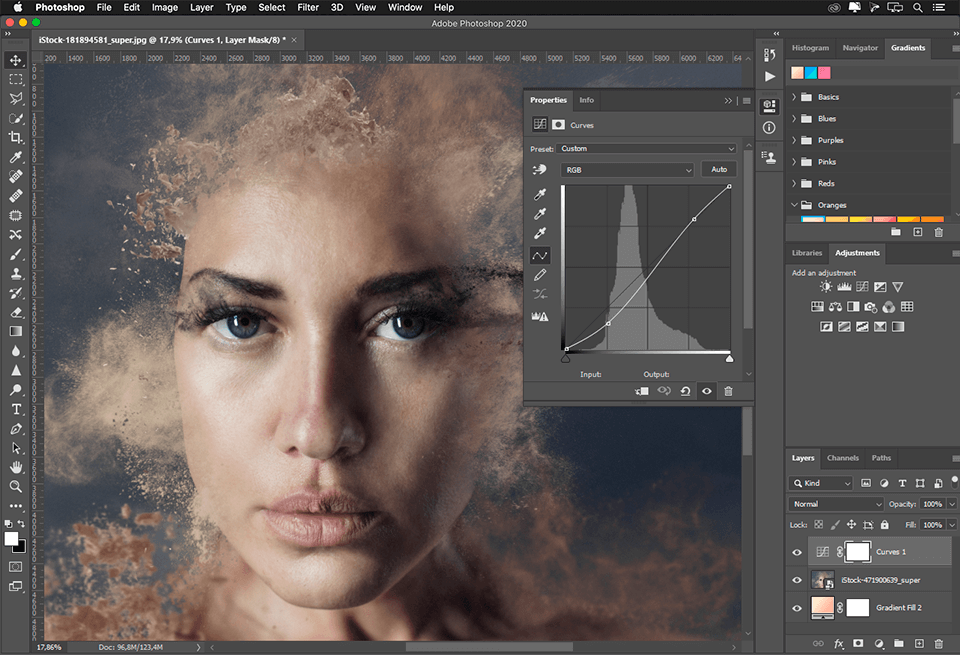
Exploring Adobe Photoshop Free: What You Need to Know
Adobe Photoshop is a powerful tool that has long been a staple for graphic designers, photographers, and creatives around the world. While the full version of Adobe Photoshop comes with a price tag, many users wonder if there is a free version available.
Unfortunately, Adobe does not offer a free version of Photoshop. However, they do provide a limited-time free trial for users to test out the software before committing to a subscription or purchase.
For those looking for a free alternative to Adobe Photoshop, there are several options available. GIMP (GNU Image Manipulation Program) and Pixlr are popular choices that offer many of the same features as Photoshop without the cost.
It’s important to note that while these free alternatives can be powerful tools in their own right, they may not have all the advanced features and capabilities found in Adobe Photoshop. For professional work or complex projects, investing in the full version of Photoshop may be worth it.
In conclusion, while Adobe Photoshop itself is not free, there are alternatives available for those looking to explore image editing and design without breaking the bank. Whether you choose to take advantage of the free trial or explore other options, there are plenty of resources out there to help you unleash your creativity.
6 Tips for Mastering Adobe Photoshop Without Spending a Dime
- Use free online tutorials to learn Photoshop basics.
- Experiment with different tools and features to understand their functions.
- Practice using layers for non-destructive editing.
- Explore free plugins and add-ons to enhance Photoshop’s capabilities.
- Utilize keyboard shortcuts to work more efficiently in Photoshop.
- Join online communities or forums to seek help and advice from experienced users.
Use free online tutorials to learn Photoshop basics.
Utilize free online tutorials as a valuable resource to learn the basics of Adobe Photoshop. These tutorials offer step-by-step guidance and practical tips to help you grasp fundamental concepts and techniques in image editing and design. Whether you are a beginner looking to familiarize yourself with the software or seeking to enhance your skills, taking advantage of these free resources can be a great way to kickstart your Photoshop journey and unleash your creativity.
Experiment with different tools and features to understand their functions.
To make the most of Adobe Photoshop, it’s essential to experiment with different tools and features to gain a deeper understanding of their functions. By exploring the various capabilities within the software, users can unlock new creative possibilities and enhance their editing skills. Whether it’s testing out different brushes, filters, or adjustment layers, taking the time to experiment will not only expand your knowledge but also inspire innovative ways to approach your projects.
Practice using layers for non-destructive editing.
When using Adobe Photoshop, a valuable tip for maximizing your editing capabilities is to practice using layers for non-destructive editing. By working with layers, you can make changes to specific elements of your design without altering the original image. This allows for greater flexibility and control in your editing process, as you can easily adjust or remove individual elements without affecting the rest of the composition. Mastering the use of layers in Photoshop not only enhances your workflow efficiency but also ensures that your edits are reversible and maintain the integrity of your original artwork.
Explore free plugins and add-ons to enhance Photoshop’s capabilities.
Exploring free plugins and add-ons can be a game-changer when it comes to enhancing Adobe Photoshop’s capabilities. These additional tools can provide new features, effects, and functionalities that can take your editing skills to the next level without costing you a penny. Whether you’re looking for new filters, brushes, or specialized tools, delving into the world of free plugins can unlock a whole new realm of creative possibilities within Photoshop.
Utilize keyboard shortcuts to work more efficiently in Photoshop.
Utilizing keyboard shortcuts is a valuable tip to enhance your efficiency while working in Adobe Photoshop. By mastering commonly used shortcuts for tasks like selecting tools, adjusting layers, and navigating through menus, you can streamline your workflow and save precious time. Incorporating keyboard shortcuts into your Photoshop routine not only speeds up your work process but also allows for a more seamless and intuitive editing experience. Mastering these shortcuts can significantly boost your productivity and help you achieve professional results with ease.
Join online communities or forums to seek help and advice from experienced users.
Joining online communities or forums is a valuable tip for anyone looking to explore Adobe Photoshop for free. By connecting with experienced users in these platforms, you can seek help, advice, and guidance on how to make the most out of the software. These communities are filled with knowledgeable individuals who are often willing to share their expertise and provide solutions to any challenges you may encounter. Engaging with these communities not only expands your knowledge but also allows you to be part of a supportive network that can enhance your Photoshop skills and creativity.
Tags: add-ons, adobe photoshop, adobe photoshop free, alternatives, basics, design, features, free version, functions, gimp, image editing, keyboard shortcuts, layers, limited-time free trial, non-destructive editing, pixlr, plugins, tools, tutorials