
Exploring the Power of SPSS Software
SPSS (Statistical Package for the Social Sciences) is a powerful software tool widely used for statistical analysis in various fields such as social sciences, health sciences, marketing research, and more. Developed by IBM, SPSS provides a user-friendly interface and a wide range of statistical functions to help researchers and analysts make sense of their data.
One of the key features of SPSS is its ability to handle large datasets and perform complex statistical analyses with ease. Users can input data from different sources, clean and preprocess it, and then apply various statistical tests to uncover patterns, trends, and relationships within the data.
With SPSS, users can generate descriptive statistics such as mean, median, mode, standard deviation, and more to summarize their data. They can also create visualizations like histograms, scatter plots, bar charts, and pie charts to better understand their data distribution.
For advanced analyses, SPSS offers a wide range of statistical tests including t-tests, ANOVA (Analysis of Variance), regression analysis, factor analysis, cluster analysis, and more. These tools help researchers draw meaningful conclusions from their data and make informed decisions based on evidence.
SPSS is not only limited to quantitative analysis but also supports qualitative data analysis through features like text analytics and categorical data analysis. Researchers can explore textual data for sentiment analysis or categorize responses for in-depth qualitative insights.
In addition to its analytical capabilities, SPSS also allows users to automate repetitive tasks through syntax programming. By writing scripts in SPSS syntax language, users can streamline their workflow, save time on routine tasks, and ensure reproducibility in their analyses.
Overall, SPSS is a versatile software tool that empowers researchers and analysts to unlock the hidden insights within their data. Whether you are conducting academic research or making business decisions, SPSS provides the tools you need to analyze your data effectively and derive meaningful conclusions.
Frequently Asked Questions About SPSS Software: Cost, Features, and Usage
- Is SPSS software free?
- Is SPSS similar to Excel?
- Can ChatGPT do SPSS analysis?
- What is SPSS software used for?
- What is the SPSS called now?
- Can I use SPSS for free?
Is SPSS software free?
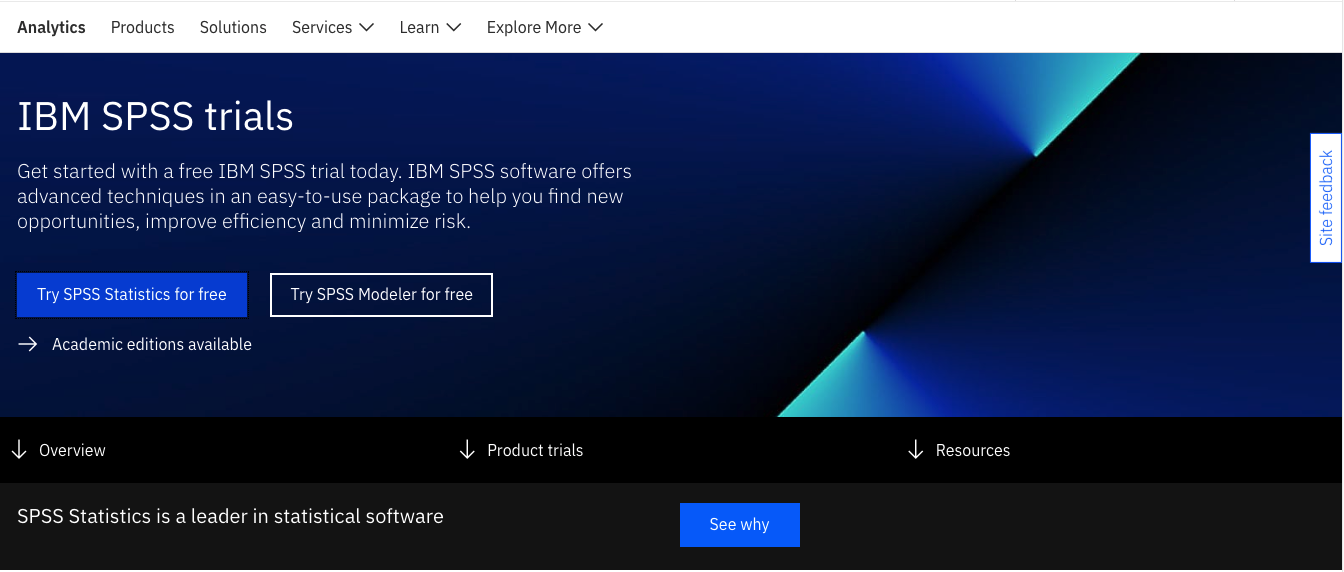
The frequently asked question, “Is SPSS software free?” often arises among individuals looking to access statistical analysis tools. While there are versions of SPSS that offer trial periods or limited functionalities for free, the full-featured version of SPSS typically requires a paid license. IBM, the developer of SPSS, offers various pricing plans for academic, commercial, and student users to access the complete suite of statistical analysis capabilities that SPSS provides. Users can explore the available options to determine the most suitable licensing arrangement based on their needs and budget.
Is SPSS similar to Excel?
While both SPSS and Excel are software tools commonly used for data analysis, they serve different purposes and have distinct features. Excel is primarily a spreadsheet application that is widely used for organizing data, creating charts, and performing basic calculations. On the other hand, SPSS (Statistical Package for the Social Sciences) is specifically designed for statistical analysis, offering a wide range of advanced statistical functions and tests that go beyond what Excel can provide. While Excel can handle simple data analysis tasks, SPSS is preferred for more complex statistical analyses, hypothesis testing, regression modeling, and data visualization. In summary, while there may be some overlap in their functionalities, SPSS is a specialized tool tailored for in-depth statistical analysis compared to the more general-purpose Excel.
Can ChatGPT do SPSS analysis?
ChatGPT is a powerful language model designed to understand and generate human-like text, but it does not have the capability to directly perform SPSS analyses. While ChatGPT can provide guidance on how to use SPSS, explain statistical concepts, or help interpret results from SPSS output, it cannot execute statistical functions or manipulate data within the SPSS software itself. For conducting actual statistical analyses, users need to utilize the SPSS software where they can input data, apply various statistical tests, and generate results. However, ChatGPT can be a valuable resource for learning about different features of SPSS and obtaining advice on best practices for data analysis.
What is SPSS software used for?
SPSS software is widely used for statistical analysis in various fields such as social sciences, health sciences, marketing research, and more. Researchers and analysts utilize SPSS to input, clean, preprocess, and analyze data from different sources. The software enables users to generate descriptive statistics, create visualizations, and perform a wide range of statistical tests to uncover patterns, trends, and relationships within the data. SPSS also supports qualitative data analysis through features like text analytics and categorical data analysis. Overall, SPSS is a versatile tool that empowers users to make informed decisions based on evidence-driven insights derived from their data analysis.
What is the SPSS called now?
The software known as SPSS (Statistical Package for the Social Sciences) is now commonly referred to as IBM SPSS Statistics. IBM acquired SPSS Inc. in 2009 and integrated the statistical analysis software into its portfolio of products. While the name has been updated to reflect its association with IBM, the core functionality and features of the software remain largely unchanged, continuing to serve researchers, analysts, and data scientists in various industries worldwide.
Can I use SPSS for free?
Many users often wonder if they can use SPSS for free. While IBM offers a trial version of SPSS for a limited period, it is important to note that the full version of SPSS typically requires a paid license. However, educational institutions or organizations may provide access to SPSS through site licenses or subscriptions, allowing users to use the software at no additional cost. Additionally, there are open-source alternatives to SPSS available that offer similar statistical analysis capabilities for those seeking free options.
Tags: academic research, anova, business decisions, categorical data analysis, cluster analysis, complex statistical analyses, descriptive statistics, factor analysis, health sciences, ibm, marketing research, qualitative data analysis, regression analysis, social sciences, spss software, statistical analysis, statistical functions, statistical tests, syntax programming, t-tests, text analytics, user-friendly interface, visualizations