
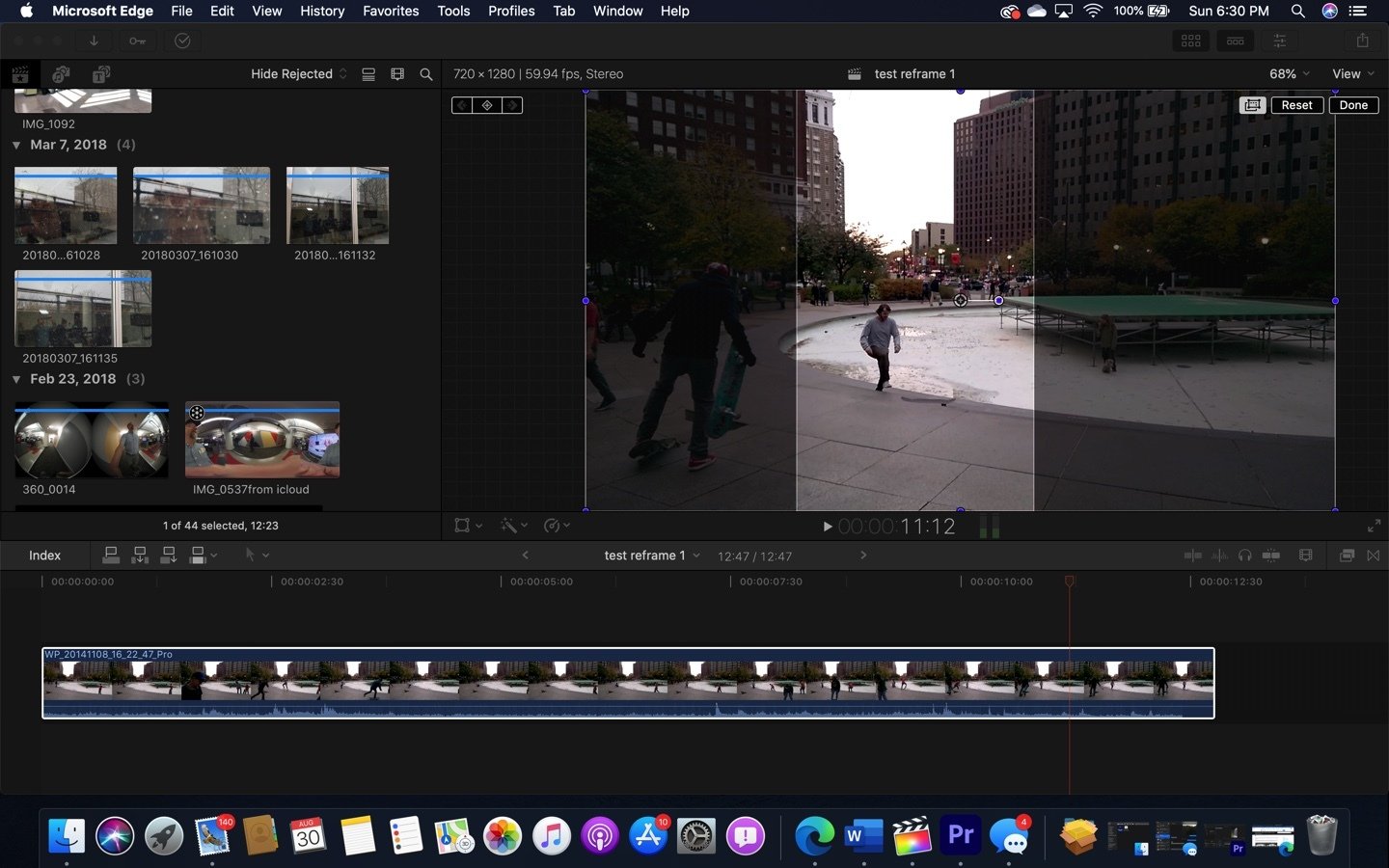
The Best Professional Video Editing Software You Can Download for Free
Video editing is a crucial aspect of content creation, whether you are a professional videographer, a YouTuber, or just someone who loves making videos for fun. While there are many paid video editing software options available, you don’t always have to break the bank to get your hands on powerful editing tools.
Here are some of the top professional video editing software that you can download for free:
DaVinci Resolve
DaVinci Resolve is a comprehensive video editing software used by professional filmmakers and Hollywood studios. It offers advanced features such as color correction, audio post-production, and visual effects. The free version of DaVinci Resolve provides most of the essential tools you need to create high-quality videos.
Shotcut
Shotcut is an open-source video editor that is powerful and easy to use. It supports a wide range of video formats and has a user-friendly interface. With features like 4K resolution support and timeline editing, Shotcut is a great choice for both beginners and experienced editors.
Lightworks
Lightworks is a professional-grade video editor that has been used in the production of many acclaimed films and TV shows. The free version of Lightworks offers robust editing tools, multicam support, and real-time effects. It may have a bit of a learning curve, but it’s worth exploring for its advanced capabilities.
These are just a few examples of the top-notch professional video editing software that you can download for free. Whether you are looking to enhance your videos with stunning visual effects or refine your storytelling through precise editing, these tools have got you covered without costing you a dime.
Unlock Professional Video Editing: 7 Benefits of Free Software Downloads
- Access to professional-grade editing tools without any cost
- Opportunity to learn and practice video editing skills without financial investment
- Ability to create high-quality videos for personal or professional use
- Availability of a wide range of features such as color correction, audio editing, and special effects
- Flexibility to work with various video formats and resolutions
- Option to explore different software interfaces and find the one that best suits your workflow
- Potential for collaboration with other creators using the same free software
6 Drawbacks of Free Professional Video Editing Software Downloads
- Limited features compared to paid versions
- May have watermarks on exported videos
- Less customer support and documentation
- Potential for slower performance or crashes
- Restricted access to premium effects and plugins
- Limited updates and new features
Access to professional-grade editing tools without any cost
One significant advantage of professional video editing software available for free download is the access to high-quality editing tools typically used by professionals in the industry, without any financial investment required. These tools often include advanced features such as color correction, audio post-production, visual effects, and timeline editing capabilities. By offering these professional-grade tools at no cost, aspiring filmmakers, content creators, and video enthusiasts can elevate the quality of their projects without being limited by budget constraints. This accessibility democratizes the creative process and empowers users to explore their artistic vision with the same tools used by seasoned professionals.
Opportunity to learn and practice video editing skills without financial investment
One significant advantage of accessing professional video editing software for free is the opportunity it provides to learn and practice video editing skills without any financial investment. By having access to powerful tools at no cost, aspiring editors, content creators, and hobbyists can experiment with different editing techniques, explore advanced features, and hone their skills without the pressure of financial constraints. This hands-on experience not only enhances proficiency in video editing but also fosters creativity and confidence in utilizing industry-standard software for future projects.
Ability to create high-quality videos for personal or professional use
Professional video editing software that is available for free download offers users the ability to create high-quality videos for personal or professional use. With advanced features and tools at their disposal, users can enhance their videos with stunning visual effects, precise editing, and seamless transitions. Whether it’s for sharing memorable moments with friends and family or producing professional content for businesses or clients, these software options empower creators to elevate the quality of their videos without the need for a hefty investment. The accessibility of such powerful tools opens up endless possibilities for individuals looking to express their creativity through visually captivating storytelling.
Availability of a wide range of features such as color correction, audio editing, and special effects
One significant advantage of professional video editing software available for free download is the wide range of features it offers, including advanced capabilities like color correction, audio editing, and special effects. These tools empower users to enhance the visual appeal of their videos, fine-tune the audio quality, and add creative elements to make their content stand out. With access to such comprehensive features without any cost barrier, content creators can elevate the production value of their videos and unleash their creativity to produce professional-looking results.
Flexibility to work with various video formats and resolutions
Professional video editing software that is available for free download offers the significant advantage of flexibility in working with various video formats and resolutions. This feature is essential for content creators who deal with a wide range of media sources and need to seamlessly integrate different types of footage into their projects. With the ability to handle diverse formats and resolutions, editors can easily mix and match videos from different sources without worrying about compatibility issues. This flexibility not only streamlines the editing process but also allows for greater creative freedom in producing high-quality videos tailored to specific needs and preferences.
Option to explore different software interfaces and find the one that best suits your workflow
One significant advantage of professional video editing software being available for free download is the opportunity it provides to explore various software interfaces. By trying out different editing tools without financial commitment, users can discover the interface that aligns best with their workflow and preferences. This flexibility allows editors to experiment with different features, layouts, and functionalities to ultimately find the software that enhances their efficiency and creativity in producing high-quality videos.
Potential for collaboration with other creators using the same free software
One significant advantage of using professional video editing software available for free download is the potential for collaboration with other creators who also utilize the same software. When multiple creators work on a project using the same editing tools, it streamlines the workflow and ensures seamless compatibility. This shared platform allows for easy sharing of project files, collaborative editing sessions, and consistent output quality across different team members. By leveraging the same free software, creators can enhance their collaborative efforts, share creative ideas, and collectively elevate the quality of their video content without any financial barriers.
Limited features compared to paid versions
One significant drawback of opting for free versions of professional video editing software is the limited features they offer compared to their paid counterparts. While free software may provide essential editing tools and functionalities, they often lack advanced features that are crucial for professional-level video production. These limitations can include restricted access to high-end visual effects, sophisticated audio editing capabilities, advanced color grading tools, and other premium features that can significantly enhance the quality and creativity of your video projects. As a result, users may find themselves constrained in their creative expression and technical capabilities when using free versions of professional video editing software.
May have watermarks on exported videos
One common downside of using professional video editing software that is available for free download is the presence of watermarks on exported videos. Watermarks are often added by the software developers to promote their brand or to encourage users to upgrade to a paid version for watermark-free exports. These watermarks can detract from the overall quality and professionalism of the video, especially if they are prominently displayed. For content creators looking to maintain a polished and branded image, dealing with watermarked videos can be a significant drawback when using free editing software.
Less customer support and documentation
One significant drawback of using professional video editing software available for free download is the lack of comprehensive customer support and documentation. Paid software packages often come with dedicated customer service teams and extensive user guides to assist users in troubleshooting issues or learning how to use advanced features effectively. In contrast, free software may have limited resources allocated to customer support, which can make it challenging for users to get timely assistance when encountering technical difficulties or seeking guidance on specific editing techniques. This limitation can result in frustration and hinder the overall editing experience, especially for users who rely on prompt support to overcome obstacles and maximize their creative potential.
Potential for slower performance or crashes
One significant drawback of using professional video editing software that can be downloaded for free is the potential for slower performance or crashes. While these tools offer powerful features and functionalities, they may not always be optimized for seamless performance on all systems. Users may experience lagging, freezing, or even crashes while working on projects, especially when dealing with large video files or complex editing tasks. This can result in frustration and loss of work progress if not saved regularly. It’s important to consider the hardware requirements and system compatibility before choosing a free video editing software to minimize the risk of performance issues.
Restricted access to premium effects and plugins
One significant drawback of using professional video editing software available for free download is the restricted access to premium effects and plugins. While these free software options often come with a wide range of basic editing tools, users may find themselves limited in terms of accessing advanced visual effects, transitions, and audio plugins that can elevate the quality of their videos. Premium effects and plugins are typically offered as paid add-ons or features in the paid versions of the software, leaving users of the free versions with fewer options for enhancing their video projects with professional-grade elements. This limitation can sometimes hinder creativity and limit the overall production value of videos created using free professional video editing software.
Limited updates and new features
One significant drawback of using professional video editing software available for free download is the limited updates and new features that may be provided. Unlike paid versions that often receive regular updates with enhanced functionalities and cutting-edge features, free versions of video editing software may lag behind in terms of innovation and improvements. This can result in users missing out on the latest tools, performance enhancements, and compatibility updates that could elevate their editing experience and productivity. As a consequence, relying on free professional video editing software may limit users’ ability to stay current with industry trends and advancements, potentially impacting the quality and efficiency of their editing projects in the long run.
Tags: advanced features, audio post-production, color correction, davinci resolve, free download, high-quality videos, lightworks, professional, professional video editing software free download, shotcut, timeline editing, video editing software, visual effects