
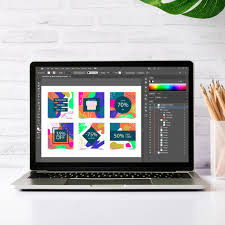
The Power of Graphic Design Software
Graphic design software has revolutionized the way we create visual content. From professional designers to hobbyists, these tools have become essential in unleashing creativity and bringing ideas to life.
One of the most popular graphic design software is Adobe Photoshop. Known for its versatility and robust features, Photoshop allows users to manipulate images, create digital artwork, and enhance photos with precision. Its wide range of tools and capabilities make it a go-to choice for many graphic designers.
Another widely used software is Adobe Illustrator, which focuses on creating vector graphics. With Illustrator, designers can create logos, icons, illustrations, and other scalable graphics that maintain their quality at any size. Its intuitive interface and powerful tools make it a favorite among professionals.
For those looking for free alternatives, GIMP (GNU Image Manipulation Program) is a popular open-source software that offers many of the same features as Photoshop. It provides a flexible and customizable platform for editing images and creating artwork without the hefty price tag.
Graphic design software not only enables users to unleash their creativity but also streamlines the design process. With features like layers, filters, blending modes, and typography tools, designers can experiment with different elements to achieve their desired look.
Whether you’re designing a logo for a business, creating social media graphics, or working on a digital illustration, graphic design software provides the tools you need to bring your vision to life. The possibilities are endless when it comes to exploring the power of these versatile programs.
As technology continues to advance, graphic design software will evolve with new features and capabilities that push the boundaries of creativity. Embrace the power of graphic design software and unlock your potential as a visual storyteller in today’s digital world.
8 Essential Tips for Mastering Graphic Design Software
- Use layers to organize your design elements.
- Experiment with different fonts and typography styles.
- Utilize grids and guides for precise alignment.
- Explore color theory to create visually appealing designs.
- Learn keyboard shortcuts to work more efficiently.
- Save your work regularly to prevent data loss.
- Seek inspiration from other designers and artists.
- Practice regularly to improve your skills.
Use layers to organize your design elements.
When working with graphic design software, a valuable tip is to utilize layers to organize your design elements effectively. By separating different components of your design onto individual layers, you can easily manage and manipulate each element without affecting the rest of the composition. Layers allow for greater control over the arrangement, visibility, and editing of various parts of your design, making the creative process more efficient and streamlined. Mastering the use of layers can enhance your workflow and help you create visually appealing designs with precision and ease.
Experiment with different fonts and typography styles.
When using graphic design software, a valuable tip is to experiment with different fonts and typography styles. Fonts play a crucial role in conveying the tone and message of your design. By exploring various typefaces, sizes, and styles, you can create visually appealing compositions that effectively communicate your intended message. Whether you’re aiming for a sleek modern look or a vintage feel, playing around with typography can add depth and personality to your designs, making them stand out and leave a lasting impression on your audience.
Utilize grids and guides for precise alignment.
When working with graphic design software, a valuable tip to enhance your designs is to utilize grids and guides for precise alignment. By setting up grids and guides, you can ensure that elements within your design are perfectly aligned, evenly spaced, and visually balanced. This attention to detail not only enhances the overall aesthetic of your work but also helps create a professional-looking composition. Grids and guides act as visual aids that streamline the design process and enable you to achieve a polished result with accuracy and consistency.
Explore color theory to create visually appealing designs.
Exploring color theory is a fundamental tip for creating visually appealing designs using graphic design software. Understanding the principles of color harmony, contrast, and psychology can help designers evoke specific emotions, convey messages effectively, and establish a cohesive visual identity. By utilizing color palettes strategically and experimenting with different combinations, designers can enhance the overall impact of their creations and engage viewers on a deeper level. Mastering color theory is key to elevating the aesthetic quality and effectiveness of any design project.
Learn keyboard shortcuts to work more efficiently.
Learning keyboard shortcuts is a valuable tip for maximizing efficiency when using graphic design software. By familiarizing yourself with commonly used shortcuts for tasks like selecting tools, navigating layers, and applying effects, you can significantly speed up your workflow. Mastering these keyboard shortcuts not only saves time but also allows you to focus more on the creative aspects of your design work. Whether you’re a beginner or an experienced designer, incorporating keyboard shortcuts into your workflow can make a noticeable difference in productivity and overall design output.
Save your work regularly to prevent data loss.
It is crucial to save your work regularly when using graphic design software to prevent data loss. Design projects can be time-consuming and intricate, and losing progress due to a technical issue or system crash can be devastating. By making it a habit to save your work frequently, you ensure that your designs are safeguarded against unexpected disruptions. Remember, a simple click of the save button can save you from hours of frustration and potential setbacks in your creative process.
Seek inspiration from other designers and artists.
Seeking inspiration from other designers and artists is a valuable tip when using graphic design software. By exploring the work of talented individuals in the field, you can gain fresh perspectives, learn new techniques, and spark your creativity. Whether it’s studying a renowned designer’s portfolio or admiring an emerging artist’s unique style, drawing inspiration from others can help you refine your own design skills and develop a distinctive aesthetic. Embrace the opportunity to be inspired by the creativity of fellow designers and artists as you continue to grow and evolve in your graphic design journey.
Practice regularly to improve your skills.
Regular practice is key to honing your skills in graphic design software. By dedicating time each day to experiment, create, and learn new techniques, you can improve your proficiency and creativity. Consistent practice not only helps you become more familiar with the tools and features of the software but also allows you to develop your own unique style. Whether you are a beginner or an experienced designer, making practice a priority will undoubtedly elevate your design capabilities and help you stay ahead in the ever-evolving world of graphic design.
Tags: adobe illustrator, adobe photoshop, alignment, design elements, fonts, gimp, graphic design software, grids, guides, layers, typography styles