
The Ultimate Guide to DVD Player Software
Are you looking for the best DVD player software to enhance your movie-watching experience? Look no further! In this comprehensive guide, we will explore the top features, benefits, and considerations when choosing DVD player software.
Why Use DVD Player Software?
DVD player software allows you to play DVDs on your computer or laptop with ease. Whether you want to watch movies, TV shows, or home videos, DVD player software provides a convenient way to enjoy your favorite content.
Key Features to Look For:
- Support for various disc formats
- Customizable playback options
- Subtitle and audio track selection
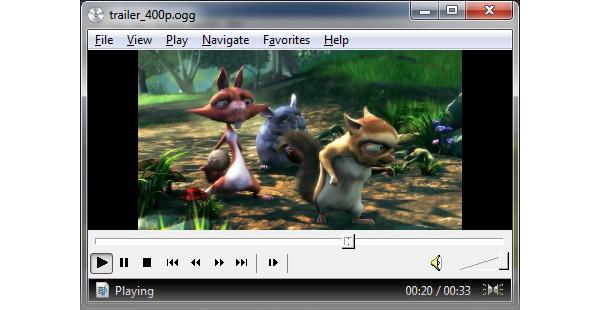
- Playback controls (play, pause, stop, rewind)
- Screen capture and snapshot capabilities
Benefits of Using DVD Player Software:
By using dedicated DVD player software, you can enjoy a seamless viewing experience without the need for additional hardware. You can easily navigate through chapters, adjust settings, and personalize your viewing preferences.
Considerations When Choosing DVD Player Software:
- Compatibility with your operating system
- User-friendly interface
- Playback quality and performance
- Additional features such as video enhancement tools
Top DVD Player Software Recommendations:
- VLC Media Player: A versatile and free multimedia player that supports a wide range of formats.
- CyberLink PowerDVD: Feature-rich software with advanced playback options and support for high-definition content.
- GOM Player: A lightweight player with customizable skins and codec support for smooth playback.
With the right DVD player software, you can elevate your entertainment experience and enjoy your favorite movies and shows with ease. Explore different options, consider your needs, and choose the software that best suits your preferences.
Everything You Need to Know About DVD Player Software: Features, Options, and Recommendations
- What is DVD player software and how does it work?
- Which DVD player software is best for playing various disc formats?
- Can DVD player software support subtitles and multiple audio tracks?
- How can I customize playback options in DVD player software?
- Are there any free DVD player software options available?
- What are the system requirements for installing and running DVD player software?
What is DVD player software and how does it work?
DVD player software is a digital tool designed to play DVDs on your computer or laptop. It functions by decoding the audio and video data stored on the DVD disc and then displaying it on your screen in a format that you can watch and enjoy. The software typically provides a user-friendly interface where you can navigate through the DVD menu, select chapters, adjust playback settings, and control various aspects of the viewing experience. By utilizing advanced algorithms and codecs, DVD player software ensures smooth playback quality and compatibility with different disc formats, offering users a convenient way to access their favorite movies, TV shows, and other multimedia content directly from their devices.
Which DVD player software is best for playing various disc formats?
When it comes to playing various disc formats, many users often wonder which DVD player software is the best choice. VLC Media Player stands out as a top recommendation for its versatility in handling a wide range of formats. With support for diverse disc types, including DVDs, CDs, and even streaming protocols, VLC Media Player offers a reliable solution for users seeking a comprehensive playback experience. Its user-friendly interface and robust features make it a popular choice among those looking for a versatile DVD player software that can seamlessly handle different disc formats with ease.
Can DVD player software support subtitles and multiple audio tracks?
One common query regarding DVD player software is whether it supports subtitles and multiple audio tracks. The answer is yes, many DVD player software options offer the capability to display subtitles in various languages and switch between multiple audio tracks seamlessly. This feature enhances the viewing experience, especially for foreign language films or multimedia content with different audio options. When choosing DVD player software, it is essential to ensure that it provides support for subtitles and multiple audio tracks to cater to diverse viewer preferences and requirements.
How can I customize playback options in DVD player software?
Customizing playback options in DVD player software allows you to tailor your viewing experience to suit your preferences. To customize playback options, start by accessing the settings or preferences menu within the software. Here, you can adjust settings such as playback speed, aspect ratio, subtitle display, audio track selection, and video enhancement features. Some DVD player software also offers advanced customization options like screen capture capabilities, snapshot tools, and the ability to create playlists. By exploring and adjusting these playback options, you can enhance your viewing experience and make the most out of your DVD player software.
Are there any free DVD player software options available?
Many users often wonder if there are any free options available when it comes to DVD player software. The answer is yes! There are several free DVD player software options that provide basic playback functionality without any cost. Popular choices like VLC Media Player and GOM Player offer support for various disc formats, customizable playback options, and additional features, all at no charge. These free options can be a great starting point for users looking to watch DVDs on their computers without investing in paid software.
What are the system requirements for installing and running DVD player software?
When considering the system requirements for installing and running DVD player software, it is essential to ensure that your computer meets the necessary specifications for optimal performance. Typically, DVD player software may require a compatible operating system (such as Windows, macOS, or Linux), sufficient RAM and storage space, a supported processor (CPU), and a graphics card capable of handling video playback. Additionally, having an up-to-date sound card and display monitor can enhance the overall viewing experience. It is recommended to check the specific requirements outlined by the DVD player software manufacturer to ensure smooth installation and playback of DVDs on your system.
Tags: audio track selection, benefits, benefits of using dvd player software, computer, considerations, customizable playback options, cyberlink powerdvd, disc formats, dvd, dvd player software, features, gom player, laptop, movie-watching experience, operating system compatibility, play dvds, playback controls, playback quality and performance, screen capture, snapshot capabilities, software, subtitle selection, user-friendly interface, video enhancement tools, vlc media player